
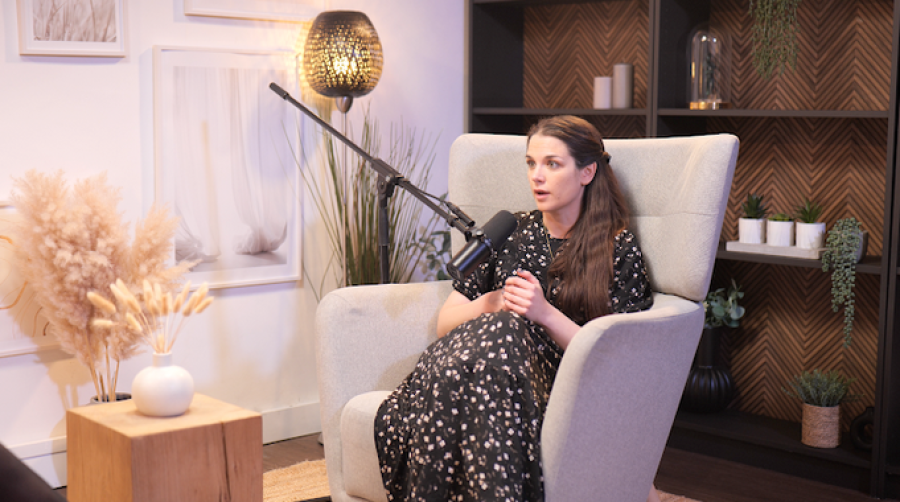
Professional podcast equipment is best understood as a connected recording system rather than a collection of individual gadgets. A microphone, camera or light can be excellent on its own, but the quality and reliability of a studio session depend on how the full setup works together.
For someone hiring a studio, the goal is not to memorise technical specifications. It is to understand the main equipment categories, what they do, and whether the studio can support the format you want to record. This guide provides that overview and links to more detailed equipment resources where needed.
The Podcast Studio Signal Chain
A simple way to understand studio equipment is to follow the path from the person speaking to the finished recording.
|
Voice |
The host or guest creates the sound. |
|
Microphone |
Captures the voice and turns it into an electrical audio signal. |
|
Interface, preamp or mixer |
Raises, routes and converts the signal so it can be recorded. |
|
Recorder or computer |
Captures the audio, ideally with each microphone on a separate track. |
|
Monitoring |
Allows the engineer - and sometimes participants - to hear what is being captured. |
|
Post-production |
The recorded files can then be edited, mixed and delivered. |
For a visual podcast, a second pathway runs alongside the audio: the subjects are lit, captured by one or more cameras, recorded or switched, stored and later edited. The important point is that audio and video systems need to work in sync.
Podcast Microphones and Vocal Capture
The microphone is the first part of the audio chain. Podcast studios commonly choose microphones that work well for close spoken-word recording and can keep individual voices clear when several people are in the same room.
Dynamic and condenser microphones can both be used for voice recording, but they behave differently. Dynamic microphones are often selected for close-mic spoken-word sessions because they can be practical in multi-person environments. Condenser microphones can capture more room detail, which can be useful in a well-controlled space but may require more careful positioning.
|
Finchley example Finchley Studios uses Shure SM7B microphones for podcast recording. This is a concrete example of the microphone system a client can confirm before a session, rather than relying on a generic claim such as 'professional microphones included'. |
Audio Interfaces, Preamps and Mixers
A microphone signal needs to be amplified, converted and routed before it becomes a usable digital recording. Interfaces, preamps and mixers handle these jobs in different combinations.
For a client, the practical concern is capacity and control: can the studio record the required number of microphones cleanly, keep each speaker at a suitable level, and capture the voices separately so the editor has flexibility later?
You do not need to compare preamp specifications before booking. Instead, ask whether the system is designed for the number of participants and workflow you are planning.
Headphones and Audio Monitoring
Monitoring lets the production team hear what the microphones are capturing while the session is happening. This helps an engineer notice issues such as a microphone being too far from a speaker, an unexpected noise or a remote guest who is difficult to hear.
Closed-back headphones are commonly used because they keep the monitored sound contained around the listener's ears. Not every format requires every guest to wear headphones, but monitoring becomes especially useful for remote conversations, complex multi-person sessions and engineer-operated recordings.
Why Multi-Track Recording Matters
In a multi-person podcast, recording each microphone onto its own track gives the editor more control after the session. A loud laugh, a quiet speaker or an unwanted noise on one microphone can be adjusted without changing every other voice at the same time.
For anyone hiring a studio, this is a useful capability to confirm when several people will be recorded together.
Cameras for Visual Podcasts
Visual podcasts add a second production system. A single camera can be enough for some formats, while multi-camera recording allows editors to move between a wide view and closer shots of individual speakers.
The correct number of cameras depends on the number of participants, the style of the show and the editing plan. More cameras are not automatically better; they should serve a clear visual purpose.
|
Finchley example Finchley Studios can use up to three Panasonic cameras for visual podcast production. This can support a combination of wider and closer angles while keeping the setup manageable for the format. |
Internal link: Visual Podcast Studios
Target: [LEVEL 2 SIBLING URL TO ADD]
Podcast Studio Lighting
Lighting is part of the camera system rather than decoration added at the end. Its job is to make faces readable, control contrast and help the set look consistent throughout the recording.
A visual studio may use a main light for the subject, softer fill light to control shadows and separate lights for the background or set. The exact arrangement varies, so a client mainly needs to know whether the room is already equipped and controllable for the intended look.
Recording, Switching and File Storage
A visual podcast can create several large files at the same time: multiple camera recordings, separate microphone tracks and sometimes a switched programme feed. The studio therefore needs a reliable way to record, store and hand over the material.
Some productions are switched live between camera angles, while others record every camera separately and make all editorial decisions later. Neither workflow is automatically better; it depends on turnaround time, editing requirements and the team operating the session.
Before booking a complex visual recording, confirm what files will be captured and what you will receive after the session.
Remote Guests and Live-Streaming Systems
Remote guests introduce additional audio and video routing. The people in the studio need to hear the remote participant clearly, while the remote participant must also hear the studio without disruptive echo.
Live streaming adds real-time delivery to the workflow, so the production depends not only on cameras and microphones but also on stable network and streaming systems.
|
Finchley example Finchley Studios supports remote guests and live streaming. These requirements should be discussed before the session so the correct routing and production workflow can be prepared. |
Why the Room Still Matters
Equipment does not operate in isolation from the room. Sound from traffic, neighbouring spaces or hard reflective surfaces can still affect the recording even when high-quality microphones are being used.
Sound isolation reduces unwanted noise entering the room, while acoustic treatment manages reflections inside it. For this Level 2 guide, the key point is simple: the recording environment is part of the system.
|
Finchley example Finchley Studios operates fully soundproof professional recording spaces, giving the audio system a controlled environment in which to work. |
Equipment Availability vs Professional Engineering
Having access to cameras, microphones and recording systems is different from having someone operate them. A self-operated booking can suit an experienced production team, while another client may prefer an engineer to monitor the recording and manage the technical workflow.
|
Finchley example Engineering support is optional at Finchley Studios, and editing/post-production are also available. This lets clients choose between using the facilities independently and adding technical support where needed. |
Internal link: Podcast Studio Hire
Target: [LEVEL 2 SIBLING URL TO ADD]
What Equipment Should You Expect When Hiring a Studio?
There is no universal rental package across the industry. A studio may include a complete equipment setup in the room price, while another may make cameras, engineering or specialist tools optional.
At a high level, confirm:
· enough microphones for the planned number of speakers
· a recording system capable of capturing the required audio tracks
· monitoring where the format needs it
· the number of cameras and lighting setup if video is booked
· support for remote guests or live streaming if required
· what files and recordings will be delivered after the session
What Equipment Is Included When Renting a Podcast Studio in London?
How Professional Equipment Differs From a Simple Home Setup
Excellent podcasts can be recorded at home, so the difference is not that professional facilities own 'magic' equipment. The main difference is the scale and integration of the system.
· Multiple participants can be recorded at the same time with separate audio tracks.
· Audio, cameras and lighting can be configured as one repeatable workflow.
· Monitoring makes it easier to identify problems while recording rather than discovering them later.
· The room is designed or prepared for recording rather than adapted temporarily.
· Technical staff can be added when the client does not want to operate the production themselves.
The content, host and guest still matter more than an equipment list. Professional infrastructure is valuable when it reduces technical friction and makes the production more consistent.
Professional Podcast Studio Equipment
Understanding a Complete Equipment Setup
This page intentionally stays at system level. If you need a component-by-component breakdown of microphones, interfaces, recording tools, video equipment and studio setup, use the deeper Equipment Guide.
Podcast Studio Equipment Guide
Frequently Asked Questions
What microphone does Finchley Studios use for podcasts?
Finchley Studios uses Shure SM7B microphones for podcast recording. The suitability of any microphone still depends on the room, positioning and the overall recording chain.
How many cameras do I need for a video podcast?
There is no fixed number. One camera can work for a simple format, while multiple cameras can provide wider and closer angles for interviews or panels. Finchley can use up to three Panasonic cameras for visual podcast production.
Do podcast guests need headphones?
Not in every format. Headphones are particularly useful when participants need to hear a remote guest, a return feed or a monitored mix. The production team can decide whether they are necessary for the session.
Why record each microphone separately?
Separate tracks give the editor more control over the volume, processing and unwanted noises from each participant.
Is all studio equipment included in the hire?
Not necessarily. Inclusions vary between rooms, packages and studios, so confirm the microphones, cameras, lighting, technical support and file delivery before booking.
Do I need to know how to operate the equipment?
That depends on the booking. Experienced production teams may operate a studio themselves, while other clients can choose engineering support where it is available.














