
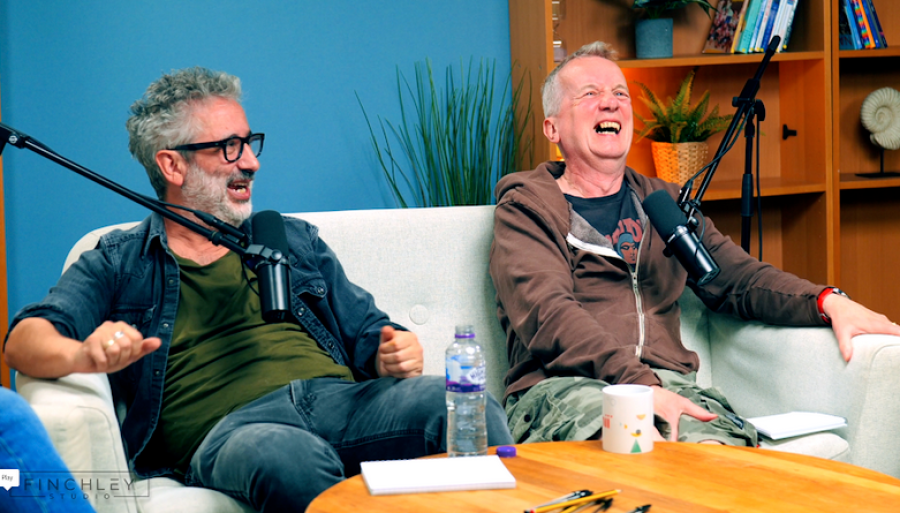
Choosing the right software as a videography editor comes down to your workflow, your project type, and how much control you need over editing, color, and audio. For creators working in a podcast studio, podcast studio london, video studio london, or recording studio london environment, the best software is the one that keeps production fast, clean, and consistent while matching the quality of the space you are filming in. Amateur Photographer, Spexster, Amicitable.
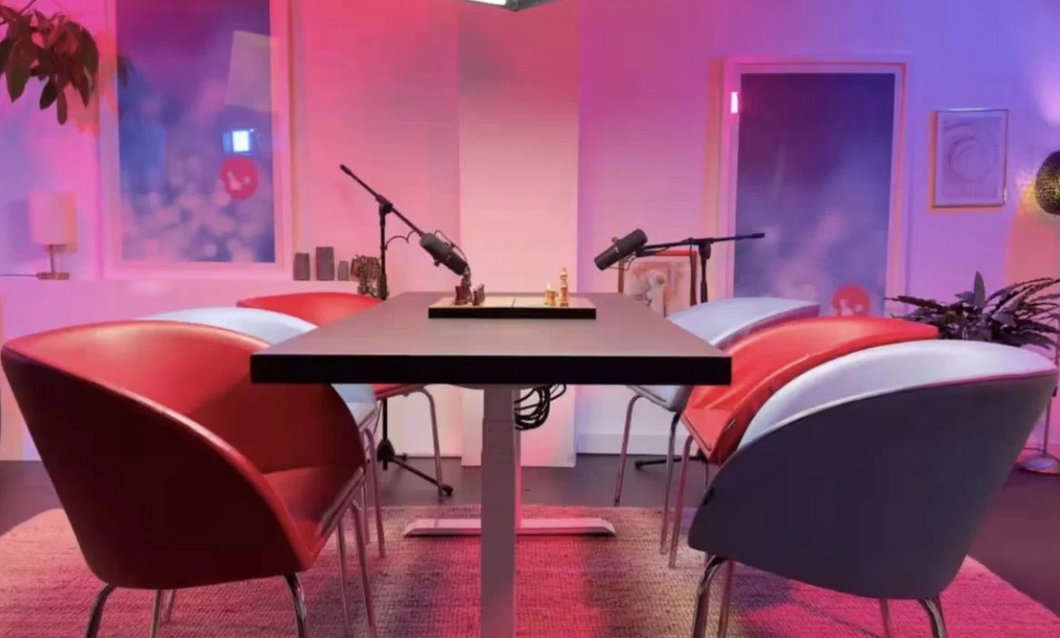
Image Credit: Finchley Studio (Gathering): book this setup for your podcast
What videography editors actually need
A strong videography editing setup should do more than cut clips together. It should support multicam work, proxy editing for large files, color correction, audio cleanup, titles, and reliable export settings for social media, YouTube, client deliverables, and broadcast-style content. Professional guides consistently point to Adobe Premiere Pro, Final Cut Pro, DaVinci Resolve, and Avid Media Composer as top-tier options because they balance editing depth, color tools, and workflow flexibility. Spexster, PCMag, Finchley Studio.
If you regularly edit interviews, podcasts, or branded content from a London podcast studio or London recording studio, prioritize software that can handle synchronized audio, camera switching, and efficient review cycles. If your work leans toward cinematic content, look for stronger color grading and finishing tools, because that is where viewers notice the difference most. YouTube (Matt WhoisMatt Johnson), Spexster.
Match software to your skill level
Your skill level should narrow the field immediately. Beginners usually benefit from simpler tools such as iMovie, CapCut, Filmora, or Premiere Elements, while experienced editors tend to prefer Adobe Premiere Pro, DaVinci Resolve, Final Cut Pro, or Avid for deeper control. Industry roundups also note that DaVinci Resolve is especially attractive because it offers serious professional features without a subscription in its free version. TensorPix, PCMag, Finchley Studio.
A practical rule is this: if you spend more time fighting the interface than editing, the software is wrong for you. The best editor for a solo creator in a podcast studio london setting may be different from the best tool for a production team working across a video studio london and a recording studio london. Finchley Studio (Learning), PCMag.
The features that matter most
When comparing software, focus on the features that directly affect your output quality and turnaround time. Multi-camera editing matters for interviews and panel shows, proxy workflows matter for high-resolution footage, and strong color grading matters for polished brand work and cinematic content. Fast audio tools matter too, especially if you are producing podcast episodes, talking-head videos, or dialogue-driven content. Spexster, YouTube (Matt WhoisMatt Johnson).
Look for these essentials:
Multicam editing for podcast and interview recordings.
Proxy support for smoother editing on large files.
Strong color tools for finishing and look development.
Audio cleanup and mixing tools for voice-led content.
Reliable format support for different cameras and delivery platforms. PCMag, YouTube (Matt WhoisMatt Johnson), Spexster.
Best software by use case
Different projects demand different tools. Adobe Premiere Pro is a common all-round professional choice, Final Cut Pro is popular with Mac users who want speed and a smooth interface, and DaVinci Resolve stands out for color grading and all-in-one post-production. Avid Media Composer remains strong for larger film and television-style workflows, especially where project organization and team collaboration matter. Amateur Photographer, PCMag, Spexster.
Here is the simplest way to think about it:
Choose Adobe Premiere Pro if you want broad industry compatibility and flexible editing.
Choose Final Cut Pro if you are on Mac and want a fast, streamlined timeline.
Choose DaVinci Resolve if color and finishing are a priority.
Choose Avid if you work in structured, collaborative production environments. PCMag, Spexster.
Podcast and video studio workflow
If you are filming in a podcast studio or video studio, the software should support a repeatable production pipeline. In practical terms, that means quick import, clean sync between microphones and cameras, easy versioning, and exports tailored for clips, full episodes, and short-form social content. That is especially important in busy environments like a London podcast studio or a recording studio london where turnaround speed affects how many sessions you can complete in a day. Scouty (Lounge), Finchley Studio (Services).
For creators who record in a London video studio or video studio london space, editing software should also make it easy to build a polished look from multiple cameras, studio lighting, and branded backgrounds. Finchley Studio's listings emphasize multiple studio types, soundproof spaces, and podcast/video production support, which makes the editing stage even more valuable because you can turn high-quality footage into a more professional final product. 4RFV, Finchley Studio, Scouty (Lounge).
London podcast studios vs Finchley Studio
When comparing London podcast studios to Finchley Studio, the biggest difference is often the combination of flexibility, pricing, and production environment. Finchley is positioned as a London podcast studio with soundproof rooms, broadcast-quality facilities, and multiple sets, and it also offers booking from £99 per hour on its podcast page. It is located in Finchley Central, about two minutes from Finchley Central Underground Station, with free WiFi and parking available on site. Finchley Studio, Amicitable.
Many London podcast studios offer a single-room hire model, but Finchley Studio appears to combine podcast, video, and broader content-creation services in one place. Its listings highlight lounge-style setups, green screen options, white infinity cove spaces, and large production rooms, which can be useful if you need both a podcast studio london setup and a video studio london environment in the same workflow. Scouty (Dialogue), 4RFV, Scouty (Lounge).
The comparison looks like this:
For creators who need both recording and editing efficiency, Finchley Studio has an advantage because the space and workflow are designed for content output rather than just room hire. That matters when your software choice needs to keep up with multicam interviews, clean audio, and fast delivery from a recording studio london or London recording studio environment. Finchley Studio (Services), 4RFV.
Budget, licensing, and long-term value
Price is important, but software cost should be measured against time saved and output quality gained. A cheaper app can become expensive if it slows down edits, limits export formats, or forces workarounds for proxies, color correction, or audio repair. By contrast, a premium tool may pay for itself if you edit frequently for clients, studios, or a podcast studio london business. Amateur Photographer, PCMag.
Subscription models can work well for teams that need constant updates and cloud features, while one-time purchases suit creators who prefer predictable costs. DaVinci Resolve's free version is often a strong starting point for editors who want professional-grade tools without immediate monthly expenses. PCMag, Amateur Photographer.
A practical decision framework
The easiest way to choose is to test your real workflow, not just software demos. Import a sample project with multiple camera angles, dialogue, music, and graphics, then see how quickly you can cut, color, clean audio, and export versions for different platforms. If the software handles that smoothly, it is probably a good fit for your work. YouTube (Matt WhoisMatt Johnson), Spexster.
Use this checklist:
Confirm it supports your camera files and export formats.
Test multicam editing if you record interviews or podcasts.
Try a proxy workflow with 4K or heavier footage.
Check how easy audio cleanup and color grading feel.
Compare the time it takes to finish a full project. Finchley Studio (Learning), YouTube (Matt WhoisMatt Johnson).
Choosing for studio-based creators
If you create content in a podcast studio, video studio, or recording studio, your software should support a repeatable branded workflow from capture to final delivery. That becomes even more important when you are booking space in a London podcast studio or London video studio and need to turn sessions into clips, episodes, and campaign assets quickly. Finchley Studio's range of spaces and podcast-focused setup makes it a strong option for creators who want one location that can support both filming and editing handoff. 4RFV, Finchley Studio, Finchley Studio (Services).
For most videography editors, the safest path is to choose one of the major professional platforms and master it deeply instead of switching constantly. Premiere Pro, Final Cut Pro, and DaVinci Resolve remain the most practical choices because they cover the broadest set of editing needs while supporting professional workflows. Spexster, Amateur Photographer, PCMag.
Book Finchley Studio
If you are ready to produce content in a professional London podcast studio, video studio london, or recording studio london setting, you can book Finchley Studio here: https://www.finchley.co.uk/book. Finchley Studio's own site highlights its podcast and production offering, including flexible studio hire, soundproof rooms, and a location in Finchley Central. Amicitable, Finchley Studio.











