
Section 1: Decoding the London Podcast Studio Market: A Guide for Ambitious Creators
1.1 Introduction: Beyond the Hourly Rate
For the independent creator, navigating the London podcast studio market can be a formidable task. The landscape is dense, and the pricing is opaque. A common pitfall is equating "budget" with the lowest hourly rate. This report will establish that this approach is often a false economy. The "cheapest" studio can become the most expensive proposition if it results in poor audio quality, a failed recording session due to technical faults, or hours of wasted personal time in post-production.1
This guide reframes the concept of "budget" to mean "highest value." True value is a calculation of several factors: the non-negotiable hourly cost, the convenience of location, the quality of the included equipment, the level of included (or optional) technical support, and the ultimate certainty of walking away with a professional, usable recording.
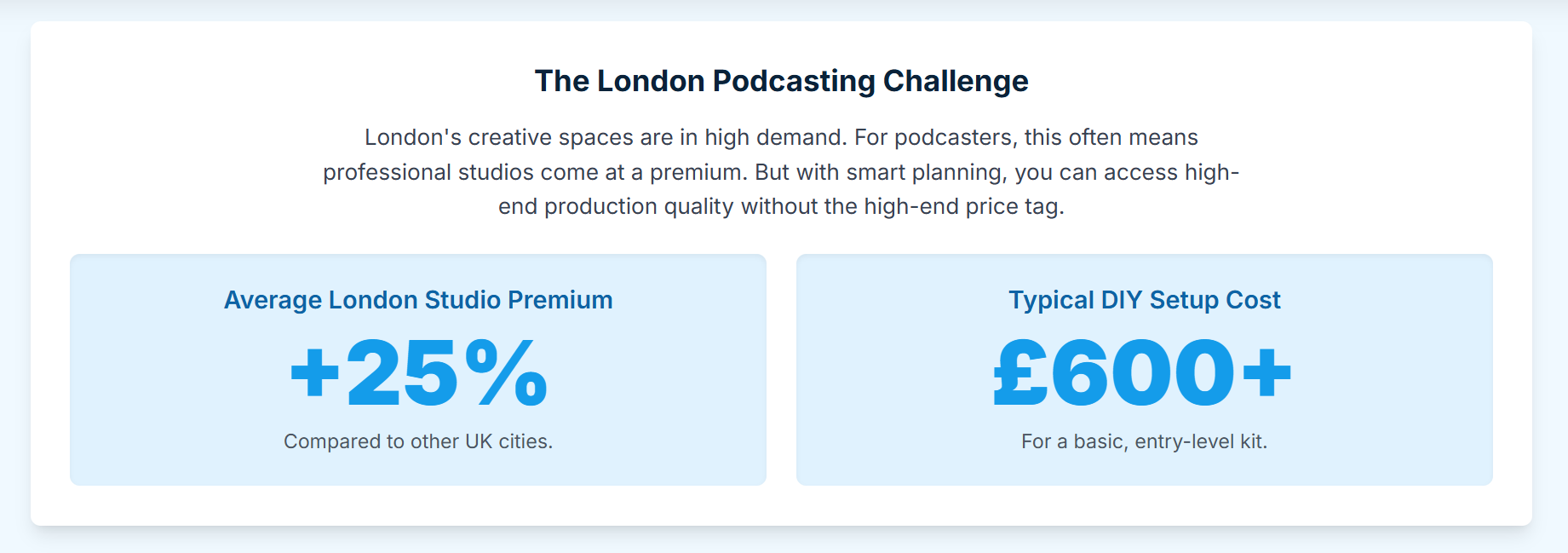
The London market is not a simple, linear scale of quality. It is a highly segmented landscape with distinct service models, each offering a different combination of these value factors. To navigate it successfully, a creator must first understand its three primary tiers.2
1.2 The Three Tiers of London's Studio Market
A comprehensive analysis of the London studio market reveals three distinct tiers, each with a specific value proposition and set of trade-offs.
Tier 1: Budget Self-Service (sub-£40/hr)
This tier is defined by its unstaffed, 24/7, "key-code" access model.2 Its value proposition is unparalleled affordability and flexibility. Studios in this category, such as market-leader Pirate Studios 2 and the exceptionally high-value Nostars 4, provide reliable, prosumer-grade equipment for creators who are technically proficient and require minimal to no support.2 The core trade-off is responsibility: the creator assumes 100% of the risk for the session's technical success.Tier 2: Mid-Range Assisted (£40-£100/hr)
This tier represents the "sweet spot" for many ambitious creators, offering a critical balance of cost, control, and support.2 This segment is not uniform; it exists on a spectrum. At one end is the "à la carte" model, exemplified by providers like Podshop, which offers a base self-service session with the option to add an engineer or extra cameras at an additional cost.2 At the other end is the "engineer-included" model, from studios like Podcast Room 7 and Next Media London.8 This model provides professional peace of mind and is often the true budget option for those who cannot afford a failed session.Tier 3: Premium Full-Service (£100+/hr)
This tier, populated by studios like Premiere Podcast Studios and Finchley Studio, offers all-inclusive, broadcast-ready packages.2 For rates often exceeding £120-£150/hr, these sessions include an engineer, multiple 4K cameras, and high-end sets as standard.2 While largely outside the "budget" scope, this tier serves as the crucial benchmark for what the lower-cost tiers are attempting to emulate.
The distinction between these tiers is not merely price, but the fundamental service model. Tier 1 sells access to a room; Tier 2 sells a finished recording session. The most critical decision a budget-conscious creator must make is not "how much can I afford?" but "am I a DIY producer or do I require an assisted service?"
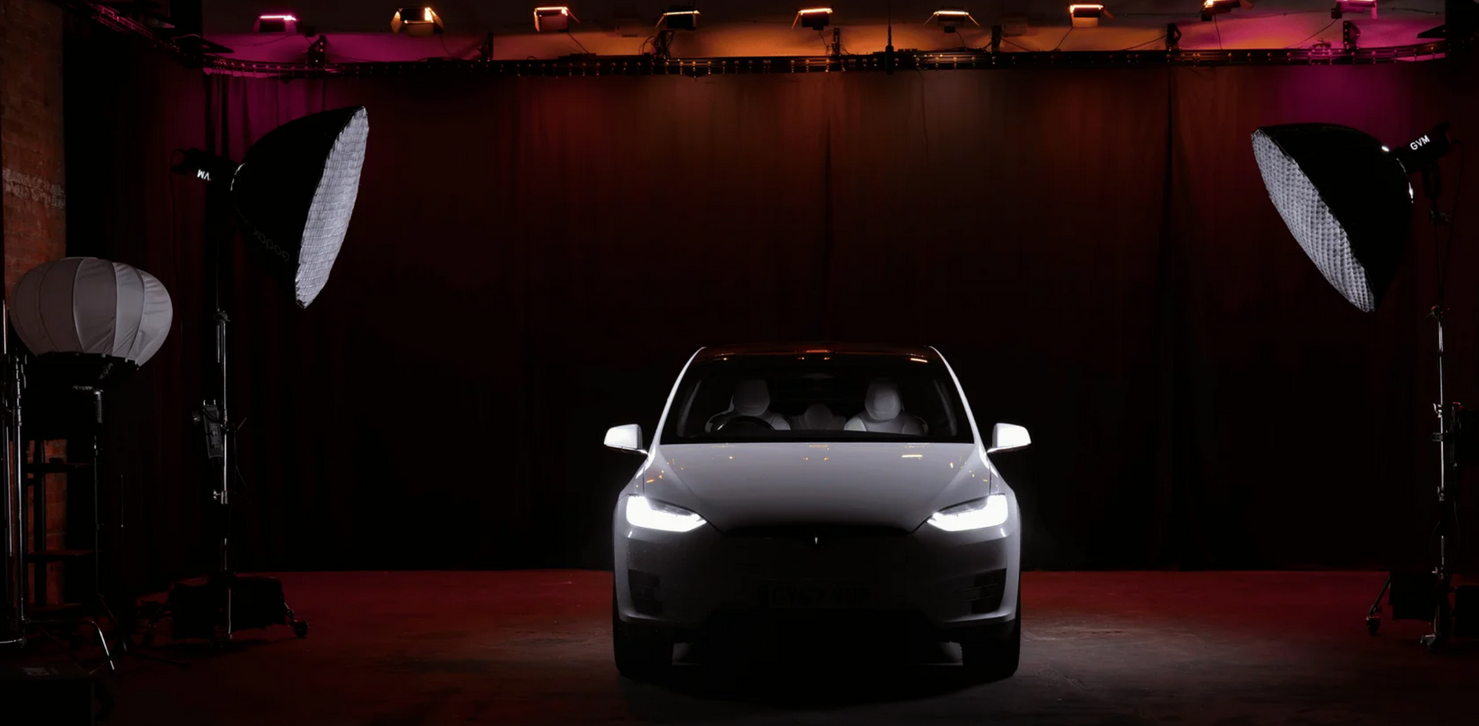
Finchley Studio (Giant Blackout Set): book this setup for your podcast
1.3 The Geography Hack: Why Zone 1 Isn't Always the Answer
A simple but highly effective strategy for budget-conscious creators is to look beyond the convenience of a Zone 1 studio. The premium on central London real estate is directly reflected in hourly studio rates. However, data shows that studios in Zones 2, 3, and beyond often offer superior rates and equipment without compromising on professional quality.1
For example, Haven Talks Studios in Bermondsey (SE16) provides one of the most affordable professional setups in the city at a highly competitive £40 per hour.1 Similarly, Nostars in Wood Green (North London) 4 and London Media Lounge in Uxbridge 9 provide state-of-the-art facilities at a price point that would be unattainable in Shoreditch or Soho. A short trip on the Tube can often save a creator 30-50% on their recording costs.
Table 1: The London Podcast Studio Market: Tiers & Trade-Offs
Section 2: The £0 - £30 "Guerilla Podcasting" Toolkit: London's Free & Ultra-Budget Options
2.1 The 24/7 Self-Service Model: The Pirate Studios Case Study
For the technically self-sufficient creator, the 24/7 unstaffed model is the most cost-effective solution in the commercial market. Pirate Studios is the undisputed leader in this space, offering a network of over nine locations across London, from Earl's Court to Hackney Wick.2
Model and Pricing: The model is built on 24/7, key-code access to unstaffed rooms. With recording studio rates starting as low as £10.50 per hour, it is by far the most budget-friendly option for a dedicated, acoustically-treated space.2
Equipment: The podcast studios are standardized with reliable, prosumer-grade equipment. A typical setup includes a RØDECaster Pro mixing unit and four Rode Procaster microphones.2
Analysis: Pirate Studios is the definitive "black box" studio. The creator walks in, records, and leaves. The primary value is flexibility and affordability. However, this model carries a significant "hidden" risk: with no staff on-site, if a cable is faulty, the mixing unit is misconfigured by the previous user, or the SD card corrupts, the entire session—and the hourly fee—is a total loss. This option is only recommended for those 100% comfortable with troubleshooting the provided equipment.3
2.2 The Community & Youth Hubs: "Truly Free" Recording
For specific demographics, "truly free" recording spaces are available, funded by community-interest and youth-outreach initiatives.
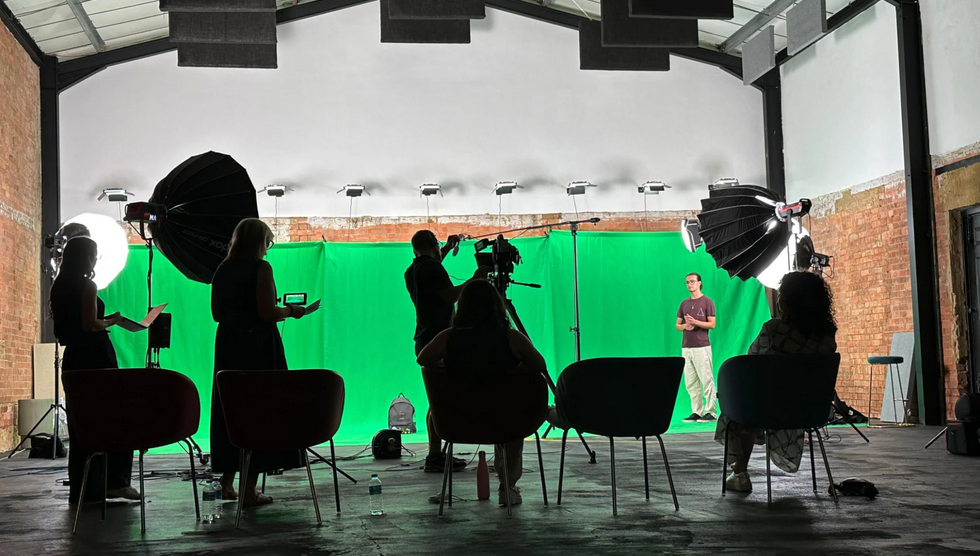
Finchley Studio (Giant Green Screen): book this setup for your podcast
Creators House: Located in the heart of London, Creators House offers a "FREE multipurpose creative studio" that includes a podcast setup.12 However, this valuable resource is "gatekept" by age: free access is strictly limited to individuals aged 18-25.12 Bookings are for 1.5-hour slots and can be made once per week. For those over 25, the space can be booked at a cost via the Tagvenue platform.12
Other Hubs: This community-centric model is also seen in spaces like GUAP Studios in South East London. While it has moved to a commercial model, it was founded as a highly affordable hub for young creators, with rates as low as £20 per slot.13 Other community-focused studios like Studio 36 at EartH 14 and Links Studios in Canning Town 15 also exist to provide affordable access to creative facilities, prioritizing social purpose over profit.
2.3 The Unconventional Spaces: Library Pods & Co-Working Booths
A significant development for budget creators is the rise of alternative recording spaces. This strategy is ideal for the creator who already owns their own equipment (e.g., a high-quality USB microphone or portable recorder like a Zoom H6) but lacks a quiet,
acoustically-treated environment at home.16
Library Pods: An emerging and exceptionally high-value option is the soundproof pod in public libraries. The North Kensington Library, for example, offers a "completely soundproof" pod that is "ideal for private meetings" (and, by extension, recording). This pod can be booked for just £10 per hour.17 Brompton Library offers a similar facility.17 These are perfect for solo recordings or one-on-one interviews.
Co-Working Booths: As co-working spaces compete for the "creator" demographic, many now offer on-demand podcast booths. The Halley in East London offers podcast studio hire starting from £15-£35 per hour.10 Similarly, The Landing in South London offers its "Station" podcast studio for £25-£36 per hour.10 Huddle in Hammersmith even offers members two hours of free studio time as an introductory perk.19
It is crucial to understand what these spaces are not. They are not full-service studios. The Halley, at £25 per hour, explicitly states that users must bring their own MicroSD card or laptop and that cameras are not supplied.20 The value here is not the equipment; it is the room—a quiet, controlled environment.16
Table 2: Comparative Analysis of Ultra-Budget (Sub-£40/hr) Options
Section 3: The "Smart-Spend" Tier: Finding Value in the £40-£80 Mid-Range
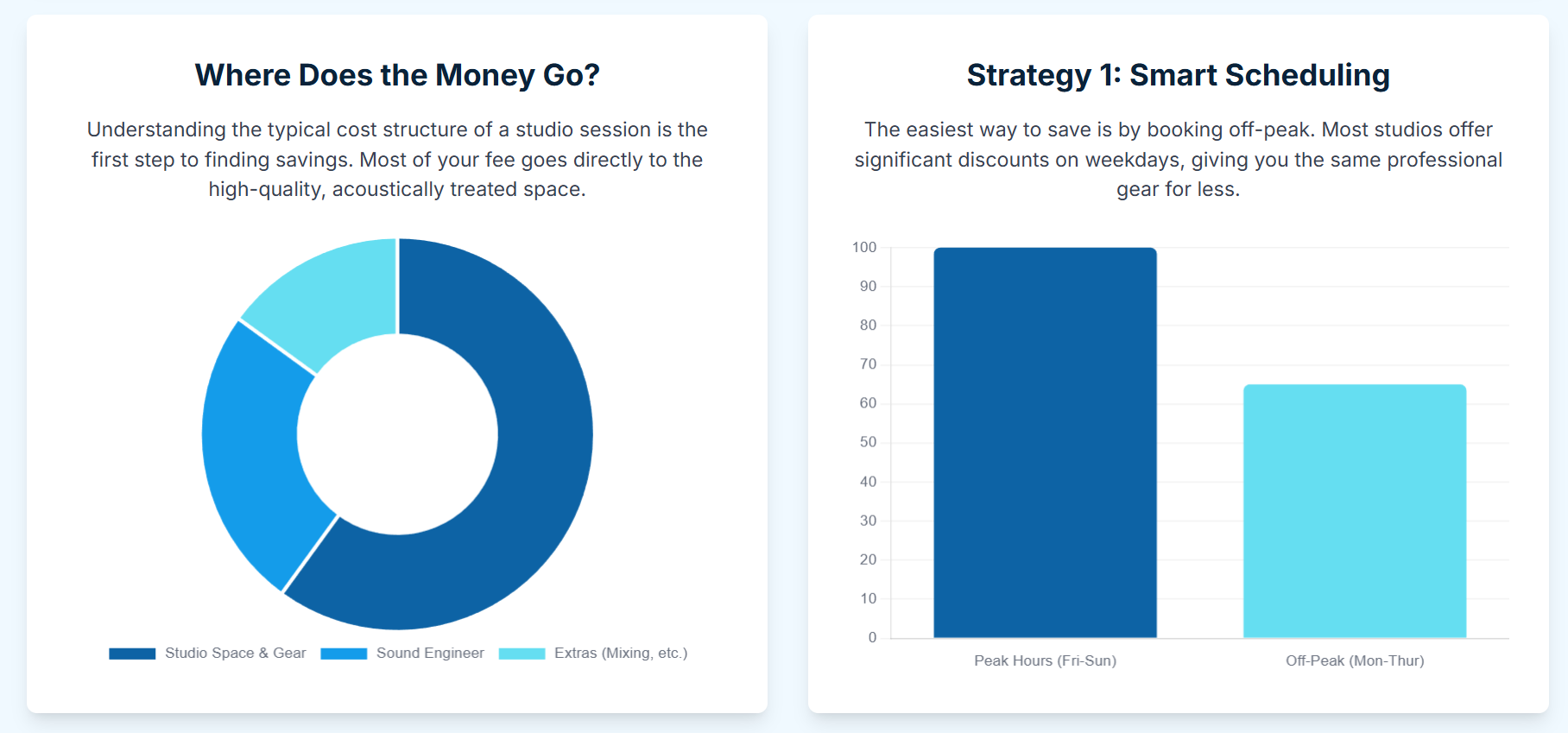
This tier is where the creator's "time-is-money" calculation becomes most critical. The mid-range is not just a price point; it's a strategic decision to de-risk the recording process. The premium paid over the DIY tier is an investment in certainty, quality, and efficiency.
3.1 The "Peace of Mind" Purchase: The "Engineer Included" Model
For many creators, especially those hosting guests or running a podcast for a small business, the single most valuable purchase is an on-site engineer. This model transforms the session from a technical challenge into a purely creative one. The creator's sole focus is on the content, a luxury that eliminates cognitive load and guarantees a professional result.
Case Study: Podcast Room vs. Next Media
These two studios are excellent examples of the "engineer-included" value proposition.
Podcast Room: With locations in Barnes, Great Portland Street, and London Bridge, it offers a "Studio + Engineer" package starting from £60 per hour in Barnes and £75 per hour in its central locations.7 This includes the engineer's time, up to 4 microphones, and file transfer within 24 hours.
Next Media London: Located in East London, it offers a "Studio + Engineer" package for £75 per hour. This includes an on-site engineer, up to 4 mics, 24-hour file transfer, and the availability of multitrack audio.8
The product being sold here is service. This model is an insurance policy against the primary risks of the DIY model: equipment failure, poor audio levels, and file-handling errors. For a busy professional, the £15-30 premium over a high-end DIY studio is easily justified by the time saved on setup, troubleshooting, and file management.
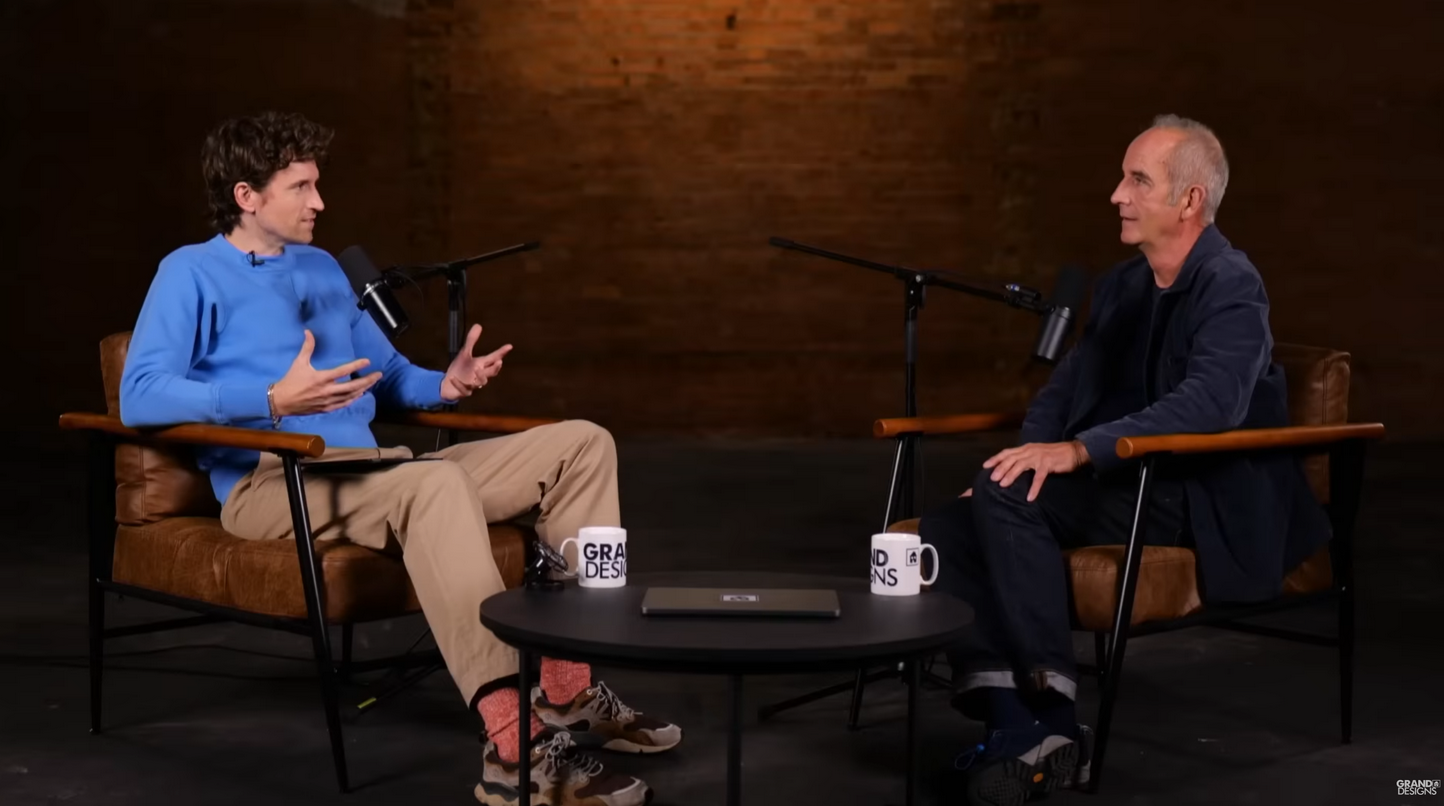
See the 'Grand designs' from Channel 4 by Kevin McCloud at Finchley Studio (Brick studio). Book this setup for your podcast.
3.2 The Flexible "À La Carte" Model: The Podshop Example
Positioned between the "all-in" DIY and "all-inclusive" engineer models is the "à la carte" approach. Podshop, located near Liverpool Street, exemplifies this flexible middle-ground.2
A creator can book a self-service, audio-only session from £50+VAT.2 This is for the confident producer who wants a professional, staffed environment but does not need hand-holding. However, if a high-profile guest is coming, or if a video "special" is planned, an engineer or video capabilities can be added at an additional cost.2 This model allows the creator to be "budget-conscious" on a "per-session" basis, scaling their costs up or down as needed. The main challenge can be a lack of transparency, as the specific add-on costs for engineers or extra cameras are not always publicly listed.6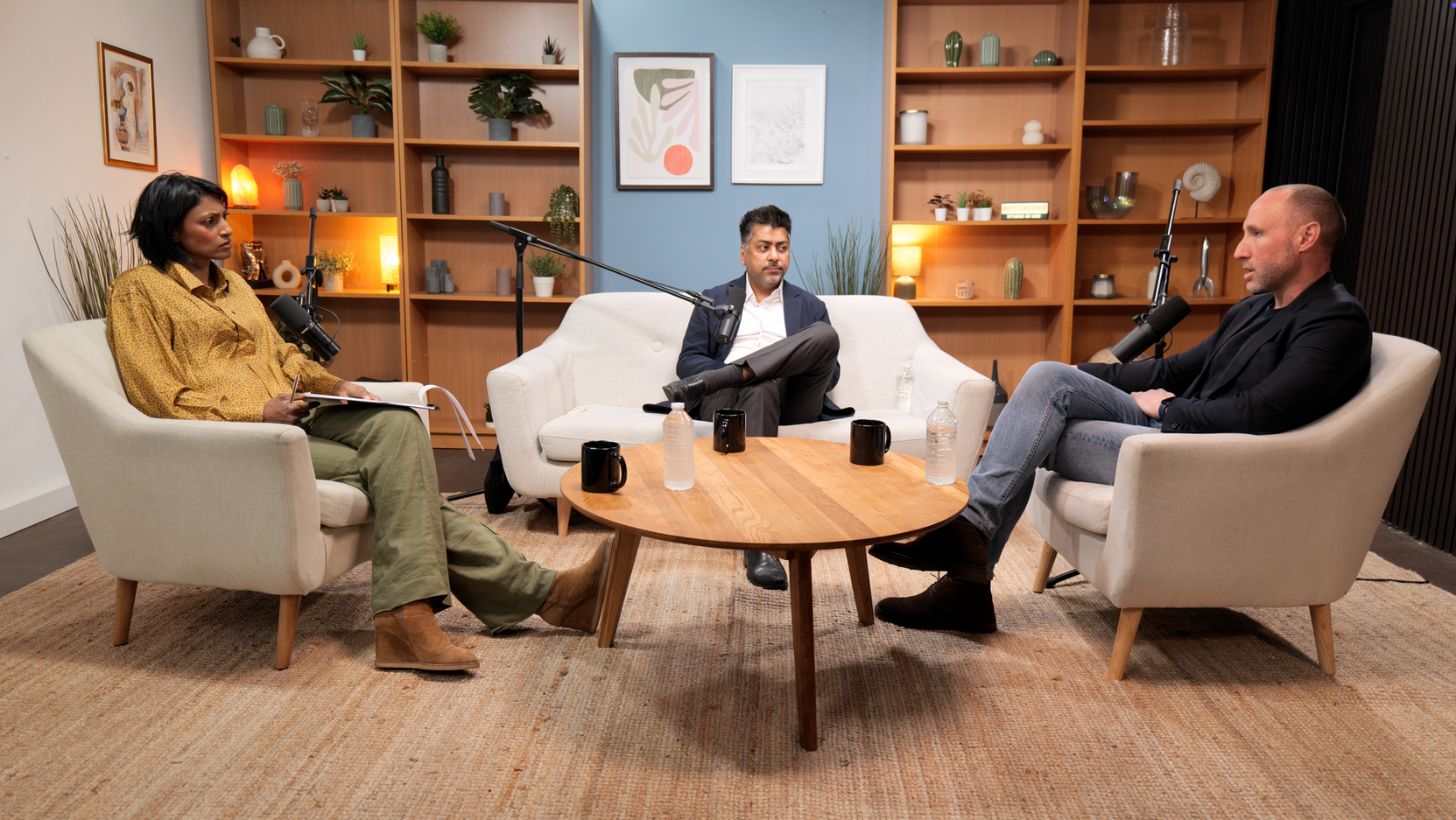
See the 'No ordinary tech podcast ' from Lloyds Banking Group by Rohit D (AI Leader for Lloyds Banking Group) and DR. shini somara (Pro-Chancellor of Brunel University) . at Finchley Studio (Lounge setup). Book this setup for your podcast.
3.3 The "Pro-Acoustics" Model: Haven Talks Studios
Some mid-range studios compete not on service, but on pure, unadulterated audio quality at a competitive price. Haven Talks Studios in Bermondsey is a prime example. At a highly competitive £40 per hour, it offers a professional setup with industry-standard microphones and, crucially, high-quality acoustic treatment.1 This is a significant step-up from a co-working pod or a basic DIY room. This option is tailor-made for the audio purist—the creator who prioritizes pristine, broadcast-level sound over video capabilities or engineering support.
Table 3: Value-Driven Mid-Range Studios (£40-£80/hr)
Section 4: The New Budget "Vodcast": Securing High-Quality Video Without the Premium Price
4.1 The Market Disruption: Video Included for under £50/hr
Traditionally, adding video ("vodcasting") to a podcast has been the single most significant price-jump, moving creators from the £40-£80 tier to the £100-£150+ premium tier.2 Studios at this level offer multi-camera 4K setups and live-editing capabilities.5 However, a new-guard of disruptive, budget-friendly studios has completely broken this model by bundling high-quality, and in some cases cinema-grade, video into their ultra-budget rates.
4.2 Case Study 1: Nostars Studio (Wood Green)
Nostars Studio presents what may be the single best value proposition for video in the entire London market.
The Offer: A flat rate of £30 per hour.4 This rate is not just for audio; it includes free filming.4
The Equipment: This "free filming" is not an afterthought with a webcam. It is delivered via a 6K Black Magic Pocket Camera.4 The studio also includes six industry-standard Shure SM7B microphones, free audio mixing, and a 55-inch monitor to display a brand logo in the background.4
This combination of a sub-£40 rate with a 6K camera is an unparalleled and market-disrupting offer.
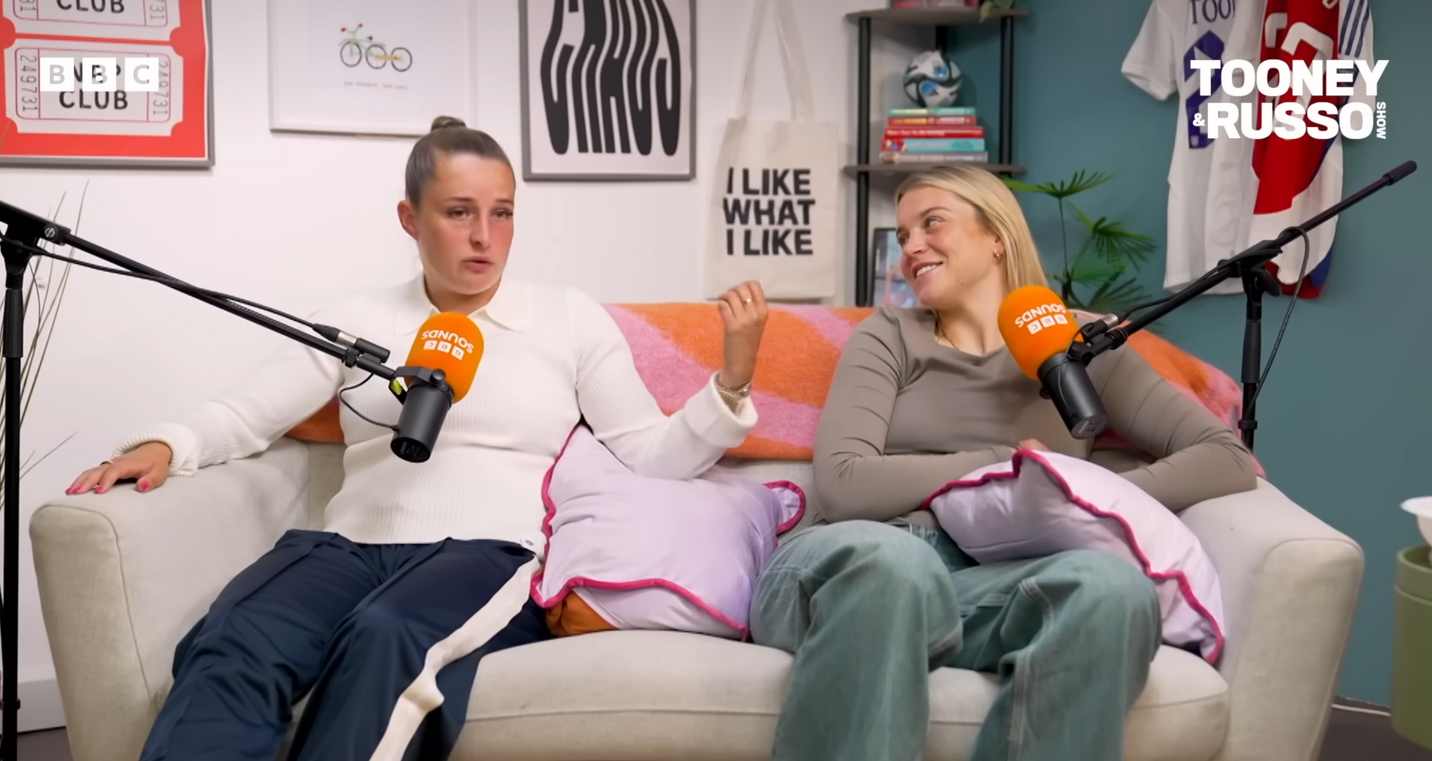
See the 'The Tooney & Russo Show' from BBC and Lionesses Ella Toone and Alessia Russoat from England national football team at Finchley Studio (Lounge setup). Book this setup for your podcast. Watch 'The Tooney & Russo Show' at BBc sound , Spotify , Youtube, Amazon music.
Book this setup for your podcast
4.3 Case Study 2: GUAP Studios (South East London)
GUAP Studios, born from the community-driven GUAP Magazine 13, offers a similar high-value proposition.
The Offer: While their £25/hr rate is for audio-only, the "Audio & Video" package is £50 per hour.24 This rate can be reduced to just £40 per hour when booking a 4-hour bundle.24
The Equipment: Like Nostars, this package includes a Netflix-approved Blackmagic Pocket 6K camera (BMPCC6K), along with clean audio capture and engineer support.24
4.4 The "6K Workflow" Hack
How can these studios offer cinema-grade cameras for £30-£50 per hour? The answer lies in the workflow. Premium studios (like Premiere or Finchley 2) sell a "live-switched" production with three cameras and an engineer cutting between angles in real-time.
Nostars and GUAP are selling something different: high-resolution data. By providing a single, static 6K camera file 24, they are empowering the budget-creator to execute the "6K Workflow Hack."
A 6K file is so large (6144 x 3456 pixels) that it can be manipulated extensively in post-production using free software like DaVinci Resolve or a tool like Adobe Premiere Pro. The creator can digitally "pan and scan" the single file to create multiple angles: a wide shot, a close-up on the host, a close-up on the guest, and a two-shot. This allows a solo creator to produce a professional-looking, dynamic, "multi-camera" edit from a single camera file, all for a £30-£50 per hour studio fee.
This is a complete game-changer. The creator trades in-session convenience (live-switching) for post-production work, a trade that saves them over £100 per hour.
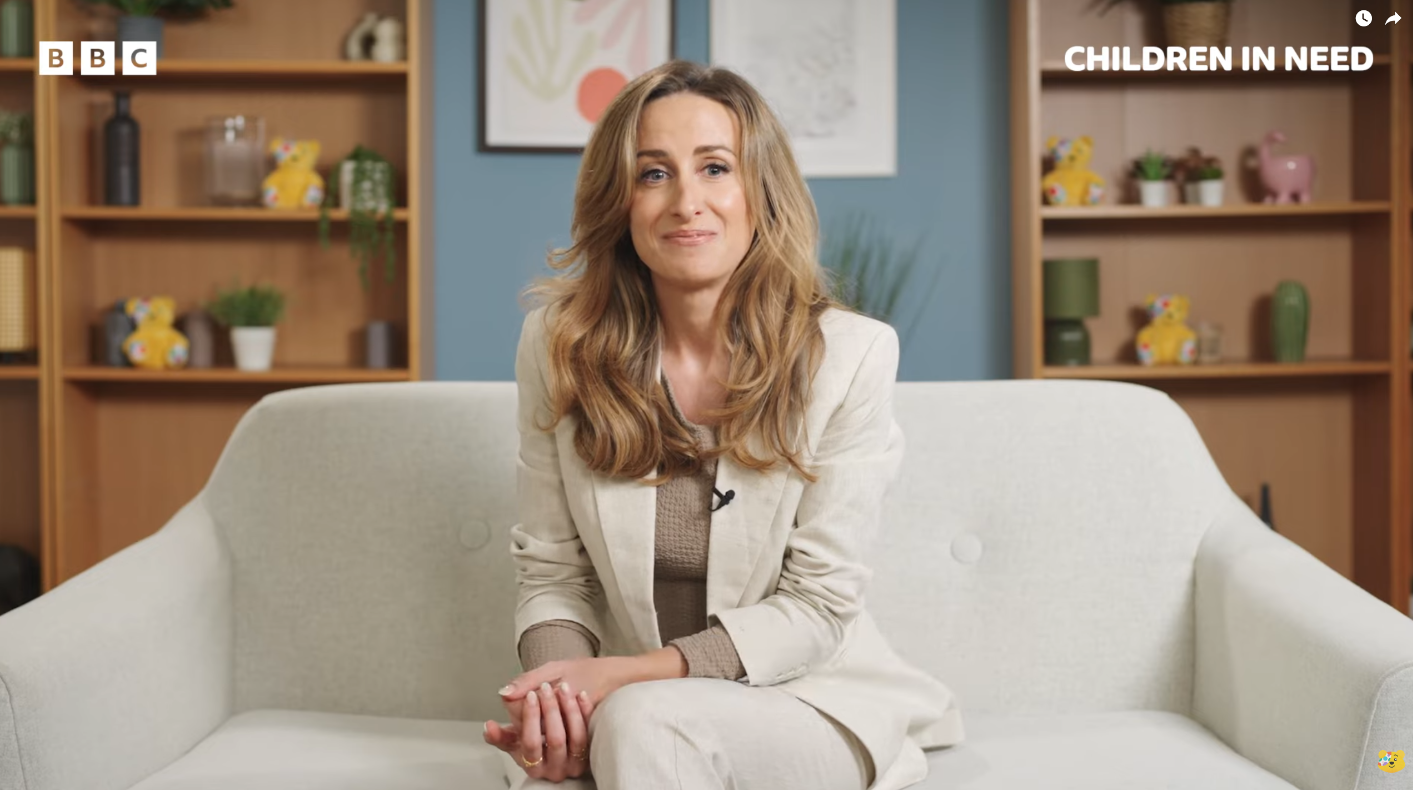
See the 'BBC Children in Need' podcast setup used by Dr Julie from BBC at Finchley Studio (Lounge setup). Book this setup for your podcast
Section 5: Strategic Investment: How Bulk-Booking and Memberships Cut Long-Term Costs
For any creator planning a full "season" of content, booking one-off sessions is the most expensive way to operate. The most significant savings are unlocked through commitment, either by purchasing hours in bulk or by subscribing to an all-in-one membership.
5.1 The "Commit & Save" Model: Bulk-Hour Bundles
Many studios offer substantial discounts for creators who pre-purchase a block of time. This is the most straightforward way to lower the "per-episode" cost.
Nostars: A 10-hour package in their 6K-equipped studio costs £240, dropping the effective hourly rate from £30 down to £24 (a 20% saving).4 They also offer "Pro" packages that bundle editing with the studio time.22
Podcast Room: This studio offers 5 and 10-hour bundles. A 10-hour "Studio & Engineer" package costs £525. This drops the effective hourly rate from its £60-£75 standard down to a flat £52.50 (a 30% saving on the central London rate).7
GUAP Studios: The savings here are even more dramatic. An 8-hour audio package costs £150. This drops the standard £25/hr rate to just £18.75/hr (a 25% saving). The 4-hour video package is £160, dropping the £50/hr rate to £40/hr.13
Next Media: This studio also promotes "bundle packages" that can save creators up to 25% on services.8
For a creator with upfront capital, these bundles are a non-negotiable budget strategy.
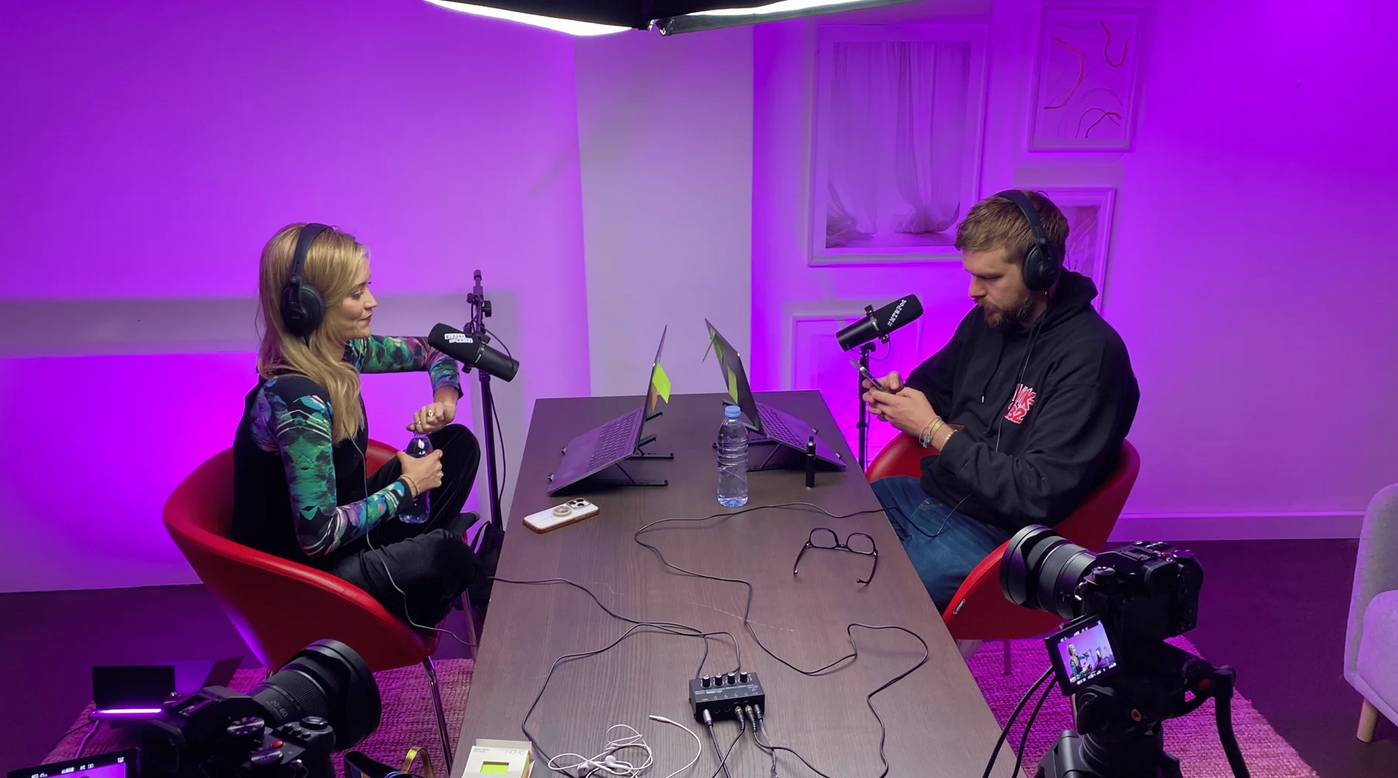
See the 'Murder They Wrote' podcast setup used by Laura Whitmore and Iain Stirling from BBC at Finchley Studio (Gathering setup). Watch Murder They Wrote at BBc sound , Spotify , Apple podcasts , Youtube , Instagram , Amazon music
Book this setup for your podcast
5.2 The "All-in-One" Solution: The Membership Model
This model is for the creator, entrepreneur, or small business for whom "time" is the scarcest and most valuable resource. This approach bundles the entire podcast production workflow into a single monthly fee.25
Case Study: Content is Queen: This is a production club, not just a studio.26 Their "Podcast Production" package (starting from £979) is a comprehensive solution. It includes 6 studio hours and 4 fully edited episodes per month. Critically, it also includes free hosting with Acast, quarterly consultation calls, and access to a masterclass library.26
Analysis: While the initial price seems high, the value for the right person is immense. Booking these services à la carte would be far more expensive. For example, 6 hours of "engineer-included" studio time (£75/hr) is £450. Four freelance-edited episodes (£75/ep) is £300.27 This hypothetical total of £750 only covers the raw production, without including hosting, strategy consultations, or community access. The membership model is the ultimate "time vs. money" trade-off, functioning as a high-value business expense that buys back dozens of hours of personal time.
Table 4: Bulk-Booking Cost-Benefit Analysis
Section 6: The Pre-Production Playbook: Saving Money Before You Press Record
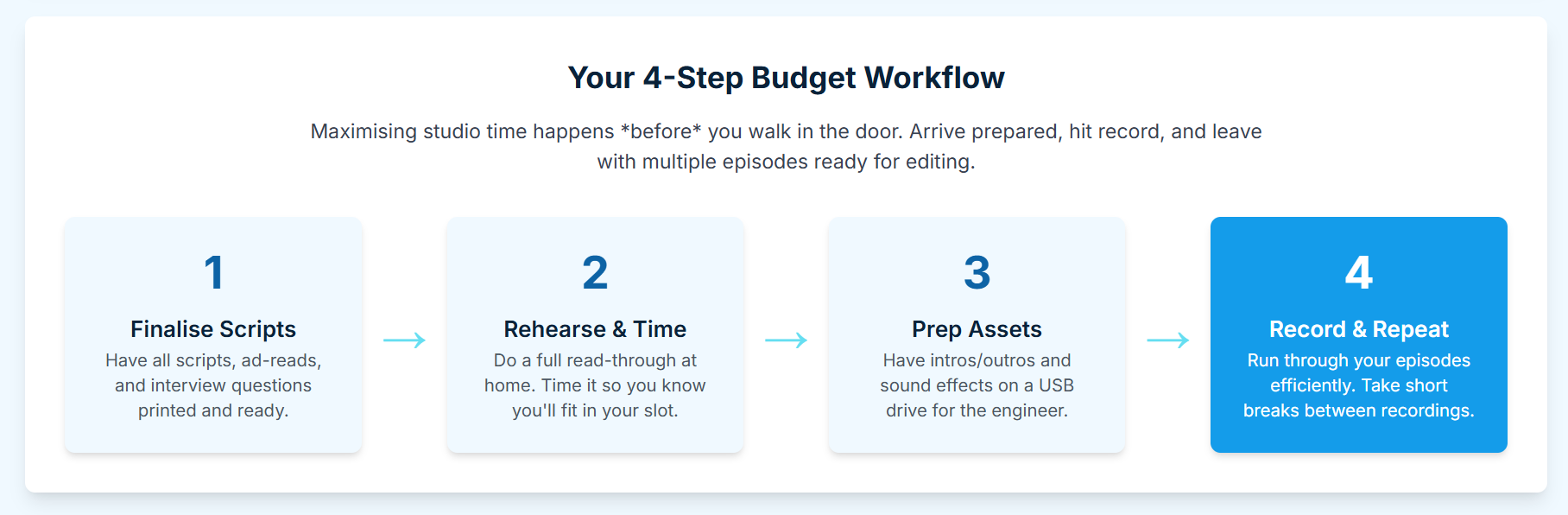
The most significant budget savings do not happen in the studio; they happen at the planning stage. Every minute spent in pre-production saves at least one minute of paid studio time or ten minutes of paid editing time.
6.1 The Number One Hack: Batch Recording
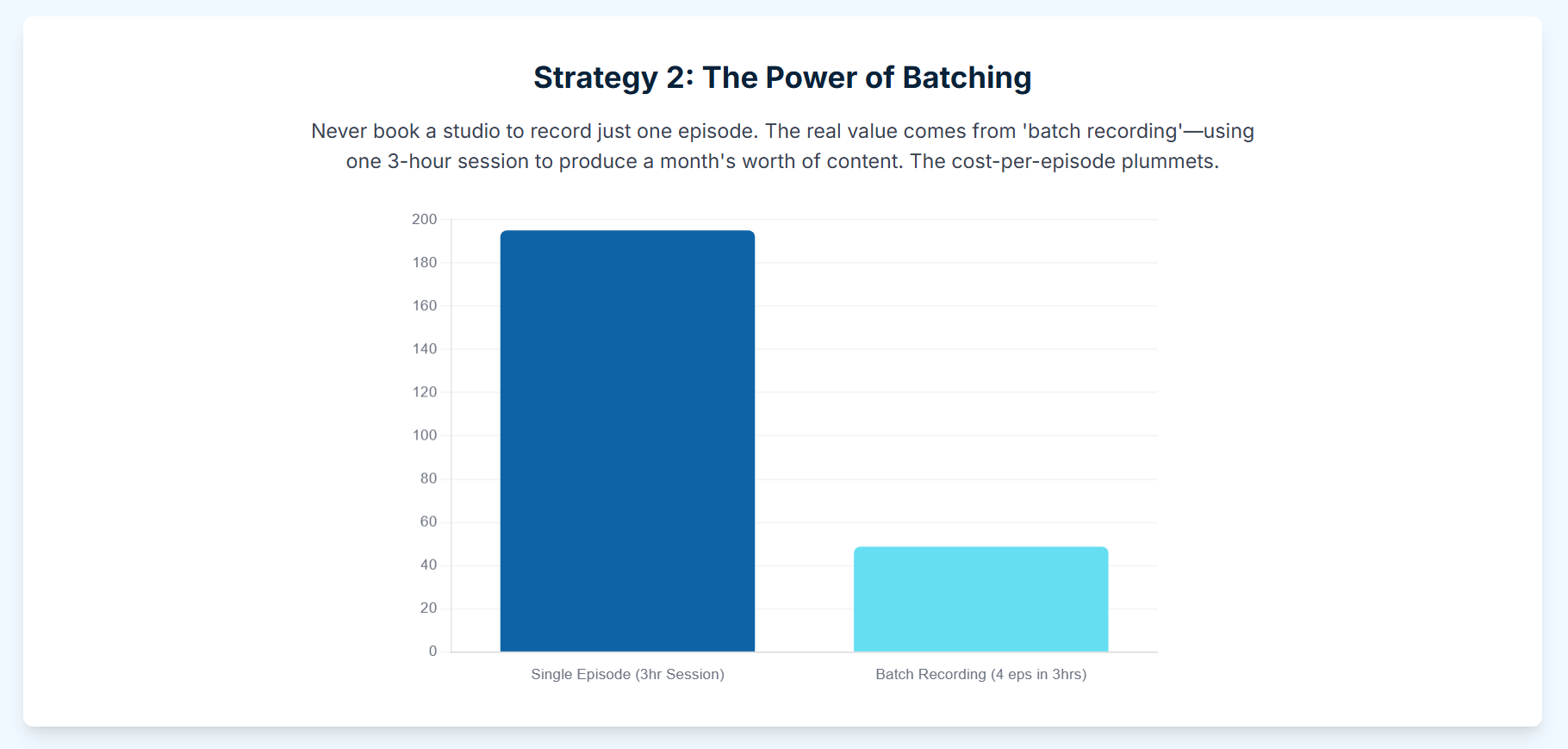
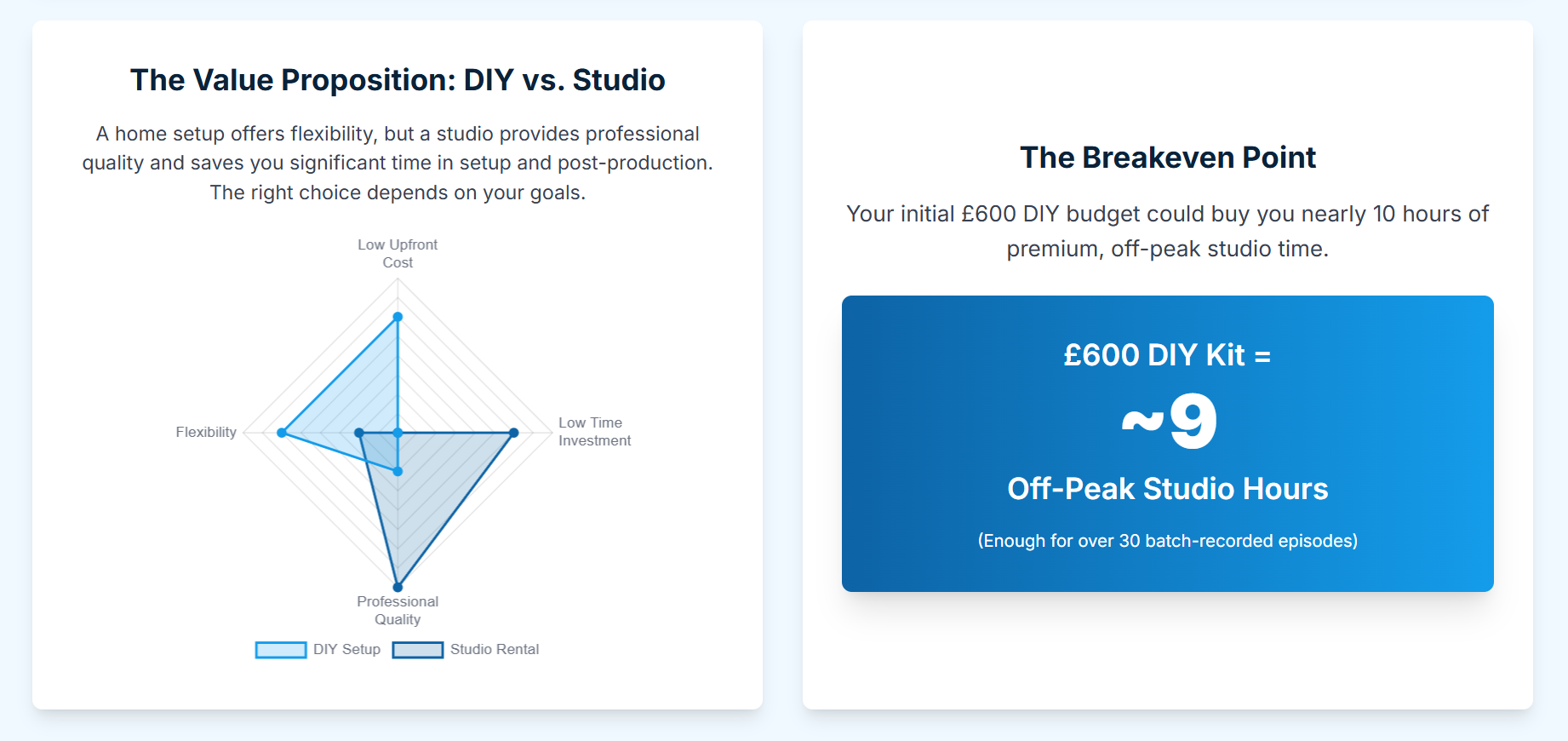
Batch recording is the single most effective strategy for "making the most" of a studio. The concept is simple: instead of booking four separate 1-hour sessions, book one 4-hour session and record four episodes back-to-back.28
Why it saves money:
Cost: You only pay for one setup and teardown period. If booking a 3-hour session at Nostars (£90), a creator can record three 45-minute episodes. The effective studio cost per episode is now £30, not £90.4
Time: It saves the creator travel time and costs for three separate trips.
Efficiency: It allows the creator to get into a "flow state," leading to better, more consistent content.
The key is to plan 3-4 "evergreen" topics that are not time-sensitive.30 For "vodcasts," bringing multiple shirts or outfits to change between recordings creates the illusion of different recording days.31
6.2 The "No Wasted Time" Script: Planning & Outlining
The single biggest cost-driver in a session is rambling. It wastes paid studio time and, more critically, creates hours of "fat" that needs to be cut in post-production, driving up editing costs.32
The solution is not a full-script (which can sound robotic), but a shared "backbone" for the episode.32 Using a shared Google Doc or a Notion template 32, a clear, bulleted outline should be prepared. A strong outline includes:
The main topic or theme.35
The episode title.35
Guest bio and introductory questions.36
A clear segment structure (e.g., Intro, Topic 1, Topic 2, Key Takeaways, Call-to-Action).35
This structured approach keeps the conversation on track and produces a tight, clean raw file that is exponentially faster and cheaper to edit.
6.3 The Guest Coordination Checklist
A guest who shows up late, is unprepared, or (in the worst-case scenario) does not show up at all, represents a total loss of the studio fee. Professional guest coordination is a budget-saving tool.
This involves using a simple guest application form to gather information upfront 37 and a clear, multi-stage communication plan.38
Guest Communication Template:
Confirmation Email (1 Week Out): Confirms date, time, and full studio address with a map link and transport options.
Pre-Session Email (3 Days Out): Provides the episode outline/questions, details on parking, which buzzer to press, and the host's mobile number.
Day-Before Reminder (24 Hours Out): A short, friendly confirmation: "Looking forward to seeing you tomorrow at at!"
Day-Of Text (1 Hour Out): "See you soon! My number is if you have any trouble finding the studio."
This professional-level planning ensures the session starts on time and runs smoothly.39
Section 7: Making Every Minute Count: Your In-Session Efficiency Checklist
Once the paid studio time begins, efficiency is paramount.40 The goal is to capture the cleanest, most "edit-ready" audio possible, as this will directly reduce post-production costs.
7.1 Before You Press Record (The First 5 Minutes)
Arrive Early: Be at the studio 10-15 minutes before the paid time starts to get settled.40
Mic Technique is a Cost-Saver: Good mic technique is not just a "pro tip"; it's a budget-saving tip. Creators must get "nice and cozy" with their mic and stay at a consistent distance.41 A recording with wild, inconsistent volume levels (from leaning in and out) requires heavy "compression" and "levelling" in post-production. This is a time-consuming (and therefore expensive) fix.
Silence the Room: All mobile phones must be on silent. Avoid clicky pens or rustling papers.42
Headphones are Non-Negotiable: Every participant, host and guest, must wear headphones.43 This is critical for two reasons:
It allows each person to self-monitor their own volume and mic technique.
It prevents "mic bleed," where one person's voice is picked up on another's microphone, which is extremely difficult to edit.43 A simple headphone amplifier is a cheap, essential tool for any multi-person recording.43
7.2 During the Recording (The "Producer" Mindset)
Own Your Time: The creator must be the "producer" in the room, driving the productivity and pushing the recording to the finish line.42
Use the "Pause" Method: When a creator or guest feels an "um," "ah," or "like" coming on, they should train themselves to just pause.32 A 3-second silence is infinitely faster and cleaner to edit out than a filler word.
Pretend It's Live: This psychological trick 32 is a powerful tool for avoiding the "we'll fix it in post" trap. This "fix it in post" mindset is budget-destroying. Getting it right at the source is the cheapest way to work.
Take "Edit Notes": When a mistake is made, do not stop and restart the entire segment. This wastes time. Simply pause, say "NOTE: Edit that last part out," and carry on. Alternatively, use a "clicker" 32 or make a timestamp in the shared Google Doc. This creates a "map" for the editor, saving them hours of hunting for errors and saving the creator money.
Section 8: The Post-Production Equation: A Guide to Budget-Friendly Editing
Recording is the first hurdle; editing is the "post-production bottleneck" where most podcasts and budgets go to die.44 A creator has three primary pathways for post-production, each with a radically different cost structure.
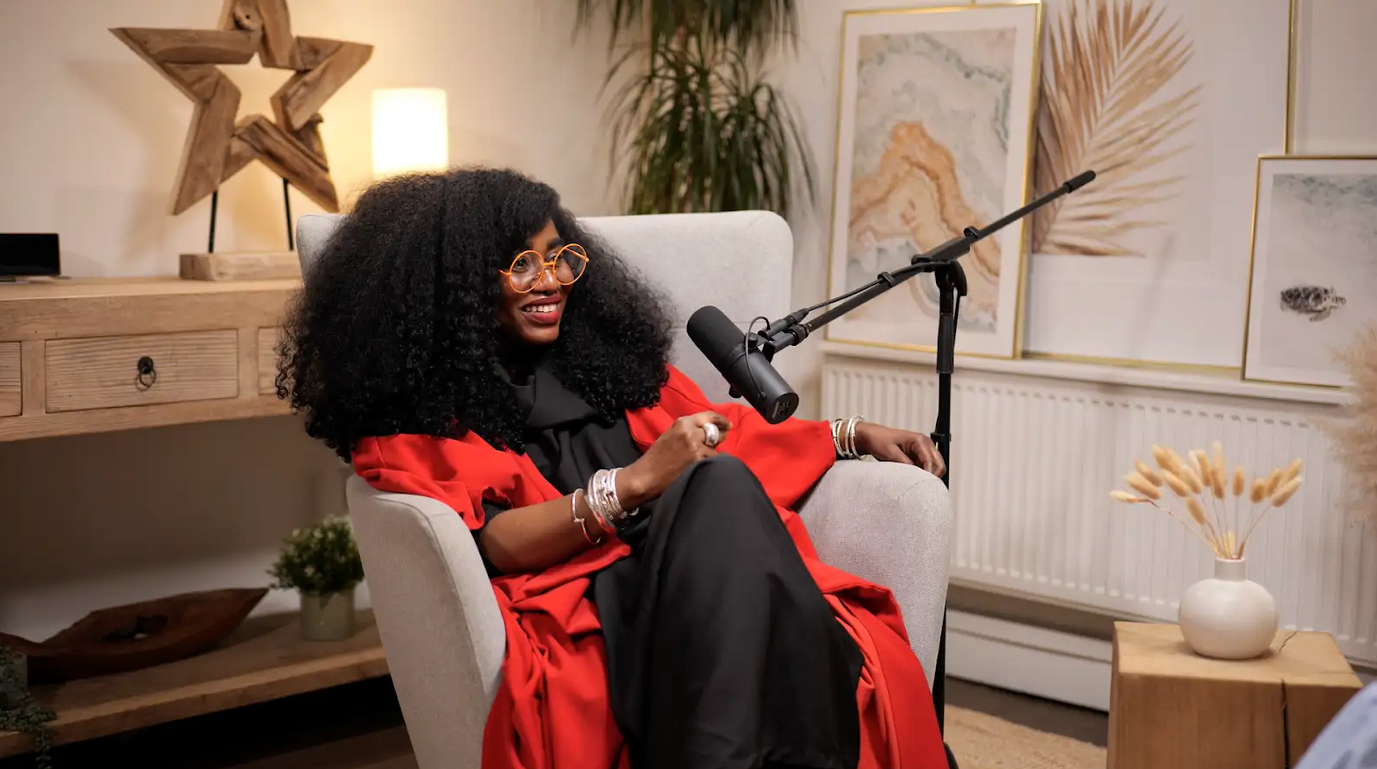
Finchley Studio (Dialogue set): book this setup for your podcast
8.1 Pathway 1: The DIY Route (Cost: £0)
This pathway is for the creator with zero budget and more time than money.
Software: The default choice is Audacity, "the world's most popular free software for recording and editing audio".45 It is powerful, cross-platform (Windows/Mac/Linux), and supported by a vast community.45 For Mac users, GarageBand is another excellent, free option.47
Pros: It is completely free. It forces the creator to learn a valuable skill.
Cons: The learning curve can be steep. Audacity's interface is dated, and its editing is "destructive" by default, meaning changes can overwrite the original audio if not managed carefully.45 Most importantly, it is a massive time-sink. A beginner can expect to spend 3-5 hours editing a 1-hour recording.
8.2 Pathway 2: The Freelancer Route (Cost: £50 - £150 per episode)
This is the most common "next step" for creators who begin to value their time.49
Cost: The London/UK freelance market is highly fragmented. Freelancers charge either by the hour or by the episode.
Per Hour: Rates can range from £15 to £75 per hour of finished audio.50
Per Episode: A more common model, this can range from $75 to $500 depending on complexity.27 A straightforward 30-minute edit might cost £35-£70 50, while a "reasonable" rate for a 40-minute episode (edit-only) is cited as ~£135.53
Pros: This frees up 100% of the creator's editing time, allowing them to focus on content, growth, and guest booking.44
Cons: This is a significant cash expense. It also adds a new management workflow: finding, vetting, and clearly communicating with a freelancer.
8.3 Pathway 3: The Studio Service Route (Cost: Bundled or Add-On)
This is the "hidden gem" of the budget world. Many studios offer their own in-house editing services, creating a seamless "one-stop-shop" that is often cheaper than hiring a separate freelancer.25
As an Add-On: Some studios list editing as a separate service. London Podcast Studios, for example, prices its standard audio editing at £49 for a 60-minute episode.50 Finchley Studio's post-production rate is £27 per hour.50
As a Bundle: This is where the true value lies.
Next Media London offers a "Studio, Engineer & Standard Editing" package for £115 per hour. Their "Studio + Engineer" package is £75 per hour.8 The £40 difference is the all-in cost for the editing of that hour-long file.
Podcast Room has a similar structure. Their "Studio, Engineer & Standard Editing" package is £100-£115 per hour, compared to £60-£75 for just the studio and engineer.7
This bundled approach is frequently the most cost-effective and efficient model. Comparing a fragmented workflow to a bundled one, the bundled package represents a direct saving of £35 (a 23% discount), in addition to being faster and more streamlined.25
Table 5: Budget Post-Production Decision Matrix
Section 9: Concluding Analysis: Curated Pathways for Your Podcasting Budget
"Making the most" of a London podcast studio requires a strategic, not a "cheap," mindset. The optimal path is a personal calculation of time, money, technical skill, and appetite for risk.
For independent creators in London, securing high-quality studio time while keeping costs down is a constant balancing act. The key to successful budgeting isn't finding the cheapest space, but maximizing the value of the professional facilities you do use. By being strategically prepared and utilizing integrated services, you can walk away with premium content without overspending.
1. Preparation is Paramount
The number one cost driver in any studio is unscripted downtime. To make the most of your budget, treat every minute in the studio as precious:
Pre-interview: Ensure all guests are fully briefed, know the format, and have the location details (especially accessibility features like the studio being just Two minutes from Finchley Central (
Segment Planning: Structure your discussion rigidly. Knowing exactly what segments you need to record and the duration of each will prevent wasted time and costly overruns.
Visual Check: If shooting video, confirm the studio—whether it's the professional GATHERING STUDIO or the relaxed LOUNGE STUDIO—is pre-lit and ready, minimizing setup time.
2. Utilize Integrated Services
Using a studio that offers bundled or in-house services often leads to better value than outsourcing.
Engineer: If your package allows, having an on-site sound engineer manages the technical complexity of capturing flawless audio and multi-angle video, saving you from troubleshooting time that costs money.
Post-Production: The greatest budget saver is often the final step. Relying on the studio’s in-house Video Editing Service ensures quick, high-quality results optimized for the footage captured, eliminating communication lag and unexpected fees from external editors.
By focusing on efficiency and choosing a trusted partner like Finchley Studio, you ensure that your investment translates directly into professional, broadcast-ready content.
We hope this article helps you on your podcasting journey. To take your production to the next level, the right environment is key. We invite you to see what makes Finchley Studio the top choice for creators. As a professional podcast recording studio, Finchley Studio is built to handle all your production needs.
We're trusted by industry leaders and regular clients like the BBC and Lloyds bank, who rely on our professional spaces. We offer a diverse range of unique, pre-lit sets to match any brand or aesthetic. Explore our spaces to find your perfect fit:
Dialogue Room: For intimate 2-4 person conversations.
LOUNGE STUDIO: A relaxed, versatile set for up to 5 people.
CEO SET: Premium, sleek, and executive.
Green Screen Cove: A pre-lit, curved studio for seamless virtual backgrounds.
Blackwood Studio: A sophisticated, modern set with a striking black wood backdrop.
THE BRICK STUDIO: A 180m² warehouse space with authentic red brick.
White Infinity Cove: For clean, minimalist, edge-free visuals.
BLACKOUT SET: Full light control for dramatic, high-contrast content.
GATHERING STUDIO: A professional space for larger roundtable discussions.
GIANT GREEN SCREEN: One of London's largest green screens in our 180m² warehouse.
GIANT BLACKOUT: Our 180m² warehouse for large-scale, controlled dark sets.
Once your recording is complete, let our expert team handle the rest. Our professional Video Editing Service will make your content shine, with a two-week turnaround guaranteed. Choosing Finchley Studio means choosing a seamless experience from start to finish. We're proud of the community we've built at Finchley Studio. Don't just take our word for it—see what other producers have to say about their experience on our Google review page and Trust Pilot.
Finding us is simple. We are conveniently located just Two minutes from Finchley Central (https://tfl.gov.uk/tube/stop/940GZZLUFYC/finchley-central-underground-station?lineId=northern) on the Northern Line. We offer One free parking space per booking, and for those travelling, we are Adjacent to Travelodge London Finchley (https://www.travelodge.co.uk/hotels/614/London-Finchley-hotel). You can find our exact location on Google map, Apple maps, [suspicious link removed], or using our What 3 words (https://w3w.co/orders.yards.jokes) address.
Stay connected with our creative community and see behind-the-scenes content by following us on Instagram, YouTube, TikTok, LinkedIn, and X (Twitter). Have any questions before you book? Check our FAQ page, chat with us directly on WhatsApp, or give us a call at +447587827200. You can also send us an Email. Ready to elevate your podcast? Your next great episode starts here. Book now to secure your spot in one of London's premier podcast studios.
Based on the analysis, here are four curated pathways for different creator personas.
Pathway 1: The "Bootstrapper" (Solo Hobbyist)
Goal: The lowest possible cash cost.
Studio: Pirate Studios (£10.50/hr) 2 or the North Kensington Library Pod (£10/hr).17
Strategy: Batch-record 3-4 episodes in a 2-hour session. If at the library, use a high-quality personal USB mic or portable recorder.
Post-Production: DIY with Audacity.45
Total Cost per Episode: ~£5-£10.
Pathway 2: The "Budget Vodcaster" (Ambitious Creator)
Goal: The highest possible production value (video) for the lowest price.
Studio: Nostars Studio (£30/hr) 4 or GUAP Studios (£40/hr video bundle).24
Strategy: Utilize the "6K Workflow Hack." Batch-record 2-3 episodes. Bring outfit changes.31
Post-Production: DIY. The time cost is high, but involves the creative work of editing video (panning/scanning the 6K file) and cleaning the audio.
Total Cost per Episode: ~£15-£40.
Pathway 3: The "Busy Professional" (Small Business / Entrepreneur)
Goal: The lowest time and stress cost for a guaranteed-professional audio product.
Studio: Podcast Room 7 or Next Media London.8
Strategy: Book the "Studio, Engineer & Standard Editing" package (£100-£115/hr).7
Post-Production: Included in the bundle. This is the ultimate "walk-in, walk-out" solution.
Total Cost per Episode: ~£100-£115.
Pathway 4: The "Serious Scaler" (Brand or SME)
Goal: Outsource the entire production workflow to focus 100% on high-level content and growth.
Studio/Service: Content is Queen membership 26 or a 10-hour "Pro" (with editing) bundle from Nostars.4
Strategy: Commit to a long-term package that bundles studio time, engineering, and editing.
Post-Production: Fully outsourced to the service provider.
Total Cost per Episode: £120-£250 (but this is an all-inclusive cost for the entire workflow, from recording to final file, plus strategic support).
Works cited
The 16 Best Podcast Studios for Hire in London | Tagvenue UK, accessed November 14, 2025, https://www.tagvenue.com/hire/podcast-studios/london
Affordable London Podcast Studios Options for Independent Creators., accessed November 14, 2025, https://www.finchley.co.uk/finchley-learning/visual-podcast/affordable-london-podcast-studios-options-for-independent-creators
Podcast Studios | 24/7 Podcast Recording Studios | PIRATE, accessed November 14, 2025, https://pirate.com/en/podcast-studios/
Podcast Studio London, Hire Podcast Room From 30/hr | Nostars, accessed November 14, 2025, https://nostars.uk/podcast/
Affordable Podcast Studios Options for Independent Creators., accessed November 14, 2025, https://www.finchley.co.uk/finchley-learning/visual-podcast/affordable-podcast-studios-options-for-independent-creators
Podcast Studio in London, Podcast Studio Hire London - Podshop, accessed November 14, 2025, https://www.podshoponline.co.uk/services/podcast-studio
Podcast Studio Pricing | Affordable Rates at Podcast Room, accessed November 14, 2025, https://podcast-room.com/pricing/
Affordable Podcast Studio Hire Pricing & Packages, accessed November 14, 2025, https://nextmedia.london/pricing/
The 13 Best Podcast Studios For Hire In London | DesignMyNight, accessed November 14, 2025, https://www.designmynight.com/london/blog/podcast-studios-london
Top 4 Podcast Studios to Rent in London - Tally Workspace, accessed November 14, 2025, https://www.tallyworkspace.com/articles/podcast-studios-to-rent-in-london
accessed November 14, 2025, https://www.finchley.co.uk/finchley-learning/visual-podcast/are-there-affordable-or-cheap-podcast-recording-studios-in-london
Studio — Creators House, accessed November 14, 2025, https://www.creators-house.org/studio
Where To Record Your Podcast in London, accessed November 14, 2025, https://bbepodcastagency.com/free-podcast-guides/where-to-record-your-podcast-in-london/
Studio 36 • Venue • EartH (Evolutionary Arts Hackney), accessed November 14, 2025, https://earthackney.co.uk/venue/studio-36/
Links Studios Community Recording Studio - civic London, accessed November 14, 2025, https://civic.org.uk/projects/links-studios/
Podcast recording space ideas (in London?) - Reddit, accessed November 14, 2025, https://www.reddit.com/r/podcasting/comments/1bvjk7u/podcast_recording_space_ideas_in_london/
Library room hire | Royal Borough of Kensington and Chelsea, accessed November 14, 2025, https://www.rbkc.gov.uk/libraries-0/room-hire/library-room-hire
The Station Hire | The Landing | Sharesy, accessed November 14, 2025, https://www.sharesy.com/s/the-landing-the-station
Huddle's Podcast Studio | Coworking and Office Space - Huddle, accessed November 14, 2025, https://huddle.co.uk/starting-a-podcast-we-have-a-studio/
Podcast Suite | Affordable Music Studios in East London at The Halley, accessed November 14, 2025, https://www.thehalley.co.uk/studios/podcast-studio
Best Podcast Studios In London – Affordable, Free, And Professional Spaces For Hire, accessed November 14, 2025, https://startuprise.co.uk/best-podcast-studios-in-london-affordable-free-and-professional-spaces-for-hire/
Podcast Packages - No Stars Studios, accessed November 14, 2025, https://nostars.uk/podcast-packages/
Podcast Studio Hire From £60p/h in London - Mavro Worldwide, accessed November 14, 2025, https://www.mavroworldwide.com/podcaststudiohire-black
Podcast Studio Hire - GUAP, accessed November 14, 2025, https://guap.co/podcast-studio/
Podcast Recording and Editing in One Affordable London Studio Package, accessed November 14, 2025, https://www.finchley.co.uk/finchley-learning/podcast-recording-and-editing-in-one-affordable-london-studio-package
Unleash Your Podcast Potential with Our All-Inclusive Production ..., accessed November 14, 2025, https://contentisqueen.org/product/all-inclusive-production-package/
Podcast Editing Costs Explained: What You Need to Know - Twine Blog, accessed November 14, 2025, https://www.twine.net/blog/podcast-editing-costs-explained-what-you-need-to-know/
What (And Why) You Should Batch Record Your Podcast Episodes, accessed November 14, 2025, https://pamelakrista.com/batch-recording-podcast-episodes/
How to Batch Record Podcast Episodes and Save Time! - Stefanie Gass, accessed November 14, 2025, https://stefaniegass.com/blog/batch-record-podcast-episodes/
Batch Record Episodes: A Podcast Productivity Technique | Castos, accessed November 14, 2025, https://castos.com/batch-record-episodes/
How to Record 6 Podcast Episodes in 1 Day // Audio and Video // Batch Recording, accessed November 14, 2025, https://www.youtube.com/watch?v=XahwuFGoG8I
Tips that streamline your recording and editing time? : r/podcasting - Reddit, accessed November 14, 2025, https://www.reddit.com/r/podcasting/comments/w7v4kv/tips_that_streamline_your_recording_and_editing/
Podcasting Templates | Notion Marketplace, accessed November 14, 2025, https://www.notion.com/templates/category/podcasting
10 Podcast Planning Templates to Help You Produce Your Next Episode, accessed November 14, 2025, https://project-management.com/podcast-planning-templates/
Mastering Pre-Production: The Ultimate Podcast Planning Template - si:cross, accessed November 14, 2025, https://www.sicross.com/blog/mastering-pre-production-podcast-planning-template
Guide to Podcast Pre-Production > DINFOS Pavilion > Checklist, accessed November 14, 2025, https://pavilion.dinfos.edu/Checklist/Article/3065788/guide-to-podcast-pre-production/
6 Best Podcast Guest Application Forms + Template (Copy & Use) - Talks.co, accessed November 14, 2025, https://talks.co/p/podcast-guest-application/
Podcast Checklist and Launch Template - Assemble, accessed November 14, 2025, https://www.onassemble.com/template-library/podcast-checklist-and-launch-template
40 Podcast Production Tips That Will Transform Your Show - Castmagic, accessed November 14, 2025, https://www.castmagic.io/post/how-to-record-a-podcast-expert-tips-for-quality-production
Maximizing Your Studio Time: Best Practices for Musicians, accessed November 14, 2025, https://713mediagroup.com/blog/maximizing-your-studio-time-best-practices-for-musicians
Planning Makes Perfect: 5 Podcast Pre-Production Tips from Wistia Studios, accessed November 14, 2025, https://wistia.com/learn/production/podcast-pre-production-tips
How to Maximize Your Time at a Podcast Recording Studio, accessed November 14, 2025, https://weeditpodcasts.com/how-to-maximize-your-time-at-a-podcast-recording-studio/
How to Record a Podcast Like a Pro (The Easy Way) - Riverside, accessed November 14, 2025, https://riverside.com/blog/how-to-record-a-podcast
Any recommendations for affordable podcast production services? - Reddit, accessed November 14, 2025, https://www.reddit.com/r/podcasting/comments/1cm2kvj/any_recommendations_for_affordable_podcast/
Best Podcast Editing Software & Apps (Audio-Only) in 2025 - Podbean Blog, accessed November 14, 2025, https://blog.podbean.com/best-podcast-editing-software-apps-in-2025/
Audacity ® | Free Audio editor, recorder, music making and more!, accessed November 14, 2025, https://www.audacityteam.org/
10 Best Podcast Editing Software for Beginners & Pros (2025) - Riverside, accessed November 14, 2025, https://riverside.com/blog/podcast-editing-software
Looking for Better Podcast Editing Software – Any Recommendations? - Reddit, accessed November 14, 2025, https://www.reddit.com/r/podcasting/comments/1iw4wrw/looking_for_better_podcast_editing_software_any/
The Best Podcast Editing Services of 2025 - Castos, accessed November 14, 2025, https://castos.com/best-podcast-editing-services/
Podcast Studio London Cost 2025 - Finchley Studios, accessed November 14, 2025, https://www.finchley.co.uk/finchley-learning/podcast-studio-london-cost-2025
How Much Does Podcast Editing Cost? - Rephonic, accessed November 14, 2025, https://rephonic.com/blog/podcast-editing-cost/
accessed November 14, 2025, https://www.twine.net/blog/podcast-editing-costs-explained-what-you-need-to-know/#:~:text=How%20Much%20Does%20Podcast%20Editing,month%20for%20full%2Dservice%20agencies.
Freelance podcast editors, what is a good/reasonable rate to charge? - Reddit, accessed November 14, 2025, https://www.reddit.com/r/podcasting/comments/17fiwgg/freelance_podcast_editors_what_is_a/














