

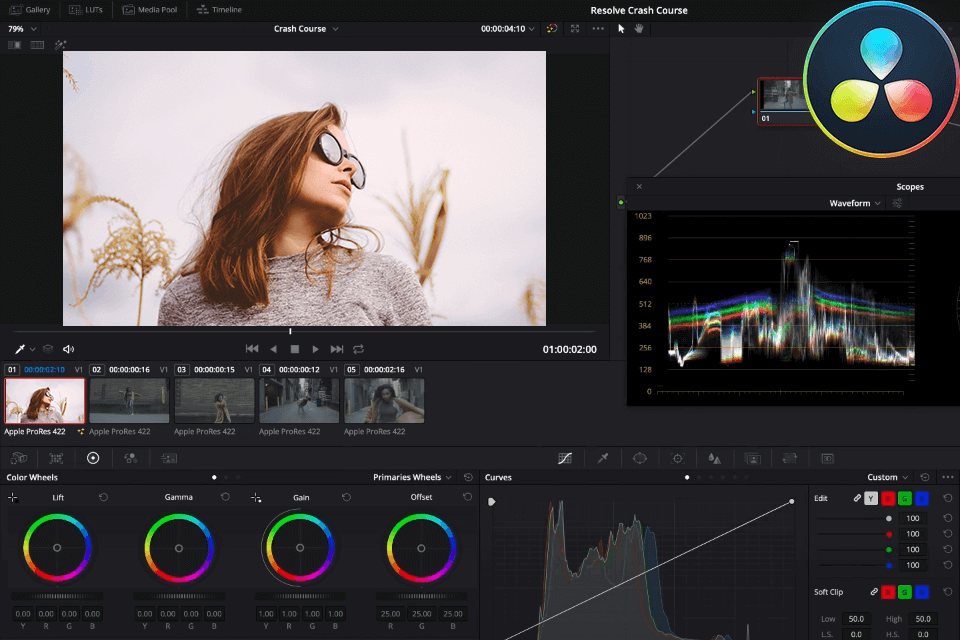
Image Credit: Fix the Photo
When it comes to free video editing software, Shotcut and DaVinci Resolve are two of the most powerful and widely used options available. Whether you're a podcast producer, a content creator, or a filmmaker, choosing the right video editor can significantly impact your workflow and the quality of your final product. But which of these two is the best fit for your needs? In this in-depth comparison, we’ll analyze features, performance, usability, and suitability for podcast production, helping you determine the right choice for your editing workflow.
Overview of Shotcut and DaVinci Resolve
Shotcut: A Beginner-Friendly, Open-Source Option
Shotcut is a free, open-source video editor that provides a straightforward interface with a range of essential features. It’s especially well-suited for beginners and those who need a lightweight editing tool that doesn’t demand high system resources.
Key Features:
Cross-platform compatibility (Windows, macOS, and Linux)
Native timeline editing without import requirements
Wide format support, including 4K video editing
Basic audio editing tools for podcast and video production
Open-source, meaning frequent community-driven updates
Lightweight, making it accessible for users with lower-end hardware
DaVinci Resolve: A Professional-Grade Free Editor
DaVinci Resolve is a highly advanced video editing suite often used by professionals in the film and broadcast industry. While it offers a free version, it includes a powerful set of features that rival many paid editing software.
Key Features:
Industry-standard color grading tools
High-end visual effects and motion graphics
Robust audio editing via Fairlight Audio (ideal for podcast creators)
Multi-user collaboration for large-scale projects
Advanced timeline and media management
Hardware acceleration for faster processing
Ease of Use: Which One is More Beginner-Friendly?
If you are new to video editing, Shotcut’s interface will likely feel less overwhelming. The clean, simple layout and drag-and-drop functionality make it easy to start editing without a steep learning curve. It’s a great choice for quick projects, such as cutting and adding basic effects to podcast videos.
In contrast, DaVinci Resolve is feature-rich, which can be overwhelming for beginners. The UI is packed with advanced tools, making the initial experience more complex. However, if you’re willing to invest time in learning, Resolve offers a professional-level editing experience at no cost.
Performance and System Requirements
Shotcut: Runs smoothly on low-spec computers, making it ideal for those without high-end hardware.
DaVinci Resolve: Requires a more powerful system, especially for 4K video editing, as it demands higher RAM and GPU capabilities.
For podcasters who primarily work with audio-enhanced video content, Shotcut will run efficiently on most laptops. However, if you plan to work with 4K footage, color correction, and professional sound design, DaVinci Resolve will be a better long-term investment.
Audio Editing Capabilities: Which One is Best for Podcasts?
For podcast producers, audio quality is just as important as video quality. Here’s how both editors compare in terms of audio editing features:
Shotcut:
Provides basic audio filters and equalizers
Allows separate audio track management
Simple volume adjustments and noise reduction tools
DaVinci Resolve (Fairlight Audio):
Professional-grade audio mixing tools
Advanced equalization and multi-band compression
Noise reduction and dialogue enhancement features
Support for 5.1 surround sound and stereo mixing
Synchronization tools for aligning audio with video
For podcast creators looking for in-depth control over audio, DaVinci Resolve’s Fairlight Audio is the clear winner. If you just need basic trimming and minor audio enhancements, Shotcut will suffice.
Video Editing Features: Effects, Transitions, and Color Grading
Shotcut: Offers basic filters, transitions, and simple animations. It gets the job done for minimalist editing but lacks advanced effects.
DaVinci Resolve: Features Hollywood-level color correction, motion graphics, and VFX tools. It is the go-to choice if you require high-end effects.
Exporting and File Format Support
Both software support various formats, but DaVinci Resolve provides better encoding options and faster rendering speeds, making it ideal for high-quality podcast videos.
Which Editor is Best for Your Podcast Production?
Choose Shotcut if: You’re a beginner or working with a low-end PC, and need basic editing tools for podcast videos.
Choose DaVinci Resolve if: You want high-end audio and video editing, professional-grade tools, and are willing to learn the software.
Upgrade Your Podcast Video Production with Finchley Studio
No matter which software you choose, having a professional studio environment makes a world of difference. Finchley Studio offers top-tier facilities designed for podcast creators.
Looking for a cozy, intimate podcast setting? The Dialogue Room is perfect for interviews and one-on-one discussions.
Need a relaxed, conversational space? The Lounge Studio is ideal for group discussions.
Planning a high-quality production? The Gathering Studio provides a premium setup for professional podcasts.
Want to experiment with visual effects? Try our Green Screen Studio for immersive backgrounds and branding.
Take your podcast production to the next level by booking a session at Finchley Studio today!
Source: https://moviemaker.minitool.com/moviemaker/shotcut-vs-davinci-resolve.html














