

In the ever-evolving landscape of digital content creation, having the right tools at your disposal can make all the difference. Whether you are an aspiring filmmaker, a budding photographer, or a social media influencer, the ability to edit photos and videos seamlessly is essential for producing engaging content. Fortunately, there are numerous free photo and video editing apps available that can help you create stunning visuals without draining your wallet. This article explores some of the best free apps available, detailing their features and benefits to help you find the perfect tool for your creative needs.
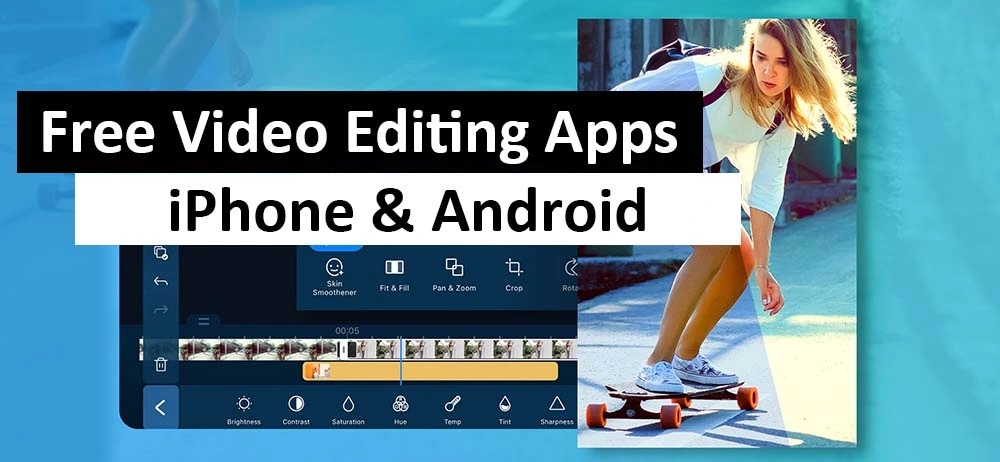
Image Credit: Cyberlink
The Importance of Photo and Video Editing
Before delving into the specific apps, it’s crucial to understand the significance of photo and video editing in content creation. The editing process allows creators to enhance their raw footage, add effects, and refine their work to achieve a polished final product. Effective editing can dramatically improve the quality of your content, making it more appealing to your audience.
Moreover, in today’s visually driven world, high-quality images and videos are essential for standing out in a crowded marketplace. Whether you’re promoting a brand, sharing your travel adventures, or showcasing your creative projects, having well-edited visuals can capture attention and convey professionalism. With the right editing apps, you can bring your creative vision to life without spending a fortune.
Top Free Photo Editing Apps
1. GIMP
GIMP (GNU Image Manipulation Program) is a powerful, open-source photo editing software often compared to Adobe Photoshop due to its extensive capabilities. This app offers a wide array of features, including customizable brushes, advanced image retouching, and support for various file formats. With GIMP, users can manipulate images in intricate detail, making it an excellent choice for photographers and designers alike.
Key Features:
- Advanced Editing Tools: GIMP provides a comprehensive set of editing tools, allowing for precise adjustments and enhancements.
- Customisation: Users can create their brushes and scripts, tailoring the software to their specific needs.
- Cross-Platform Availability: GIMP is available on multiple operating systems, including Windows, macOS, and Linux.
2. Canva
Canva is a user-friendly design platform that has gained immense popularity among creators for its simplicity and versatility. It allows users to create graphics, social media posts, and presentations effortlessly. The drag-and-drop interface makes it accessible to beginners, while its extensive library of templates and design elements offers plenty of options for experienced designers.
Key Features:
- Template Variety: Canva boasts thousands of pre-designed templates suitable for various purposes, from social media posts to marketing materials.
- Collaboration Tools: Users can easily share their designs and collaborate with team members in real time.
- Mobile App: Canva’s mobile app allows for on-the-go editing, making it convenient for users to create content anytime, anywhere.
3. Pixlr
Pixlr is a free web-based photo editor that offers a balanced mix of essential editing tools and advanced features. Its intuitive interface makes it easy for users to crop, resize, and apply filters to their images. Additionally, Pixlr supports layers and allows for detailed adjustments, making it suitable for both casual users and professionals.
Key Features:
- User-Friendly Interface: Pixlr’s design is straightforward, allowing users to navigate easily through the editing process.
- Layer Support: Users can work with layers, enabling more complex editing tasks and adjustments.
- Web-Based Access: Being a web-based app, Pixlr can be accessed from any device with an internet connection, eliminating the need for software installation.
4. Fotor
Fotor is another excellent free photo editing app that combines a robust editing toolkit with design features. It is particularly known for its HDR (High Dynamic Range) capabilities, allowing users to create stunning images with enhanced detail and vibrancy. Fotor also offers various templates for creating collages and promotional materials.
Key Features:
- HDR Support: Fotor’s HDR feature allows users to create images with a wide range of tones and details.
- Collage Maker: Users can easily create beautiful photo collages using Fotor’s intuitive interface.
- Batch Processing: Fotor supports batch processing, enabling users to edit multiple photos simultaneously, which can save time.
5. Photopea
Photopea is a free online photo editor that closely resembles Adobe Photoshop, making it an ideal choice for users familiar with Photoshop’s interface. This app supports a wide range of file formats, including PSD (Photoshop files), making it versatile for various editing needs.
Key Features:
- Photoshop-Like Interface: Photopea’s interface is familiar to Photoshop users, making the transition seamless.
- Layer Support: Users can work with layers, masks, and various blending modes for complex edits.
- Web-Based Application: As a web-based editor, Photopea can be accessed from any device without installation.
Top Free Video Editing Apps
6. HitFilm Express
HitFilm Express is a powerful free video editing software that provides professional-grade editing tools, including visual effects and compositing features. It is perfect for filmmakers looking to create high-quality videos without the cost.
Key Features:
- Advanced Visual Effects: HitFilm Express includes a range of visual effects, allowing users to create cinematic-quality videos.
- Comprehensive Editing Suite: The software offers a complete editing suite, including trimming, cutting, and audio editing features.
- Online Tutorials: HitFilm provides extensive online tutorials, making it easier for beginners to learn how to use the software effectively.
7. DaVinci Resolve
DaVinci Resolve is renowned for its advanced colour correction and audio post-production capabilities. The free version offers a robust set of features that make it suitable for creating professional-quality films and videos.
Key Features:
- Professional Colour Grading: DaVinci Resolve is known for its industry-leading colour grading tools, allowing for precise adjustments to footage.
- Comprehensive Audio Editing: The software includes advanced audio editing features, making it suitable for creating polished soundtracks.
- Multi-User Collaboration: DaVinci Resolve supports multi-user collaboration, allowing teams to work together on projects seamlessly.
8. Lightworks
Lightworks is a free video editing software that provides an intuitive interface and powerful editing tools. With support for a wide range of formats and a robust timeline, it’s great for both beginners and experienced editors.
Key Features:
- User-Friendly Interface: Lightworks boasts a simple and intuitive interface, making it accessible to users of all skill levels.
- High-Quality Exports: The software supports exporting videos in high-quality formats, suitable for professional use.
- Wide Format Support: Lightworks can handle a variety of video formats, making it versatile for different editing projects.
9. VSDC Free Video Editor
VSDC Free Video Editor is a non-linear video editing software that offers a range of features, including visual and audio effects. It is particularly useful for users looking for a robust editing tool without a steep learning curve.
Key Features:
- Non-Linear Editing: VSDC allows users to edit videos in a non-linear format, providing flexibility in the editing process.
- Visual and Audio Effects: The software includes various visual and audio effects, allowing for creative enhancements to videos.
- Easy Export Options: VSDC offers straightforward export options, making it easy to save projects in different formats.
10. OpenShot
OpenShot is a free, open-source video editing software that caters to users seeking a straightforward yet effective editing tool. Its user-friendly interface makes it easy to navigate, making it a great choice for beginners.
Key Features:
- Drag-and-Drop Interface: OpenShot’s drag-and-drop functionality allows users to import and arrange clips easily.
- Video Transitions: The software includes a variety of video transitions to enhance storytelling in your edits.
- Cross-Platform Support: OpenShot is available on Windows, macOS, and Linux, providing flexibility for users across different operating systems.
Enhance Your Podcast with Professional Support
While free editing apps can significantly improve your content creation process, the environment in which you record your podcasts plays a crucial role in the quality of your final product. This is where Finchley Studio comes into play. Located conveniently just two minutes from Finchley Central, Finchley Studio offers a range of professional services and spaces tailored for podcast creators.
Explore Our Studios
At Finchley Studio, we have a variety of dedicated spaces designed to enhance your podcasting experience:
- Dialogue Room: Ideal for intimate conversations and interviews.
- Lounge Studio: Perfect for relaxed group discussions and casual podcasts.
- Gathering Studio: Designed for larger productions and expert panels.
- Green Screen: For immersive and creative video backgrounds.
- White Infinity Cove: A seamless backdrop for professional visuals.
- Photography Studio: For high-quality photo shoots and promotional content.
- Blackwood Studio: Offers a sleek aesthetic for elegant productions.
Enhance Your Content with Our Video Editing Service
In addition to our recording spaces, Finchley Studio also offers a comprehensive Video Editing Service for just £299. Our expert team will refine your footage, ensuring a polished final product that captivates your audience. With access to advanced editing tools and professional guidance, you can elevate the quality of your content significantly.
Book Your Session Today
If you’re ready to take your podcasting game to the next level, consider booking a session at Finchley Studio. Our state-of-the-art facilities and expert services are designed to help you produce high-quality content that stands out. We offer flexible booking options and tailored services to meet your specific needs, ensuring you get the most out of your time with us.
Creating professional-looking content doesn’t have to be expensive. With these free photo and video editing apps, you can enhance your projects while keeping your budget intact. From powerful tools like GIMP and DaVinci Resolve to user-friendly options like Canva and OpenShot, there is a wealth of resources available to help you create stunning visuals.
However, for the best results in your podcasting journey, consider renting one of our studios at Finchley Studio. Our expert team is dedicated to helping you produce high-quality content that resonates with your audience. Whether you need a space for recording or professional editing support, we have you covered.
Start creating amazing content today without breaking the bank. Explore the world of free editing apps, and remember that with the right tools and environment, your creative potential is limitless!
Source: https://www.techradar.com/best/free-video-editing-software














