
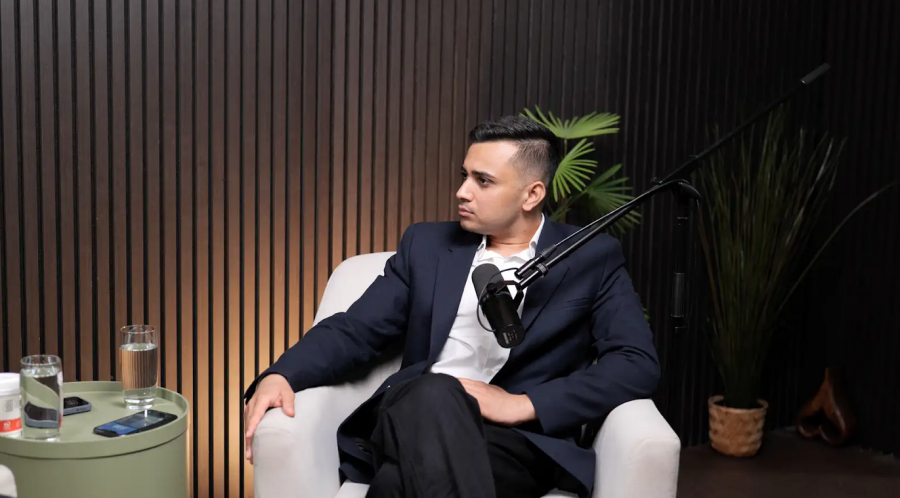
If you have ever tried to record a "quiet" interview in a flat in Dalston or edit 4K footage on a laptop while commuting on the Central Line, you know the struggle. The creative ambition is there, but the logistics of London life—the sirens, the limited square footage, and the sheer technical demand of modern video standards—can stifle even the best ideas.
As a creator or brand in the capital, moving to 4K video editing and production isn’t just about more pixels; it’s about future-proofing your content and commanding authority. Whether you are filming a corporate vodcast or a high-end brand documentary, 4K offers the flexibility and polish that HD simply cannot match.
This guide dives deep into the technical best practices for 4K workflows and explores why a professional video studio environment is the secret weapon for London’s top creators.
Why 4K? Beyond the Buzzword
Before we talk about how to edit, we must address why you are shooting in 4K (Ultra HD) in the first place. It isn't just for people with massive televisions.
Cropping Flexibility: Shooting in 4K allows you to crop up to 50% of the image without losing HD quality. You can turn a single wide shot of a podcast studio conversation into a wide angle and two close-ups in post-production.
Downscaling for Sharpness: When you export 4K footage to 1080p, the image appears sharper and has better colour fidelity than if you had shot in 1080p originally.
Stabilisation: If you are filming handheld or on location, the extra resolution gives software stabilisers more "room" to work without eating into the frame borders.
The 4K Workflow: Technical Best Practices
Editing 4K footage requires a robust workflow. Without it, you risk lagging timelines, out-of-sync audio, and corrupted files.
1. The "Offline-Online" Proxy Workflow
The most common pain point we hear from creators is: "My computer crashes when I hit play." 4K files are massive. Even high-end workstations can struggle to play them smoothly in real-time if they are heavily compressed (like H.264 or H.265).
-
The Solution: Use Proxies.
Proxies are low-resolution copies of your raw footage (e.g., 720p ProRes Proxy).
You edit using these lightweight files—making your timeline buttery smooth.
When you are ready to export, your software (Premiere Pro, DaVinci Resolve, Final Cut) automatically swaps the high-quality 4K files back in.
2. Colour Grading & Colour Space
London creates a unique visual mood, but capturing it accurately requires technical discipline.
Shoot Log: If your camera supports it (e.g., Sony S-Log3, Canon C-Log), shoot in "Log" profiles. This gives you a flat, desaturated image that retains more detail in the shadows and highlights.
Monitor Calibration: You cannot colour grade what you cannot see. Ensure your editing monitor covers 100% of the sRGB spectrum (or DCI-P3 for cinema) and is calibrated.
3. Audio Syncing: The Hidden Trap
Nothing ruins a professional recording studio session faster than drifting audio.
Frame Rates: Ensure your audio sample rate (usually 48kHz) matches your project settings.
VFR vs. CFR: Smartphones and some webcams shoot in Variable Frame Rate (VFR), which causes audio to drift out of sync in editing software. Always convert footage to Constant Frame Rate (CFR) (using tools like HandBrake or Shutter Encoder) before importing it into your editor.
The London Factor: Studio vs. DIY Setup
You can edit 4K at home, but producing it there is a different story. In a city like London, the environment is often the biggest barrier to quality.
1. Soundproofing vs. "The City"
A directional microphone can reject some noise, but it cannot filter out the rumble of a passing Tube train or the police sirens wailing down Oxford Street.
The Studio Advantage: A professional podcast studio or video studio is acoustically treated. We are talking about "room-within-a-room" construction, floating floors, and bass traps. This doesn't just mean "quiet"—it means "dead" audio that sounds intimate and expensive, with zero background distraction.
2. Lighting the "Grey" Days
London is famous for its overcast weather. Relying on natural light for your studio hire London shoot is a gamble.
The Studio Advantage: Consistency. In a studio, you have total control. Whether it’s 2 PM or 2 AM, raining or sunny, your lighting setup (e.g., Aputure 600d or Amaran panels) remains identical. This is critical for continuity if you are filming a series over several weeks.
3. Cost-Efficiency of Gear
To shoot professional 4K, you need a camera body (£3,000+), fast lenses (£1,500+), professional lighting (£2,000+), and high-end audio gear.
The Studio Advantage: For a simple hourly rate, you gain access to £50,000+ worth of industry-standard equipment. You don't need to worry about storage, insurance, or carrying heavy Peli cases on the bus.
4. The "Vodcast" Revolution
2025 has seen a massive surge in "Vodcasting" (Video Podcasting) across the UK.
The Studio Advantage: A dedicated London podcast production facility is pre-rigged for this. You walk in, and the 3-camera 4K setup is already calibrated. You sit down, hit record, and walk out with the files. It turns a 4-hour technical setup headache into a 60-minute creative session.
Best Practices Checklist for Your Next Session
If you are booking a session at our London studio, here is how to prepare for the best 4K results:
Bring Fast Storage: 4K footage is heavy. Bring an SSD (Samsung T7 or SanDisk Extreme) with at least 1TB of free space. Standard USB sticks will likely fail or transfer too slowly.
Wardrobe Matters: Avoid tight patterns (like pinstripes or houndstooth) on your clothing. In 4K, these can cause "Moiré patterns"—a shimmering visual vibration that ruins the shot. Solid colours look best.
Plan Your "Look": Do you want a moody, dark "Joe Rogan" style aesthetic, or a bright, commercial morning-TV look? Tell our engineers beforehand so we can pre-light the set.
Frequently Asked Questions (FAQ)
Here are the most common questions we receive from London creators about 4K production and studio hire.
1. Do I really need 4K if I'm just uploading to YouTube or Instagram?
Yes. Even if you export in 1080p, shooting in 4K allows you to crop in for vertical social clips (Reels/TikToks) without the image becoming pixelated. It gives you one master file that works for both YouTube (horizontal) and TikTok (vertical).
2. Why is my 4K video choppy when I edit it?
This is usually hardware lag. Your computer is struggling to process the massive data rate of 4K. The fix is to use a Proxy Workflow (creating low-res temporary files for editing) or to ensure you are editing off a high-speed SSD, not a slow external hard drive.
3. How much does podcast studio hire in London cost?
Rates vary wildly, but you generally get what you pay for. Budget "dry hire" rooms can be found for £40-£60/hour, but often lack engineer support or high-end cameras. Professional studios with 4K video capabilities and an engineer typically range from £100-£150+ per hour. The value lies in the time saved on setup and technical troubleshooting.
4. Can I record audio and video at the same time?
Absolutely. This is our speciality. A "Vodcast" setup records high-fidelity WAV audio alongside 4K video tracks. We sync them for you, so you leave with a perfectly aligned multimedia package ready for editing.
5. Is the studio accessible via public transport?
Most professional studios in London prioritise accessibility. We are located close to major transport links to ensure you (and your high-profile guests) can arrive stress-free without needing to navigate the Congestion Charge zone.
Conclusion: Achieving Stunning 4K Video Results
Optimizing your studio setup for 4K video recording and editing is a multifaceted process that involves investing in the right equipment, mastering technical skills, and implementing efficient workflows. By following these best practices, you can produce high-quality, visually stunning 4K content that captivates your audience and stands out in a competitive market.
For those seeking to elevate their 4K video productions, partnering with a professional studio like Finchley Studio offers unparalleled advantages. With access to cutting-edge equipment, expert support, and customizable studio environments, Finchley Studio ensures that your 4K projects achieve their full potential.
Ready to take your 4K video editing to the next level? Book Finchley Studio today and experience the difference professional support can make. Follow us on Instagram, YouTube, TikTok, and LinkedIn for more tips, inspiration, and updates. Discover what our clients are saying on our Google reviews page.














