
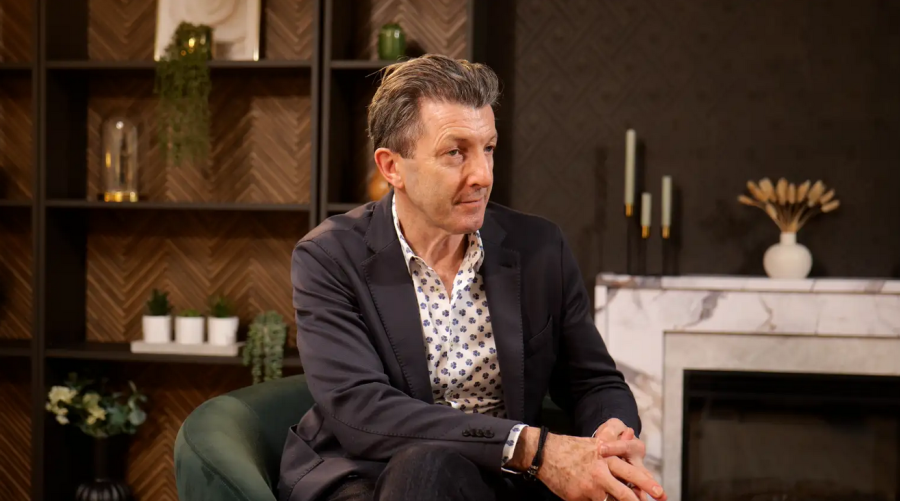
In the last five years, the "podcast" has undergone a radical transformation. It is no longer just audio background noise for your commute; it is a visual medium. From The Diary of a CEO to indie creators in Hackney, the industry standard has shifted to visual podcasting—often dubbed "vodcasting."
If you are a creator or brand in the capital, you have likely noticed that 1080p HD no longer cuts it for premium content. Audiences expect crisp, cinematic visuals that look as good on a 65-inch TV as they do on an iPhone. Enter 4K videography.
But moving to 4K isn't just about buying a better camera; it requires a complete rethink of your lighting, storage, and acoustic environment. This guide will walk you through the essentials of 4K content creation, the specific challenges faced by London creators, and why a professional podcast studio might be your smartest investment.
Why 4K? It’s More Than Just "Sharper"
Many beginners assume 4K is necessary only if the viewer is watching on a 4K screen. However, for a content marketer, shooting in 4K is primarily about post-production flexibility.
The "Crop Factor" Superpower: When you shoot in 4K (3840 x 2160 pixels) but export for a standard 1080p YouTube video or Instagram Reel, you have four times the resolution to play with. This allows you to "punch in" or crop the image without losing quality. You can turn a wide shot into a close-up in editing, effectively simulating a two-camera setup with just one lens.
Future-Proofing: Content creates a legacy. Filming in 4K ensures your interviews and brand stories remain relevant and viewable as technology evolves over the next decade.
Colour Grading Latitude: Higher resolution often comes with better colour data, allowing for that rich, "cinematic" look (often called the 'Netflix look') that separates amateur vlogs from professional broadcasts.
The Gear: Industry Standards for 2026
If you are looking to build a home setup or are vetting a video studio to hire, these are the technical benchmarks you should look for.
1. The Camera: Cinema Line is King
DSLRs are great, but for long-form content like podcasts, "Cinema Line" cameras are the gold standard. They don't overheat during long sessions and offer superior dynamic range.
The Standard: The Sony FX6 and Sony FX3 are the workhorses of the London production scene. They offer incredible autofocus (essential if you are a solo operator) and perform beautifully in low light.
The Lens: You want "fast" glass (e.g., Sony G Master lenses) to create that blurry background (bokeh) that separates the subject from the wall.
2. The Audio: Visuals Attract, Audio Retains
You can forgive grainy video, but you cannot forgive bad audio. In 4K production, the audio must match the visual fidelity.
The Mic: The Shure SM7B remains the undisputed king of the podcast studio. It creates that warm, "radio" voice but requires a powerful preamp to work effectively.
The Recorder: Professional studios will capture "multitrack" audio (each speaker on a separate channel) using interfaces like the RodeCaster Pro II or MixPre-6.
3. Lighting: The Unsung Hero of 4K
4K reveals every imperfection. If your lighting is flat, your expensive camera will just show a high-resolution image of bad lighting.
Soft Light: You need large, diffused light sources (like Aputure Amaran lights with softboxes) to flatter skin tones and avoid harsh shadows.
The London Factor: Why Home Studios Often Fail
We love London, but it is a hostile environment for recording high-end audio and video. If you are debating between a DIY home setup and a recording studio, consider these local "pain points":
1. The Noise Pollution Struggle
London is loud. Sirens on the Kingsland Road, the rumble of the Northern Line, or the flight path into Heathrow can ruin a perfect take.
The Studio Advantage: A professional facility creates a "room within a room." Soundproofing isn't just foam on the walls; it’s mass-loaded vinyl and decoupled floors that stop the vibrations of a passing bus from reaching your microphone.
2. The "Shoebox" Apartment Problem
To get that cinematic, blurry background, you need physical distance between the subject and the background.
Depth of Field: Most London flats simply aren't deep enough to separate the subject from the background effectively. A video studio offers the physical depth required to position lights and cameras for a flattering, high-end image.
3. Power and Heat
Running 4K cameras and 3-point lighting rigs generates significant heat. In a small room without silent, studio-grade air conditioning, your recording space will become a sauna within 20 minutes—sweaty foreheads do not look good in 4K!
A Guide to Your First Studio Session
If you decide to book a studio hire in London, here is how to prepare to ensure you get the most out of your session.
Step 1: Pre-Production
Format: Decide if you are shooting "talking head" (solo), interview style, or a panel. This dictates the camera angles.
Files: 4K video files are massive. Bring a high-speed SSD (like a Samsung T7) formatted to ExFAT so you can take your footage home immediately.
Step 2: On The Day
Wardrobe: Avoid tight pinstripes or herringbone patterns; 4K sensors can cause a "moiré effect" (a weird strobing pattern) on these textures. Solid, neutral colours work best.
Framing: Ask the engineer for "safe zones." If you are planning to cut clips for TikTok/Reels (9:16 aspect ratio), ensure you are framed centrally so you don't get cropped out when the video is resized for mobile.
Step 3: Post-Production
Proxies: You likely cannot edit raw 4K footage on a standard laptop without it lagging. You will need to create "proxies" (lower resolution copies) to edit with, swapping them back to 4K for the final export.
Colour Grading: If the studio shoots in "Log" (a flat colour profile), you will need to apply a LUT (Look Up Table) in editing to bring the colours to life.
Frequently Asked Questions (FAQ)
Q: Is 4K really necessary for a podcast? A: Strictly speaking, no. However, London podcast production standards are rising. 4K gives you a competitive edge and allows you to create high-quality social media clips from the main feed. It is about perceived value; 4K says "premium."
Q: How much does it cost to hire a video studio in London? A: Prices vary wildly, but you generally get what you pay for. Budget options might charge £50/hour but lack soundproofing. High-end spaces with engineer support, industry-standard lighting, and 4K cinema cameras generally range from £100–£200 per hour.
Q: Can I just use my iPhone 15 Pro? It shoots 4K. A: The iPhone shoots incredible video, but it lacks the sensor size to handle low light or create natural depth of field. It also struggles with audio connectivity. For professional work, dedicated cameras are still superior.
Q: Do I need to bring my own SD cards? A: Most professional studios will record to their own systems and transfer the files to you via a transfer link or onto your portable hard drive. Always check with the studio manager beforehand.
Conclusion: Embarking on Your 4K Videography Journey
Starting with 4K videography may seem daunting, but with the right knowledge and equipment, you can create stunning high-resolution content. Focus on mastering the basics, investing wisely in equipment, and continuously honing your craft.
For those looking to take their videography to the next level, consider utilizing professional studios like Finchley Studio's Lounge Studio or White Infinity Cove Studio. These studios offer state-of-the-art equipment and environments ideal for producing high-quality 4K content.
Ready to create captivating 4K videos? Book Finchley Studio today and bring your vision to life. Follow us on Instagram, YouTube, TikTok, and LinkedIn for more tips and inspiration. See what our clients have to say on our Google reviews page.














