
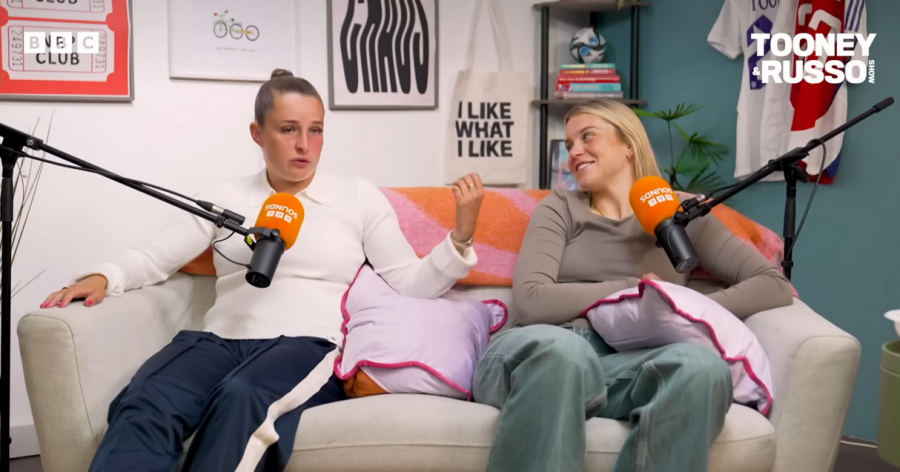
Finding the right video-editing app is only half the battle for modern content creators. To get truly polished, broadcast-ready material especially for podcasts recorded in a London podcast studio or a compact video studio London you need professional-grade tools that match your production environment. This deep-dive guide compares the best video-editing apps available in 2026, then contextualises them within the London creative ecosystem, including how a Recording studio London like Finchley Studio complements post-production workflows.
Why video editing matters for podcast studios
Podcasts are no longer just audio files. Most audiences now expect video versions, short clips for social media, and captioned highlights, all of which depend on strong video-editing software. Klap
A podcast studio London or London Recording studio handles high-quality recording, but it's the editing stage that turns raw takes into tight, engaging episodes. Viewers notice poor colour grading, inconsistent audio levels, and awkward cuts, so having the right app can make the difference between "indie" and "studio-grade." PCMag Finchley Studio
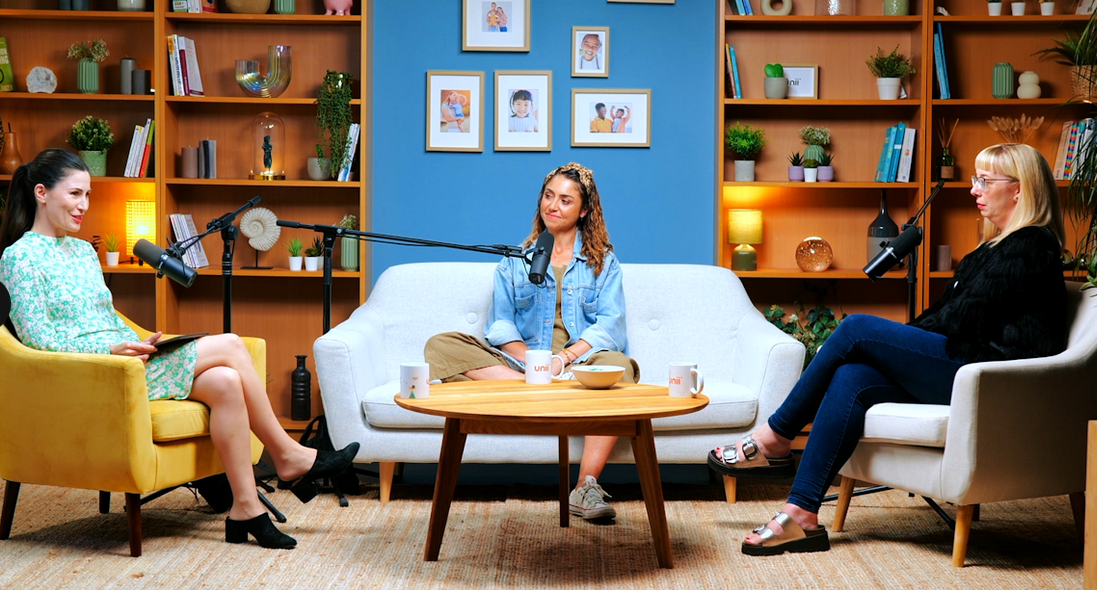
Finchley Studio (Lounge set): book this setup for your podcast
How to choose the right video-editing app
Before diving into specific tools, it helps to define your workflow.
Audience and content type
Are you:
Editing full-length podcast episodes in a London podcast studio? Creative Bloq
Cutting short, social-ready clips for platforms like Instagram and Tik Tok? PCMag
Producing corporate-style videos in a video studio London? Klap
Different apps specialise in different formats. Some excel at long-form, multi-track editing; others focus on rapid, template-driven cutting for social media. Creative Bloq PCMag
Skill level and budget
Creators fall into three loose buckets:
Beginners who want simple drag-and-drop tools. PCMag
Prosumers needing more precision without paying top-tier fees. PCMag
Professionals working in broadcast-quality post-production. PCMag
Budget also matters. Many editors offer free tiers, but they often limit export resolution, watermark outputs, or lock advanced features behind paid plans. Zapier Creative Bloq
Integration with a recording or video studio
If you record in a Recording studio London such as Finchley Studio, you'll typically walk away with:
Multiple high-resolution camera angles. Finchley Studio
Clean, multi-track audio feeds. Finchley Studio
Background-noise-reduced files from professional microphones. Finchley Studio Finchley Studio
The best video-editing apps for this workflow are those that:
Handle multiple audio and video tracks smoothly. Recast Studio
Support AI-assisted cleanup and captions. Klap
Export versatile formats (e.g., 4K masters plus social-optimised clips). Recast Studio Klap
Top video-editing apps in 2026
Here's a breakdown of the leading tools, with inline links to sources so you can verify claims and pricing.
1. Adobe Premiere Pro
Platforms: Windows, macOS Best for: Professional editors, agencies, and high-end studios.
Adobe Premiere Pro remains an industry standard inside many video studio London environments because it integrates tightly with After Effects, Photoshop, and other Adobe apps. It supports multi-cam editing, advanced colour grading, and collaborative workflows, making it ideal for long-form podcasts shot in a London Recording studio. PCMag
Key SEO-friendly differentiators:
Professional-grade editing for 4K and higher. PCMag
Strong ecosystem with plugins and team-oriented features. PCMag
Logical fit for studios that already use Adobe Creative Cloud. PCMag
2. DaVinci Resolve
Platforms: Windows, macOS, Linux Best for: Filmmakers, pro-level editors, and colour-focused workflows.
DaVinci Resolve is known for its powerful colour-grading and audio-mixing modules, which makes it a strong choice if your London podcast studio captures high-dynamic-range footage. The free version already includes most essential features, with the paid "Studio" tier unlocking higher-bitrate and advanced HDR tools. Zapier PCMag
Why it suits podcast-video work:
Excellent for multi-track audio cleanup before editing. Zapier
Keyframe-based colour correction lets you unify different camera angles shot in a video studio London. PCMag
Free tier lowers the barrier for smaller creators renting a Recording studio London. Zapier PCMag
3. Apple Final Cut Pro
Platforms: macOS only Best for: Mac-based creators and in-studio editors.
Final Cut Pro uses a magnetic timeline that feels intuitive once you're past the learning curve, and it's popular with editors who work in London Recording studio environments that rely on Apple hardware. It excels at fast trimming and multi-cam editing, which is useful when you're cutting down a long podcast session with several guests. PCMag
Advantages for podcast-video:
Optimised for Apple's ecosystem, including ProRes codecs. PCMag
Good for quick turnaround edits after a session in a podcast studio London. PCMag
Strong integration with Apple's built-in sharing features. PCMag
4. CapCut
Platforms: iOS, Android, Windows, macOS, Web Best for: Social-video creators and rapid-cut podcast clips.
CapCut is one of the most popular free video-editing apps, especially for short-form content destined for TikTok, Instagram Reels, and YouTube Shorts. Its drag-and-drop interface and AI-assisted templates make it easy to turn a recorded podcast into vertical clips that perform well on social media. Creative Bloq
SEO-friendly points:
Zero-cost entry for creators using a London podcast studio but on a tight budget. Creative Bloq
Supports 8K exports at 60 fps, which is useful when you're working with high-resolution footage from a video studio London. Creative Bloq Zapier
AI-powered tools such as auto-captions and background-removal help reduce manual editing time. Creative Bloq
5. Adobe Premiere Rush
Platforms: Windows, macOS, iOS, Android Best for: Creators who want a simple, cross-platform editor.
Premiere Rush is a lightweight sibling of Premiere Pro, designed for quick edits on desktop or mobile. It's ideal if you record in a Recording studio London and then want to cut social-teaser clips while on the move. PCMag
Key benefits:
Synchronises projects between devices, so you can start an edit in a London podcast studio and finish it on your phone. PCMag
Outputs clean, platform-ready videos without heavy rendering. PCMag
6. Podcastle
Platforms: Web-based (browser) Best for: Podcasters who edit directly in the cloud.
Podcastle is an AI-powered platform that combines remote recording with text-based video-editing features. You can record up to 4K video with separate audio tracks, then edit your podcast by cutting words and phrases in the transcript—a major time-saver for busy creators. Recast Studio Klap
Why it complements a studio workflow:
Built-in noise-reduction and audio enhancement clean up tracks even before you move to a heavier editor such as Premiere Pro or DaVinci Resolve. Recast Studio Klap
Creates social-ready clips, captions, and highlights automatically, which fits well with content produced in a London Recording studio. Recast Studio
7. Microsoft Clipchamp
Platforms: Web-based, Windows 10/11 Best for: Windows users and browser-first editors.
Clipchamp is a cloud-based editor that Microsoft markets as a simple yet powerful tool for casual and semi-professional creators. It offers stock asset libraries, templates, and basic multi-track editing, making it suitable for podcast-video projects that don't need Hollywood-level colour-grading. Zapier PCMag
Relevance to London-based creators:
Web-based access means you can edit podcast footage from anywhere, whether you're using a London podcast studio or a video studio London. Zapier
Works well for marketing teams or small studios that prioritise speed over extreme customisation. Zapier
How London podcast studios shape your editing needs
A London podcast studio or Recoding studio London typically gives you better raw material than a home setup, which changes what you need from your editing software. Finchley Studio Finchley Studio
Cleaner audio and multi-track workflows
Professional studios invest in high-quality microphones, acoustic treatment, and dedicated audio engineers. This means your exported audio files are usually: Finchley Studio
Lower in background noise. Finchley Studio
Multi-tracked (each guest on a separate channel). Finchley Studio
More consistent in level and tone. Finchley Studio
Powerful editors like DaVinci Resolve and Adobe Premiere Pro take full advantage of this by letting you:
Adjust each guest's levels individually. PCMag
Apply subtle compression and EQ to match voices. PCMag
Use audio-analysis tools to smooth out dynamics. PCMag
Multiple camera angles and chroma key setups
Many video studio London spaces include multiple cameras, green screens, and pre-lit scenes. This production-ready setup allows you to: Lambda Films Peerspace
Cut between different angles to keep the video dynamic. Lambda Films
Overlay branded graphics or backgrounds. Lambda Films
Apps such as Premiere Pro, DaVinci Resolve, and CapCut handle multi-angle editing and chroma-key compositing, letting you turn a single studio session into a visually rich episode. Creative Bloq Zapier PCMag
Professional support and post-production extras
Some London Recording studio providers, including Finchley Studio, offer technical support and even basic editing services. This means you can: DesignMyNight Finchley Studio
Offload first-pass edits (e.g., trimming dead air) to the studio. Finchley Studio
Use more advanced apps only for final colour grading, sound design, or AI-enhanced polishing. Klap
Finchley Studio vs other London podcast studios
When comparing a London podcast studio such as Finchley Studio with other options in the city, several concrete factors stand out. Finchley Studio DesignMyNight Finchley Studio
1. Location and accessibility
Finchley Studio is located just two minutes from Finchley Central Underground, making it easy for guests and crew to reach without central-London congestion. By contrast, many centrally located video studio London spaces are in busy zones like Soho or Shoreditch, where travel and parking can be significantly more expensive and time-consuming. Peerspace Lambda Films DesignMyNight Finchley Studio
2. Recording-space versatility
Finchley Studio offers multiple rooms tailored to different content types, including:
Dialogue Room - intimate, two-person interviews. DesignMyNight
Lounge Studio - relaxed group-style conversations. DesignMyNight
Gathering Studio - larger panels or multi-guest recordings. DesignMyNight Finchley Studio
This flexibility mirrors the capabilities of larger video studio London facilities, but at a more accessible price point for independent podcasters. Finchley Studio DesignMyNight
3. Production quality and trusted client base
Finchley Studio highlights work with major brands such as the BBC and Lloyds Bank, which signals broadcast-level technical standards. This level of professional backing is comparable to high-end Recording studio London spaces used for TV commercials and corporate video, but directed specifically at podcast-centric workflows. Lambda Films DesignMyNight Finchley Studio Finchley Studio
4. In-studio support and amenities
Finchley Studio provides:
On-site audio engineers and video support. Finchley Studio
Free parking and nearby accommodation options. Finchley Studio Finchley Studio
Compared with dry-hire video studio London spaces, where you must bring your own crew and equipment, Finchley's service-oriented model reduces the technical burden on creators. Peerspace Lambda Films
How Finchley Studio fits into your editing workflow
Recording in a professional London podcast studio like Finchley Studio effectively moves the "hard part" of production to the front of the pipeline. Finchley Studio Finchley Studio
Stage 1: Capture in the studio
Finchley's sound-proofed rooms and pro-grade gear give you:
High-resolution audio and video files. DesignMyNight
Consistent lighting and clean backgrounds. Finchley Studio
Multiple camera angles if you opt for a multi-cam setup. Finchley Studio
This means you can feed your editing software with cleaner, better-structured material, which reduces the time you spend fixing problems rather than being creative. Finchley Studio
Stage 2: First-pass edits and AI-assisted cleanup
Once you've recorded, tools such as Podcastle or CapCut can be used for:
Removing filler words and silences. Recast Studio
Adding basic captions and social-teaser clips. Klap Creative Bloq
These editors slot into an ecosystem where a Recording studio London like Finchley Studio provides the raw assets, and lightweight apps handle rapid repurposing. Klap Finchley Studio
Stage 3: Final-grade polish in a professional editor
For high-end episodes destined for YouTube or professional platforms, you'd typically move to Adobe Premiere Pro or DaVinci Resolve. There you can: PCMag
Fine-tune colours between different camera angles. PCMag
Perform detailed audio mixing and noise-reduction. PCMag
Export archival-quality masters plus platform-specific versions. Zapier PCMag
In this model, Finchley Studio functions as the "capture engine," while these editors act as the "finishing suite." Finchley Studio Finchley Studio
Why choose a London podcast studio over home recording?
Many podcasters start out recording from home, but as their audience grows, the limitations become clear. A London podcast studio or Recording studio London offers tangible advantages. Finchley Studio
1. Better sound quality
Professional studios invest in:
Acoustic treatment panels. Finchley Studio
High-end microphones and interfaces. Finchley Studio
Dedicated audio-engineer oversight. Finchley Studio
This combination drastically reduces reverb, background noise, and inconsistent levels, which in turn reduces your editing workload and makes AI-based cleanup tools more effective. Klap Finchley Studio
2. Visual consistency and branding
A video studio London-style setup ensures that your podcast looks consistent over time. If you record long-term in a single professional space, you can: Lambda Films Peerspace
Reuse the same background and lighting style. Peerspace
Build a strong visual brand for your show. Peerspace
Maintain a uniform look across episodes, which viewers subconsciously associate with professionalism. Peerspace
3. Guest experience and workflow
Finchley Studio, for example, offers a comfortable lounge-style environment and technical support, which helps guests feel more relaxed and perform better on camera. When guests are less self-conscious, your long-form edits become easier because there are fewer retakes and awkward pauses to cut out. DesignMyNight Finchley Studio Finchley Studio
Choosing the right stack for your creative business
If you're based in London and need regular podcast or video work, the ideal stack often looks like:
Capture: Rent a London podcast studio or video studio London such as Finchley Studio for high-quality recording. DesignMyNight Finchley Studio Finchley Studio
Rapid editing: Use AI-assisted tools like Podcastle or CapCut for quick cuts, social-clips, and captions. Creative Bloq Klap
High-end finishing: Use Premiere Pro, DaVinci Resolve, or Final Cut Pro for broadcast-ready episodes and promotional reels. Zapier PCMag
This hybrid approach lets you balance cost, speed, and quality, which is especially important for independent creators and small agencies operating in a competitive London market. Lambda Films Peerspace
How to book Finchley Studio for your next podcast or video project
If you're ready to move beyond home recording and leverage a professional podcast studio or video studio London environment, Finchley Studio offers a convenient, high-quality option on the northern edge of the city. DesignMyNight Finchley Studio Finchley Studio
To book a session and start capturing material that's perfectly suited for powerful video editing tools, visit: https://www.finchley.co.uk/book














