
Part I: The Sonic Landscape and the Imperative of Quality
The State of the Industry: Why "Good Enough" is No Longer Sufficient
The global audio landscape has shifted beneath our feet. As we navigate the mature phase of the podcasting industry in 2026, the era of the "bedroom hobbyist" finding accidental fame through low-fidelity recordings has largely drawn to a close. With over 4.5 million podcasts indexed globally 1, the market is no longer a blue ocean of untapped potential; it is a fiercely competitive arena where attention is the scarcest commodity. Listener expectations have evolved in tandem with this saturation. The modern audience, conditioned by high-end productions from major networks and broadcast media, now possesses an unconscious but rigorous filter for audio quality.
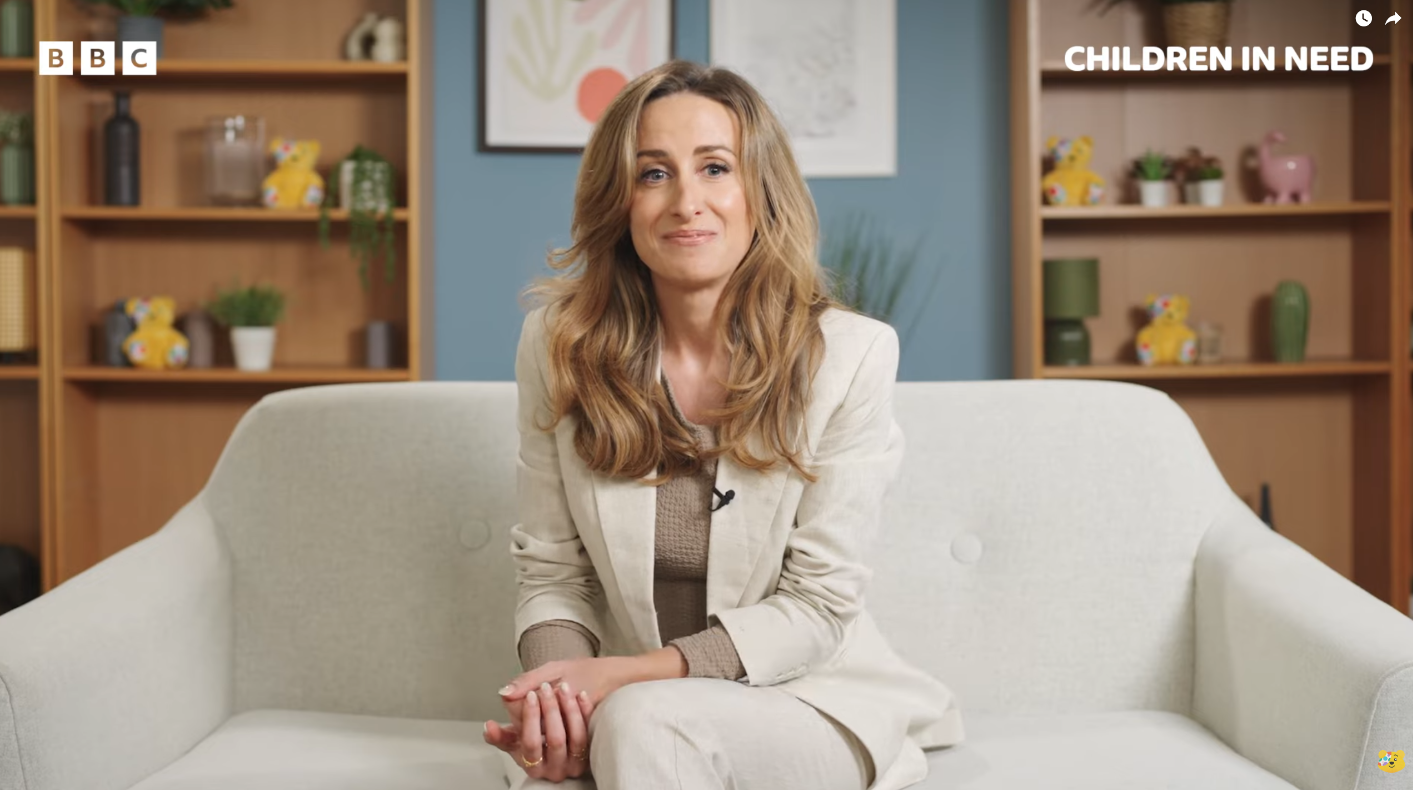
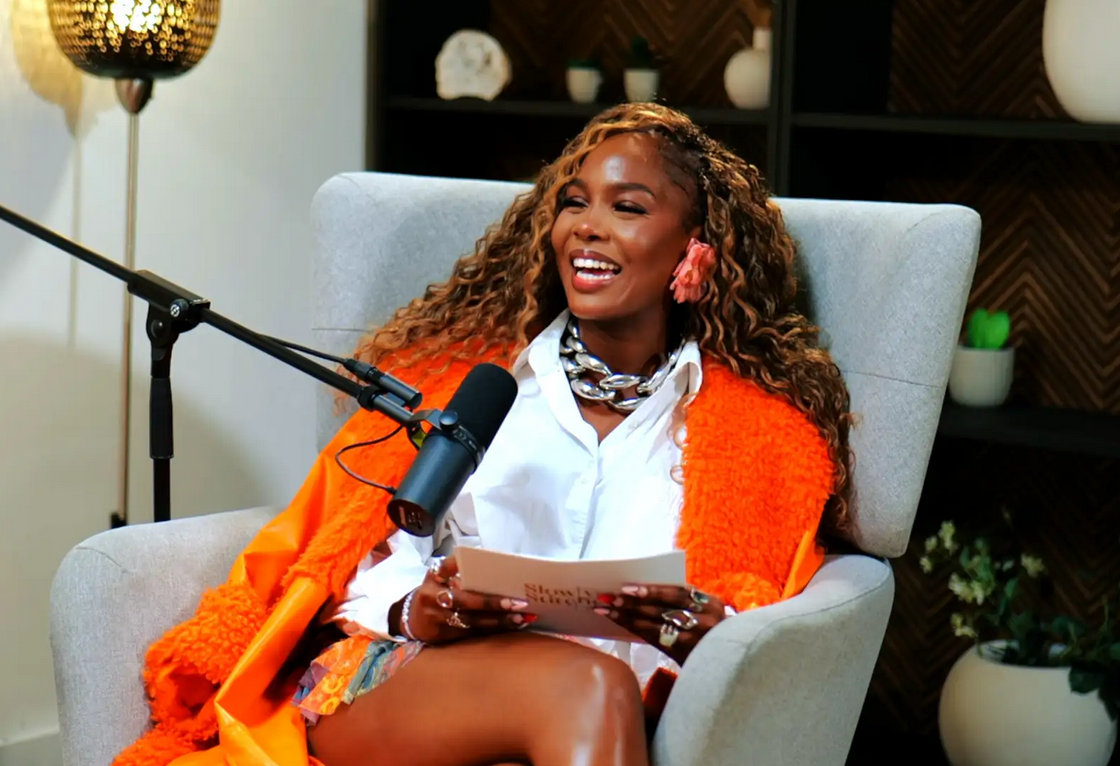
See the 'BBC Children in Need' podcast setup used by Dr Julie from BBC at Finchley Studio (Lounge setup). Book this setup for your podcast
Research indicates that the global podcast audience has swelled to approximately 584 million listeners.1 In the United States alone, monthly listenership has surpassed 55% of the population.1 However, this growth comes with a caveat: retention. Data suggests that podcasts lose between 20% and 35% of their audience within the first five minutes of an episode.2 While content is undoubtedly the primary driver of long-term loyalty, audio fidelity acts as the gatekeeper. Poor audio—characterised by room echo, digital distortion, or uneven levels—is an immediate "bounce" factor. It signals to the listener that the creator does not value their time. In a world where a listener can choose from millions of other options, technical mediocrity is a death sentence for growth.
This reality places a heavy burden on the creator. The title of this guide, "Video Editing How-To," implies that the magic happens in post-production. While editing is a crucial art form, the uncomfortable truth is that you cannot edit your way out of a bad recording. The "perfect podcast episode" is not manufactured in Adobe Premiere or DaVinci Resolve; it is captured in the room. This is why, for serious creators in the capital, the search for a London podcast studio has become a strategic necessity rather than a mere logistical choice.
The Convergence of Audio and Video
Perhaps the most significant development in recent years is the transition of podcasting from a purely auditory medium to a visual one. YouTube has eclipsed traditional platforms like Apple Podcasts and Spotify to become the number one destination for podcast consumption.1 In 2025, approximately one-third of listeners identified YouTube as their primary listening app.1 This shift has fundamentally altered the production workflow. A podcast is no longer just an MP3 file; it is a multi-asset deliverable requiring 4K video, social media clips, and a visual aesthetic that commands attention.
This convergence introduces a new layer of complexity. Creators must now master lighting, camera angles, set design, and colour grading alongside audio engineering. The technical debt of maintaining a home setup that can deliver broadcast-quality audio and cinematic video is immense. It is no longer enough to sound good; one must look the part. A podcast studio near me must now function as a television studio, offering the acoustic isolation of a radio booth with the visual polish of a late-night talk show.
The Objective of This Report
This comprehensive report serves two purposes. First, it will deconstruct the technical and financial realities of producing high-end content in 2026, comparing the hidden costs of home setups against the efficiency of podcast studio hire. Second, it will provide a definitive "How-To" guide for the post-production process, demonstrating how to take the pristine assets captured in a professional facility and polish them into a masterwork. We will explore why the unique environment of a London podcast studio offers a competitive edge that no amount of home equipment can replicate.
Part II: The Physics of Sound in the Capital
The London Acoustic Challenge
To understand the necessity of professional facilities, one must first appreciate the specific acoustic hostility of the London environment. London is a cacophony. It is a city defined by its sonic density—the relentless hum of traffic, the wail of sirens, the overhead roar of flight paths, and the subterranean rumble of the Tube.
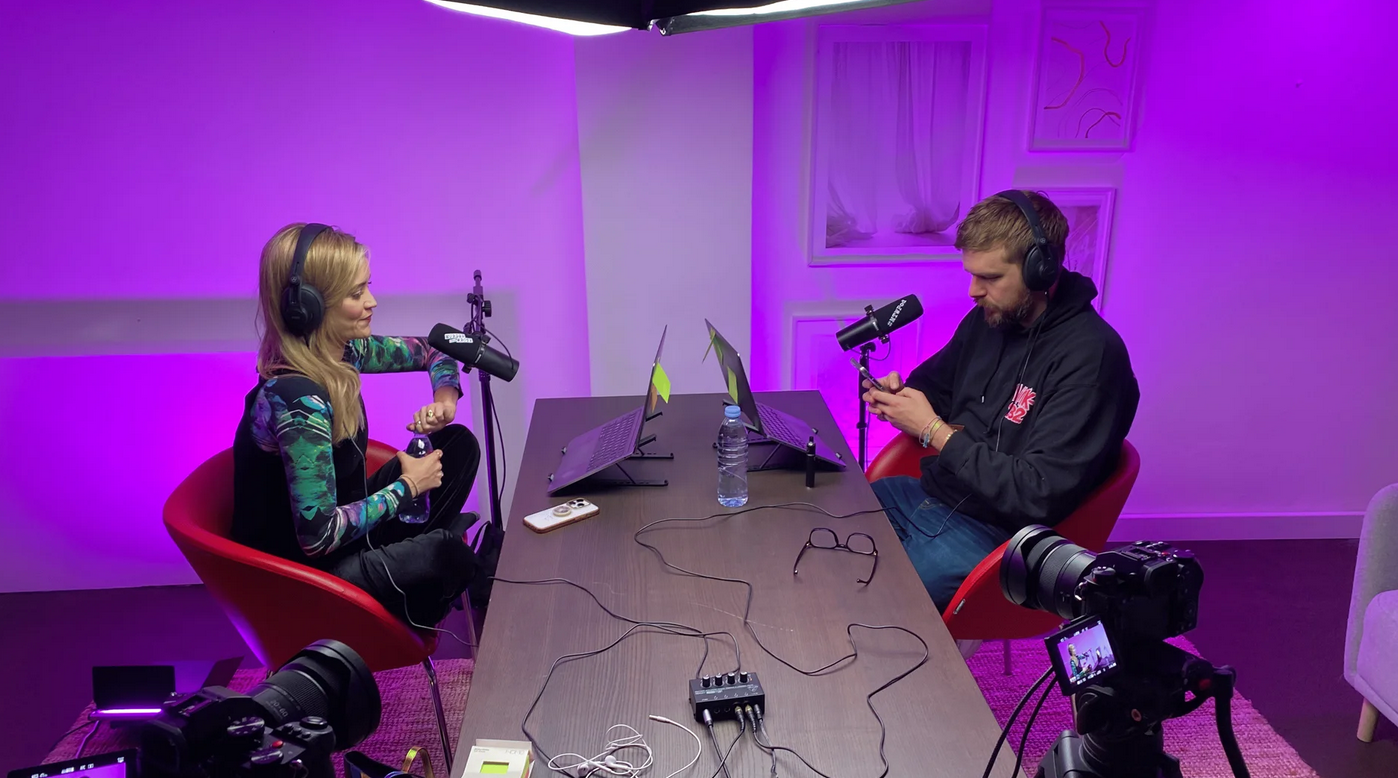
See the 'Murder They Wrote' podcast setup used by Laura Whitmore and Iain Stirling from BBC at Finchley Studio (Gathering setup). Watch Murder They Wrote at BBc sound , Spotify , Apple podcasts , Youtube , Instagram , Amazon music
A significant portion of London's housing stock consists of Victorian and Edwardian terraces. These structures, while architecturally charming, are acoustically porous. They typically feature suspended timber floors and single-brick party walls that offer negligible isolation from neighbours.4 For a home recordist, this presents an insurmountable variable. You may have the best microphone in the world, but if it captures the footsteps of the tenant upstairs or the argument next door, the take is ruined.
Furthermore, the "Tube rumble" is a pervasive issue in the capital. Low-frequency vibrations (40Hz–80Hz) from the London Underground can travel through the earth and the structural fabric of buildings for hundreds of metres.5 This low-end energy is notoriously difficult to soundproof against without significant structural modification (i.e., building a "room within a room" with floating floors).6 In a home recording, this manifests as a muddy, indistinct low-frequency hum that eats into the headroom of the audio and muddies the vocal clarity.
Soundproofing vs. Acoustic Treatment: A Costly Distinction
A common misconception among DIY podcasters is the conflation of soundproofing and acoustic treatment. They are distinct disciplines, and mastering both at home is a financial abyss.
Soundproofing is the science of isolation—keeping external noise out and internal noise in. It requires mass and decoupling. To soundproof a typical London room to professional standards involves stripping walls to the brick, installing resilient channels, adding high-density acoustic plasterboard, and laying heavy mass-loaded vinyl.7
Cost Implication: Professional soundproofing for a single room in London can range from £5,000 to £15,000 depending on the severity of the noise pollution and the desired STC (Sound Transmission Class) rating.7
The Booth Option: Alternatively, one might purchase a pre-fabricated isolation booth like a WhisperRoom. In the UK, a basic 4x4 foot unit costs upwards of £3,500 to £7,000 when factoring in VAT, shipping from distributors, and installation.10 Even second-hand units retain value, often selling for £550–£1,000, not including the logistical nightmare of disassembly and transport.12
Acoustic Treatment deals with the behaviour of sound within the room. When a host speaks in an untreated room (like a spare bedroom with hard walls), sound waves bounce off the surfaces and return to the microphone milliseconds later. This creates "comb filtering," "flutter echo," and a "boxy" tone that screams "amateur".13
The Myth of Egg Cartons: Cheap foam or egg cartons do nothing to control the lower frequencies of the human voice. They only absorb high frequencies, leaving the room sounding muddy and boomy.
Professional Solution: A treated room requires broadband absorbers (rockwool or fibreglass panels), bass traps in the corners to control low-end build-up, and diffusers to scatter sound for a natural tone.6 A DIY fit-out might cost £500, but a professional acoustic design and installation will easily exceed £2,000.6
The Financial Argument for Studio Hire
When one combines the costs of soundproofing (£5k–£15k) and acoustic treatment (£2k), the initial capital expenditure for a high-end home studio in London becomes prohibitive for most independent creators. This is before a single piece of recording equipment has been purchased.
By contrast, podcast studio hire operates on a variable cost model. You pay only for the hours you use. For the price of just the soundproofing materials for a home studio, a creator could record weekly episodes at a premium London podcast studio for nearly two years. The studio bears the burden of rent, rates, maintenance, and upgrades. The creator simply walks in and records.
The Psychology of Environment
Beyond physics and finance, the environment dictates performance. A London podcast studio offers a "third space"—distinct from the office or the home. When a host and guest step into a treated, soundproofed, and lit studio, there is a psychological shift. The environment signals that "this is serious." Distractions are eliminated. The focus narrows to the conversation.
This is particularly relevant for guests. London is a hub for high-profile talent—authors, politicians, CEOs, and celebrities.16 Inviting such a guest to a flat or conducting the interview over Zoom often results in a lower-energy performance. However, inviting them to a dedicated podcasting studio signals respect for their time and their brand. The hospitality, the green room, and the professionalism of the facility contribute to a sense of occasion that elevates the content itself.13
Part III: The Gear Gap – Why Your USB Mic Isn't Enough
The Anatomy of a Signal Chain
The "Video Editing How-To" process is fundamentally limited by the quality of the raw assets. To understand why studio recordings are superior, we must dissect the signal chain. A professional recording chain consists of:
The Source (The Voice)
The Microphone (Transducer)
The Preamplifier (Gain)
The A/D Converter (Interface)
The Capture Device (DAW)
In a consumer USB microphone setup (e.g., Blue Yeti), steps 2, 3, and 4 are crammed into a single plastic chassis costing under £150. While impressive for the price, the laws of physics and economics dictate compromise. The preamps are often noisy (hissy), the converters have limited dynamic range, and the capsule is sensitive to room noise.
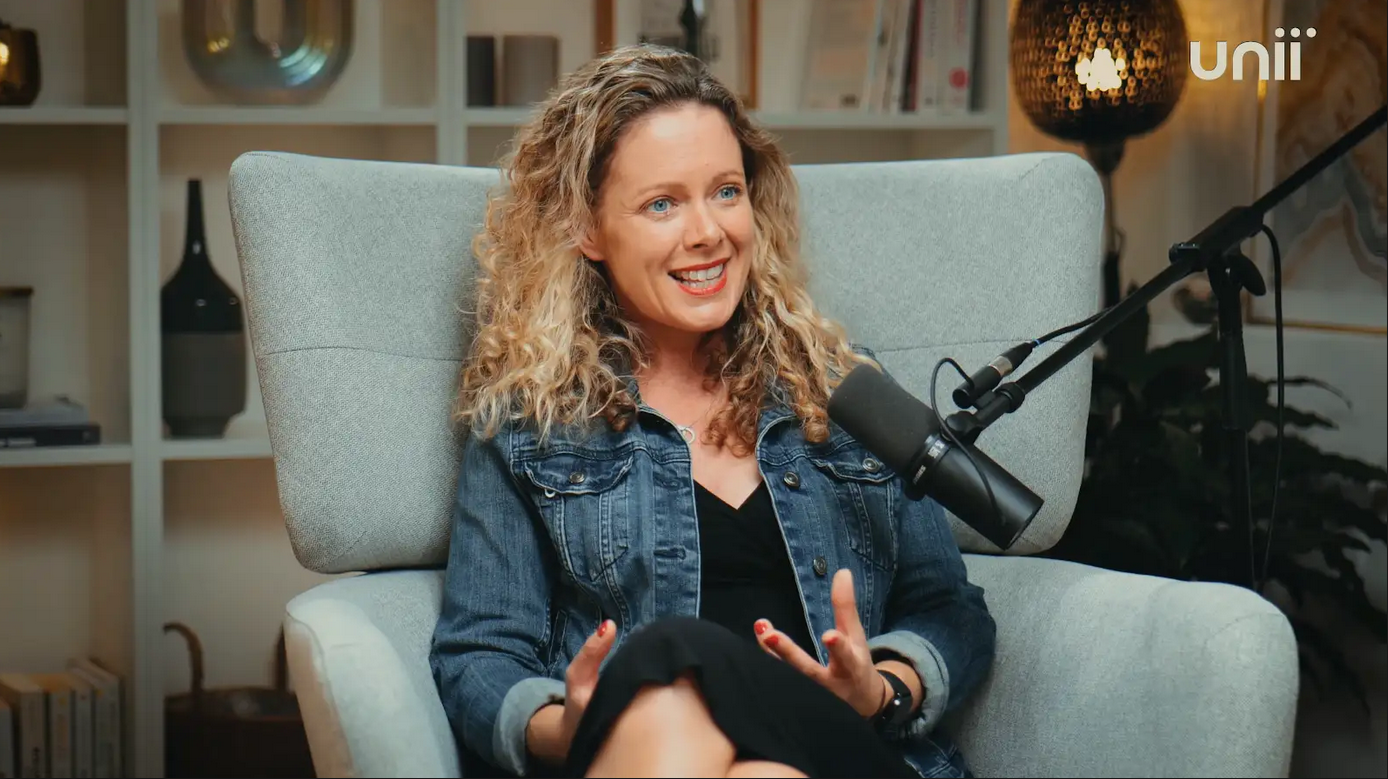
Finchley Studio (Dialogue set): book this setup for your podcast
The Microphone: Dynamic vs. Condenser
In the noisy environments of London, the choice of microphone is critical.
Home Studios: Often use USB condensers. These are highly sensitive. In an untreated room, they pick up the refrigerator humming in the next room as clearly as the voice.
Professional Studios: Typically utilize high-end dynamic microphones like the Shure SM7B.13 The SM7B is legendary for its off-axis rejection—it hears what is right in front of it and ignores the rest. However, it is "gain hungry," requiring powerful, clean preamplification that cheap interfaces cannot provide.
The Gold Standard: High-end studios also offer large-diaphragm condensers like the Neumann U87 Ai.18 Costing upwards of £2,400 per microphone, the U87 captures a level of detail, "air," and presence that creates the "larger than life" broadcast sound. It requires a perfectly treated room to shine, which is why it is rarely seen in home setups.
The Invisible Magic: Preamps and Interfaces
The microphone is only half the story. The signal must be amplified. Professional london podcast studios employ outboard preamplifiers (e.g., Neve 1073, API, or Universal Audio Unison preamps). These devices do not just make the signal louder; they add harmonic saturation and "warmth" that makes the voice sound authoritative and rich.20
The Audio Interface—the bridge between the analog and digital worlds—is equally crucial. A studio-grade interface like the Universal Audio Apollo x8 21 (approx. £2,600) offers elite A/D conversion. This means the digital file captures the full dynamic range of the performance without introducing digital artifacts or "jitter." It also allows for real-time DSP (Digital Signal Processing), enabling the engineer to apply compression and EQ during the recording for headphone monitoring, helping the talent perform better by hearing a polished version of themselves.
Table 1: The Gear Gap – Home vs. Studio Investment
The following table illustrates the cost disparity between a "good" home setup and the standard kit found in a podcast studio hire package.
Part IV: The Visual Revolution – Video Podcasting
The Three-Point Lighting Imperative
As we transition to the "Video Editing" portion of our discussion, we must address the raw video assets. Video quality is determined less by the camera and more by the lighting. A £10,000 camera will look amateurish in poor light, while a smartphone can look cinematic in excellent light.
Professional podcast studios utilize the principle of Three-Point Lighting to create depth and separation, a technique that is difficult to replicate in small home spaces.23
Key Light: The primary source, usually a large softbox (e.g., Aputure Light Dome) positioned at 45 degrees. It wraps soft light around the face, flattering skin tones.25
Fill Light: Placed opposite the key, it controls the contrast. A studio environment allows for precise ratios to dial in the "mood."
Back Light (Rim Light): Crucial for separation. Placed behind the subject, it illuminates the hair and shoulders, separating them from the background. Without this, the subject looks 2D.26
Studios use high-CRI (Color Rendering Index) lights like the Aputure 300d II.27 High CRI ensures that skin tones look healthy and natural, avoiding the sickly green or magenta tints common with office lighting or cheap LED panels.
Finchley Studio (Dialogue set): book this setup for your podcast
Multi-Cam Workflows and Sync
The "perfect episode" is dynamic. A single static shot bores the viewer. Professional studios employ a 3-camera setup:
Camera A (Wide): Establishes context, shows body language and the relationship between host and guest.
Camera B & C (Singles): Tight shots on each speaker.
This setup requires three matched cameras (often Sony FX3s or Blackmagic Pocket Cinema Cameras 17) to ensure colour consistency. In a home setup, matching the colour science of different camera brands is a post-production nightmare. In a studio, these are often fed into a live switcher (like an ATEM Mini Extreme 30), allowing for a "live edit" that drastically reduces post-production time.
Part V: The Engineer Advantage – The Human Element
The Role of the Podcast Engineer
Perhaps the most overlooked asset in the London podcast studio value proposition is the on-site engineer. In a DIY scenario, the host is often the producer, the talent, and the engineer. This cognitive load is detrimental to the content. It is impossible to fully engage in a nuanced interview while worrying about battery levels, gain staging, and focus.
A professional engineer provides:
Gain Staging: Ensuring levels are healthy—loud enough to be clear, but with enough headroom to prevent digital clipping if a guest laughs loudly.14
Live Monitoring: The engineer listens for "mouth clicks," plosives, jewelry rustling, or clothing noise. They can stop the recording to fix an issue immediately. In a home recording, you often only discover these ruinous noises during the edit, when it is too late.31
Redundancy: Professional studios record to multiple destinations simultaneously (e.g., a DAW session and a hardware backup recorder like a Zoom F8). If the computer crashes, the recording is saved. This "insurance" is vital for high-stakes interviews that cannot be re-recorded.
Preventing "Podfade"
"Podfade"—the tendency for shows to cease production after a few episodes—is rampant, often due to burnout.1 The sheer effort of setting up lights, checking mics, recording, breaking down, and troubleshooting technical issues exhausts the creator's energy. By hiring a podcast studio near me, the creator walks in, records, and walks out. The friction is removed. Consistency becomes effortless.
Part VI: Video Editing How-To – Creating the Masterpiece
Having established that the studio environment provides the pristine raw materials—clean, noise-free audio and cinematic, multi-cam video—we now turn to the technical "How-To" of the post-production process. This is where the raw marble is carved into the statue.
Step 1: Data Management and Ingest
Organization: Create a folder structure: 01_Raw_Video, 02_Raw_Audio, 03_Project_Files, 04_Graphics, 05_Exports. Consistency here saves hours of searching later.33
Proxies: If working with 4K footage from studio cameras (like Sony FX3s), create "proxies" (low-resolution copies) to ensure smooth playback during editing, especially if your computer struggles with high-bitrate codecs.
Step 2: Audio Repair and Polish (The Foundation)
Great video is 50% audio. Start by processing the audio before you even touch the video cuts.
Noise Reduction: Use tools like iZotope RX.34 Even studio audio can benefit from a light pass of De-click (to remove mouth noises) and De-plosive (to tame P-pops).
EQ (Equalization): Apply a High-Pass Filter (around 80Hz) to remove imperceptible low-end rumble. Add a gentle boost at 3kHz–5kHz to enhance vocal intelligibility and "presence."
Compression: This is the secret to the "broadcast sound." Use a compressor (e.g., 2:1 or 3:1 ratio) to even out the dynamic range, making whispers audible and shouts controlled. The goal is consistency.35
Loudness Normalization: Finalize the audio to -16 LUFS (Loudness Units Full Scale) for stereo podcasts. This is the industry standard for platforms like Spotify and Apple Podcasts, ensuring your episode isn't too quiet compared to others.
Step 3: Multicam Editing Workflow
Most professional editing software (Adobe Premiere Pro, DaVinci Resolve, Final Cut Pro) has dedicated multicam workflows.33
Syncing: Import your high-quality audio and your 3 camera angles. Use the "Sync by Audio" function. The software analyzes the waveforms and perfectly aligns the studio audio with the camera scratch tracks.
The Multicam Sequence: Create a "Multicam Sequence." This allows you to view all three angles simultaneously in a grid view while the master audio plays.
The Live Edit: Play the timeline and use keyboard shortcuts (usually 1, 2, 3) to switch cameras in real-time, just like a live TV director. Cut to the wide shot when both speak or laugh; cut to the single shot of the active speaker.
Pro Tip: Use "J-cuts" and "L-cuts." This means letting the audio of the next speaker start before you cut to their video (J-cut), or letting the video of the listener linger while the other person starts talking (L-cut). This makes the conversation feel natural and organic, rather than robotic.37
Step 4: Colour Grading
Studio footage is often shot in "Log" (a flat, desaturated profile) to preserve dynamic range. You must "grade" it to bring it to life.
Conversion LUT: Apply a technical LUT (Look Up Table) to convert the Log footage to Rec.709 (standard video colour).
Correction: Adjust the white balance to ensure skin tones look natural. If you used high-CRI lighting in the studio, this should be minimal.
The "Look": Add contrast and saturation to match your brand's aesthetic. Studio lighting ensures you have the data in the shadows and highlights to push the image without it breaking apart.
Step 5: Graphics and Branding
Add your lower thirds (names of host/guest), intro/outro sequences, and any on-screen overlays. Because you are working with high-resolution 4K assets, these graphics will look crisp and professional.36
Step 6: The "Viral" Cut
Don't just export the full episode. The modern workflow demands social assets.
Vertical Crops: Identify the 3–5 most engaging minutes of the conversation.
Reformatting: Create a new sequence with a 9:16 aspect ratio (1080x1920) for TikTok/Reels/Shorts.
Captions: Use auto-captioning tools (like in Premiere or Descript) to burn in subtitles. 85% of social video is watched without sound; captions are mandatory.32
Hook: Ensure the first 3 seconds of the clip are visually arresting or contain a controversial/funny statement to stop the scroll.
Part VII: Local SEO and The London Advantage
Leveraging "Podcast Studio London"
For the London-based creator, the studio is not just a production facility; it is a marketing asset. Aligning your brand with a London podcast studio offers tangible SEO and networking benefits.
Local SEO: When you publish show notes or blog posts about your episode, using keywords like "Recorded at, a premier London podcast studio" helps signal local relevance. This can drive traffic from guests looking for podcast studio hire who might stumble upon your content.
Guest Accessibility: London is a sprawling metropolis. A studio located centrally (Soho, Shoreditch, London Bridge) with good transport links is a major selling point for guests.38 It removes the friction of travel. Mentioning the studio's location and accessibility in your guest invitation can increase acceptance rates.
Networking: Studios are hubs. You might cross paths with other creators, producers, or industry figures in the green room. This serendipity is impossible in a home studio.38
The Convenience Factor: Walk In, Record, Walk Out
Time is a creator's most scarce resource. The "hidden cost" of home recording is the setup and breakdown time. By using a podcast studio near me, you reclaim that time. You can "batch record"—recording 3 or 4 episodes back-to-back in a single day. This efficiency allows you to bank a month's worth of content in one afternoon, freeing you up to focus on marketing, community management, and creative planning.35
Conclusion: Investing in Excellence
Creating the perfect podcast episode is a synthesis of art and science. It requires the emotional intelligence to conduct a great interview and the technical rigor to capture it flawlessly. While the barriers to entry for podcasting have never been lower, the barrier to attention has never been higher.
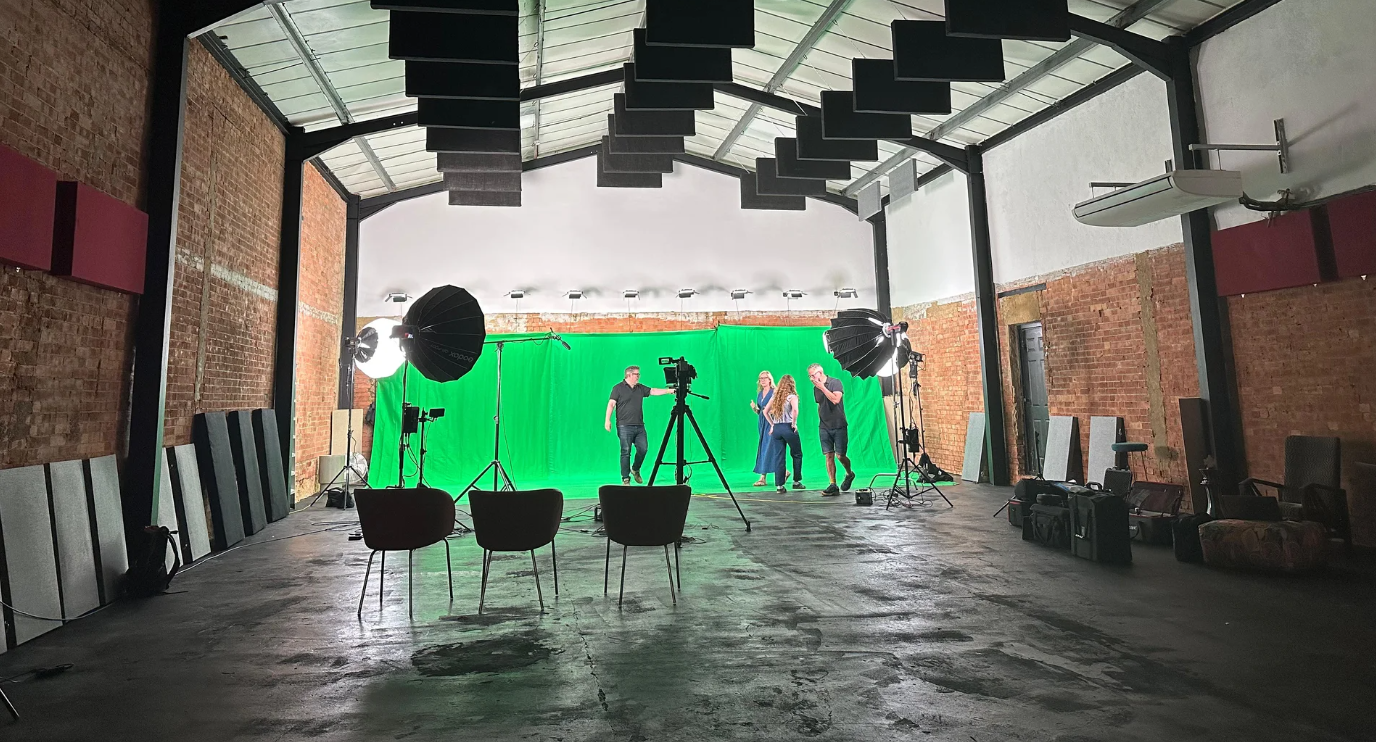
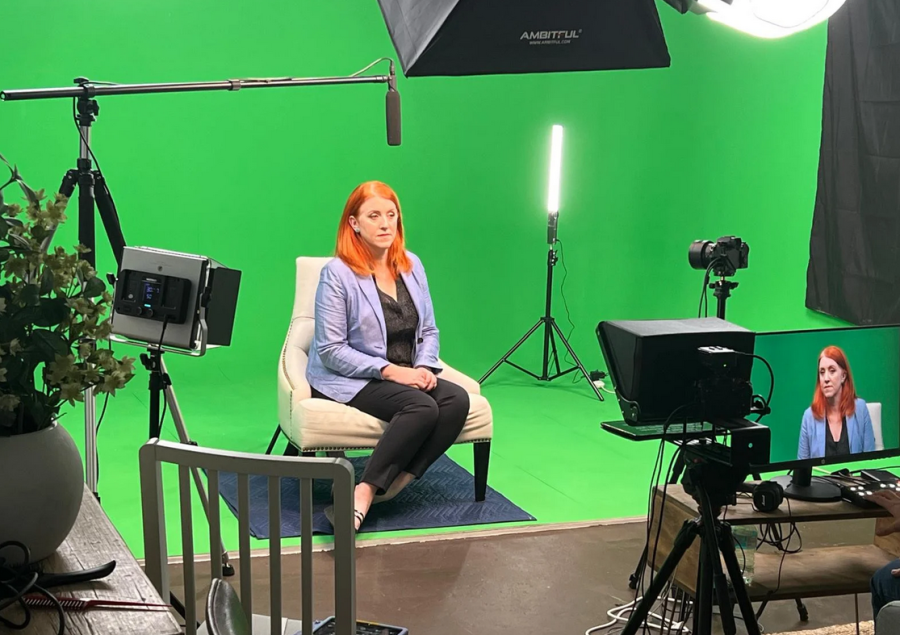
Finchley Studio (Giant Green Screen): book this setup for your podcast
In the saturated market of 2026, "good enough" is invisible. Listeners demand broadcast-quality audio. Viewers demand cinematic video. The algorithms reward retention, which is driven by quality.
For the London creator, the choice is stark. You can battle the acoustics of a Victorian flat, invest thousands in depreciating gear, and spend hours troubleshooting technical gremlins. Or, you can partner with a professional London podcast studio. The studio provides the soundproofing, the Neumann microphones, the Aputure lighting, and the expert engineering that are the prerequisites for the "perfect edit."
By choosing the professional route, you are not just renting a room; you are investing in the integrity of your content. You are ensuring that when you sit down to edit, you are cutting diamonds, not polishing coal.
Appendix: Technical Specifications & Comparative Data
Table 2: Video Editing Workflow Checklist (Studio vs. DIY Source)
Table 3: Common Audio Issues Solved by Studio Infrastructure
Works cited
Podcast Statistics 2025: Global Listener Growth and Trends - Teleprompter.com, accessed January 1, 2026, https://www.teleprompter.com/blog/podcast-statistics
Podcast Statistics and Trends for 2026 (& Why They Matter) - Riverside, accessed January 1, 2026, https://riverside.com/blog/podcast-statistics
99 Future-Shaping Podcast Industry Stats & Trends (2026) [Infographic], accessed January 1, 2026, https://www.learningrevolution.net/podcast-stats/
How to STOP noisy neighbours in London! - Reddit, accessed January 1, 2026, https://www.reddit.com/r/london/comments/16qqkxt/how_to_stop_noisy_neighbours_in_london/
Tube noise driving residents from their homes (and it's ear-splitting for passengers too), accessed January 1, 2026, https://www.camdennewjournal.co.uk/article/tube-noise-driving-residents-from-their-homes-and-its-ear-splitting-for-passengers-too
How Much Does It Cost to Build a Recording Studio? A Comprehensive Breakdown, accessed January 1, 2026, https://sonatune.co.uk/mss-blog/how-much-does-it-cost-to-build-a-recording-studio-a-comprehensive-breakdown
accessed January 1, 2026, https://selectrecordingstudios.co.uk/hub/how-much-does-studio-soundproofing-cost-in-london/#:~:text=The%20cost%20of%20soundproofing%20a%20room%20in%20London%20typically%20ranges,the%20level%20of%20soundproofing%20required.
Soundproofing Cost Guide for Tradespeople - Insulation - MyBuilder, accessed January 1, 2026, https://www.mybuilder.com/insulation/price-guides/soundproofing-cost-guide
How Much Does a Soundproof Room Cost in 2025? - Checkatrade, accessed January 1, 2026, https://www.checkatrade.com/blog/cost-guides/soundproof-room-cost/
SPB63S, 200x100x200cm, Single wall mobile sound proof Vocal Booth - VocalBoothToGo, accessed January 1, 2026, https://www.vocalboothtogo.co.uk/p/spb63s-200x100x200cm-single-wall-mobile-sound-proof-vocal-booth
Booth Packages - WhisperRoom, Inc., accessed January 1, 2026, https://shop.whisperroom.com/collections/booth-packages
Whisper Room MDL 4848 S 4' x 4' Isolation Booth 2020 | Reverb UK, accessed January 1, 2026, https://reverb.com/uk/item/78432765-whisper-room-mdl-4848-s-4-x-4-isolation-booth-2020
Podcast Studio London: Why Location Matters for Guests and Production Quality, accessed January 1, 2026, https://www.finchley.co.uk/finchley-learning/visual-podcast/podcast-studio-london-why-location-matters-for-guests-and-production-quality
8 Common Podcast Audio Issues Explained - East Coast Studio, accessed January 1, 2026, https://eastcoaststudio.com/common-podcast-audio-issues/
Recording Studio Costs: A Full Breakdown of 2025 Pricing - Finchley Studios, accessed January 1, 2026, https://www.finchley.co.uk/finchley-learning/visual-podcast/recording-studio-costs-a-full-breakdown-of-2025-pricing
accessed January 1, 2026, https://www.finchley.co.uk/finchley-learning/the-impact-of-location-podcast-studio-london-advantages#:~:text=High%2DProfile%20Guests%3A%20London's%20reputation,to%20enhance%20your%20podcasting%20efforts.
How To Build a Podcast Studio - Setup For Every Budget - Saspod, accessed January 1, 2026, https://saspod.com/blog/post/podcast-studio
Neumann U87 Ai Studio Set - PriceSpy UK, accessed January 1, 2026, https://pricespy.co.uk/product.php?p=1701604
Neumann U87 Ai Studio Set, with shock mount - Nickel - Studiocare, accessed January 1, 2026, https://studiocare.com/products/neumann-u87-ai-studio-set-includes-shock-mount-nickel
Universal Audio Apollo x8 Gen2 Essential+ | United Kingdom - Music Store, accessed January 1, 2026, https://www.musicstore.com/en_GB/GBP/Universal-Audio-Apollo-x8-Gen2-Essential-/art-PCM0018207-000
Universal Audio Apollo x8 Gen 2 Studio+ Edition - Shop | Funky Junk, accessed January 1, 2026, https://shop.funky-junk.com/shop/recording/computer-audio/audio-interfaces/universal-audio-apollo-x8-gen-2-studio-edition/
Universal Audio Apollo x8 Gen 2 Essentials+ Edition (Rack/TB3/MAC/WIN) - GuitarGuitar, accessed January 1, 2026, https://www.guitarguitar.co.uk/product/240910429325027--universal-audio-apollo-x8-gen-2-essentials-edition-racktb3macwi
When Should You Use Three-Point Lighting | Spectrum, accessed January 1, 2026, https://spectrum-brand.com/blogs/news/when-should-you-use-three-point-lighting
Illuminating Excellence: The Advantages of Using 3-Point Lighting for Video Shoots, accessed January 1, 2026, https://back2basicsboxing.com/the-advantages-of-using-3-point-lighting-for-video-shoots/
Easy Cinematic Lighting Setup for Video Podcasts (Just 3 Lights!) - PSS Creative Media, accessed January 1, 2026, https://pss.media/blog/easy-cinematic-lighting-setup-for-video-podcasts-with-just-3-lights
A Practical Guide to Podcast Studio Lighting - UT Consulting, accessed January 1, 2026, https://www.utconsulting.com.au/a-practical-guide-to-podcast-studio-lighting/
Aputure Light Storm C300d II LED Light | Wex Photo Video, accessed January 1, 2026, https://www.wexphotovideo.com/aputure-light-storm-c300d-ii-led-light-1709943/
Aputure C300d II Light Kit with V-Mount Battery Plate – UK | www.bps-tv.co.uk, accessed January 1, 2026, https://www.bps-tv.co.uk/product/aputure-c300d-ii-light-kit-with-v-mount-battery-plate-uk/
Podcast Studio London Cost 2025 - Finchley Studios, accessed January 1, 2026, https://www.finchley.co.uk/finchley-learning/podcast-studio-london-cost-2025
Podcast & Content Studio - Qube East - Cocktail Bar & Recording Studios - Tagvenue, accessed January 1, 2026, https://www.tagvenue.com/rooms/london/96225/qube-east-cocktail-bar-recording-studios/podcast-content-studio
194 5 Mistakes Podcasters Make with Their Microphone (and How to Fix Them), accessed January 1, 2026, https://podcastperformancecoach.com/194-5-mistakes-podcasters-make-with-their-microphone-and-how-to-fix-them/
Podcast Statistics 2025: 99+ Stats & Insights [Expert Analysis] - Marketing LTB, accessed January 1, 2026, https://marketingltb.com/blog/statistics/podcast-statistics/
How to Edit Multi-Camera Podcast Footage: Step-by-Step Workflow for 2025, accessed January 1, 2026, https://www.podcastvideos.com/articles/edit-multi-camera-podcast-footage-2025/
How to Fix 8 Common Podcast Audio Issues - iZotope, accessed January 1, 2026, https://www.izotope.com/en/learn/how-to-fix-8-common-podcast-audio-issues
Real Benefits of Using a Professional Studio for Podcast, accessed January 1, 2026, https://gcorpmedia.com/knowledge-center/the-real-benefits-of-using-a-professional-studio-for-podcast/
How to Edit Multi-Camera Podcast Footage: Step-by-Step Video Workflow - Vidpros, accessed January 1, 2026, https://vidpros.com/how-to-edit-multi-camera-podcast-footage-step-by-step-video-workflow/
Building a Multi-Camera Video Podcast Setup | B&H eXplora, accessed January 1, 2026, https://www.bhphotovideo.com/explora/video/tips-and-solutions/building-a-multi-camera-video-podcast-setup
The Impact of Location: Podcast Studio London Advantages, accessed January 1, 2026, https://www.finchley.co.uk/finchley-learning/the-impact-of-location-podcast-studio-london-advantages
Qube: Studio Membership in London | Music & Podcast Studios, accessed January 1, 2026, https://www.theqube.com/











