
Executive Summary
The contemporary landscape of audio production faces a critical dichotomy: the logistical convenience of remote recording platforms versus the technical fidelity of physical studio environments. While the democratization of content creation through Voice over Internet Protocol (VoIP) technologies has enabled global connectivity, it has simultaneously introduced a layer of technical abstraction that fundamentally degrades the psychoacoustic quality of human interaction. This report provides an exhaustive technical analysis of the latency differentials between remote architectures—specifically Riverside.fm, Zencastr, and Zoom—and professional physical studio environments, with a concentrated focus on the production infrastructure available in London.
Through a rigorous examination of network packet physics, audio clocking mechanisms, and conversational analysis research, this report establishes that remote platforms introduce variable latencies ranging from 200ms to over 1000ms.1 These delays, compounded by network jitter and buffer management, disrupt the neural oscillators that govern natural turn-taking, resulting in stilted dialogue and increased cognitive load for participants.2 In stark contrast, physical studios in London offer near-zero latency monitoring (<5ms) via direct hardware routing, ensuring that the conversational rhythm remains fluid and organic.4
Furthermore, the analysis of the London studio market reveals a sophisticated ecosystem ranging from accessible, self-service pods in Dalston and Hackney to high-end, concierge-managed facilities in Soho and Shoreditch. By leveraging broadcast-grade equipment—such as Neve consoles, Neumann microphones, and redundant multi-track recording systems—these physical spaces mitigate the catastrophic risks of data loss and audio drift that plague remote productions.6 The findings suggest that for productions prioritizing nuance, humor, and broadcast integrity, the physical studio remains the superior technical solution, justifying the logistical and financial investment.

See the 'The Tooney & Russo Show' from BBC and Lionesses Ella Toone and Alessia Russoat from England national football team at Finchley Studio (Lounge setup). Book this setup for your podcast. Watch 'The Tooney & Russo Show' at BBc sound , Spotify , Youtube, Amazon music.
Book this setup for your podcast
1. The Physics of Latency in Digital Communication Architectures
To fully appreciate the degradation of quality inherent in remote podcasting, it is necessary to deconstruct the latency pipeline at a granular level. Latency in digital communication is not a singular static value but a cumulative vector sum of transmission, propagation, and processing delays that fluctuate dynamically based on network conditions.
1.1 Decomposition of Network Latency Vectors
In a remote recording scenario utilizing the public internet, audio data is digitized, packetized, and transmitted across a packet-switched network. The total end-to-end latency ($L_{total}$) experienced by the participants is governed by the following summation:
$$L_{total} = T_{trans} + T_{prop} + T_{proc} + T_{buf} + T_{jitter}$$
1.1.1 Transmission and Propagation Constraints
$T_{trans}$ (Transmission Delay) represents the time required to push the packet bits onto the link, a factor inversely proportional to bandwidth and directly proportional to packet size.1 While modern fiber connections have minimized this component, $T_{prop}$ (Propagation Delay) remains a fixed physical constraint determined by the speed of light in fiber optic cables and the routing distance between the client and the server.1 For a signal traveling between London and New York, the theoretical minimum round-trip time (RTT) is approximately 60-70ms, but routing inefficiencies often double or triple this figure in practice.
1.1.2 Processing and Encoding Overhead
$T_{proc}$ (Processing Delay) encompasses the time required for the sender's device to encode the analog audio signal into a digital bitstream (using codecs like Opus or AAC), packetize it, and for the receiver's device to decode it.1 While modern CPUs process audio quickly, the operating system's audio stack and the browser's internal processing add milliseconds that accumulate. Research indicates that even in optimized VoIP setups, the one-way delay typically exceeds 200ms, a figure significantly higher than the 30-70ms often cited as the threshold for seamless interaction.8
1.1.3 The Critical Role of Jitter Buffers
Perhaps the most destabilizing factor in remote recording is Jitter, defined as the variance in packet arrival times.1 In a packet-switched network, data packets do not arrive at a constant rate; some are delayed by queueing at routers, while others arrive in bursts. To prevent audio dropouts (gaps in the waveform), the receiving software must employ a Jitter Buffer ($T_{buf}$), which intentionally delays the playback of arriving packets to ensure a continuous stream.10
If the buffer is too small, packets with high jitter are discarded, resulting in "packet loss" artifacts—clicks, pops, or the dreaded "robotic" voice stretching.9 Conversely, if the buffer is sized generously to accommodate poor connections, it adds significant latency to the conversation, often pushing the total delay well beyond 500ms.11 This trade-off is unavoidable in remote architectures; one must choose between audio stability (high latency) or conversational immediacy (risk of artifacts).
1.2 The "Double-Ender" Architecture and Monitoring Fallacy
Platforms such as Riverside.fm, Zencastr, and SquadCast have popularized the "double-ender" recording method to circumvent the fidelity limitations of VoIP. By recording high-bitrate audio locally on the guest's device (typically in the browser cache) and uploading it asynchronously, these platforms ensure that the final file is free from network compression artifacts.12
However, this architecture creates a "monitoring fallacy." While the recording may be pristine, the monitoring feed—the audio the host and guest hear in their headphones during the session—relies on a separate, compressed, real-time VoIP stream (WebRTC).14 This stream is subject to all the latency vectors described above. Consequently, the participants are performing in a high-latency environment, reacting to delayed audio cues, even if the final file creates the illusion of synchronicity.16
The disconnect between the recording quality and the monitoring experience is a primary source of performance degradation. A host may hear a guest's laughter 500ms after delivering a punchline, leading to an awkward pause or a "stepped-on" line, which, although editable in post-production, fundamentally alters the energy of the exchange.17 Furthermore, the reliance on browser-based local recording introduces severe risks of data loss if the browser crashes or the tab is closed before the upload completes, a frequent failure mode in long sessions.
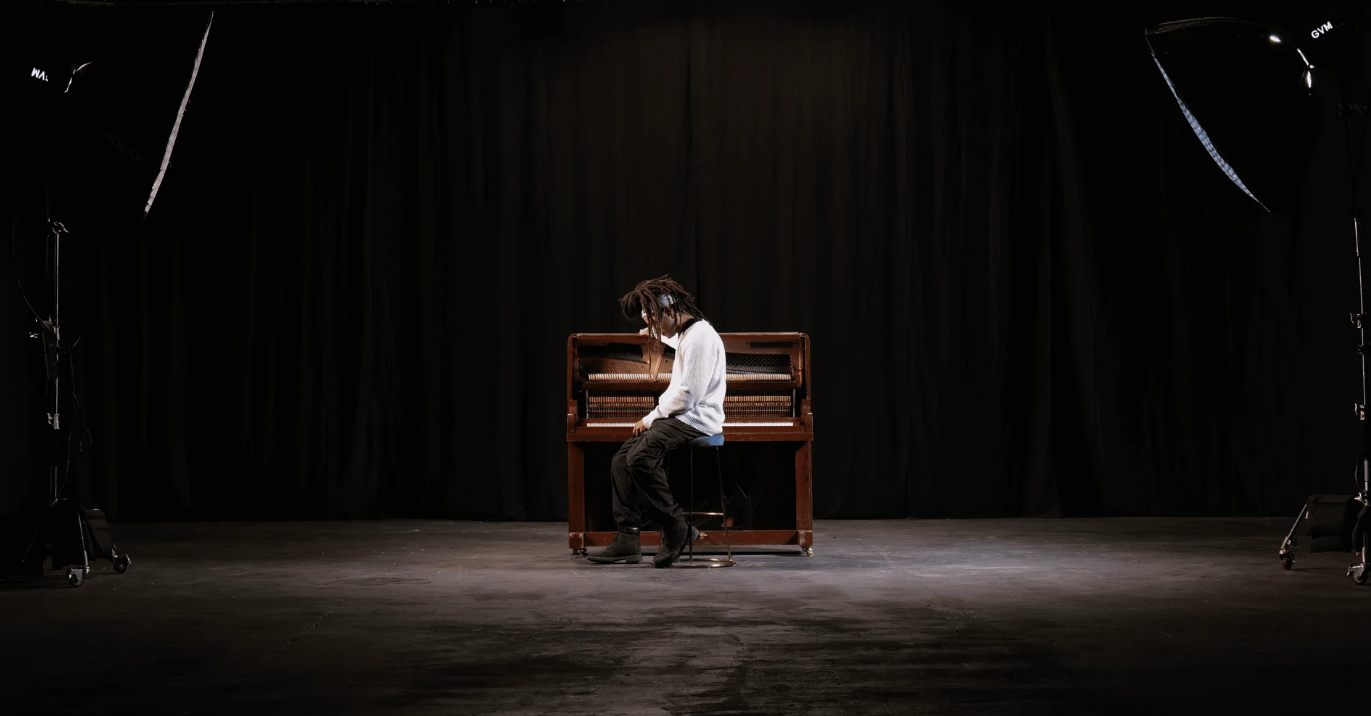
Finchley Studio (Giant Blackout Set): book this setup for your podcast
1.3 Comparative Latency Architectures
2. Psychoacoustics and the Erosion of Conversational Flow
The technical latency of a recording system directly dictates the psychological viability of the conversation it captures. Human dialogue is a highly synchronized cooperative activity, governed by rapid-fire turn-taking mechanisms that operate on millisecond timescales.
2.1 The 200ms Turn-Taking Threshold
Research in conversation analysis and psycholinguistics has identified a critical threshold for natural turn-taking: approximately 200ms.8 In face-to-face interactions, the gap between one speaker finishing a sentence and the next speaker beginning is often less than 200ms, a window that allows for seamless transitions, overlapping laughter, and "backchanneling" (affirmations like "mm-hmm" or "right").8
When latency exceeds this 200ms threshold, the subconscious mechanisms that regulate conversation are disrupted.
200ms - 500ms: The delay becomes perceptible. Speakers begin to experience "collision," where both parties start speaking simultaneously because neither has received the audio cue that the other is speaking.19 This forces participants to adopt a "half-duplex" communication style, subconsciously leaving longer pauses to ensure the channel is clear.
500ms - 800ms: The conversation becomes disjointed. The rhythm of banter is impossible to maintain. Jokes fail because the laughter arrives too late to reinforce the humor.17
> 800ms: Interaction breakdown. At this level, users frequently abandon attempts at natural conversation, leading to frustration and a robotic, question-and-answer format devoid of emotional nuance.20
Experimental data comparing local vs. remote interactions confirms this degradation. In controlled studies, local responses had an average latency of 297ms (including cognitive processing time), whereas remote responses over platforms like Zoom averaged 976ms.2 This nearly one-second delay is catastrophic for the flow of a dynamic podcast, transforming a lively chat into a stilted interview.
2.2 Neural Oscillators and Rhythm Disruption
The impact of latency extends beyond simple delays; it disrupts the neural synchronization between speakers. Theories of conversational dynamics suggest that interlocutors align their neural oscillators to the syllable rate of their partner, typically around 150-300ms per syllable.2 This synchronization allows humans to predict when a turn is ending and prepare their response in advance.
Variable network latency (Jitter) makes this prediction impossible. When audio packets arrive at irregular intervals, the brain cannot lock onto the speaker's rhythm. This forces the listener to wait until the speech has fully stopped before formulating a response, doubling the cognitive load and killing the "vibe" of the recording.2 This phenomenon helps explain why remote podcasts often feel "drier" or less energetic than their in-studio counterparts, even if the audio fidelity is technically high.
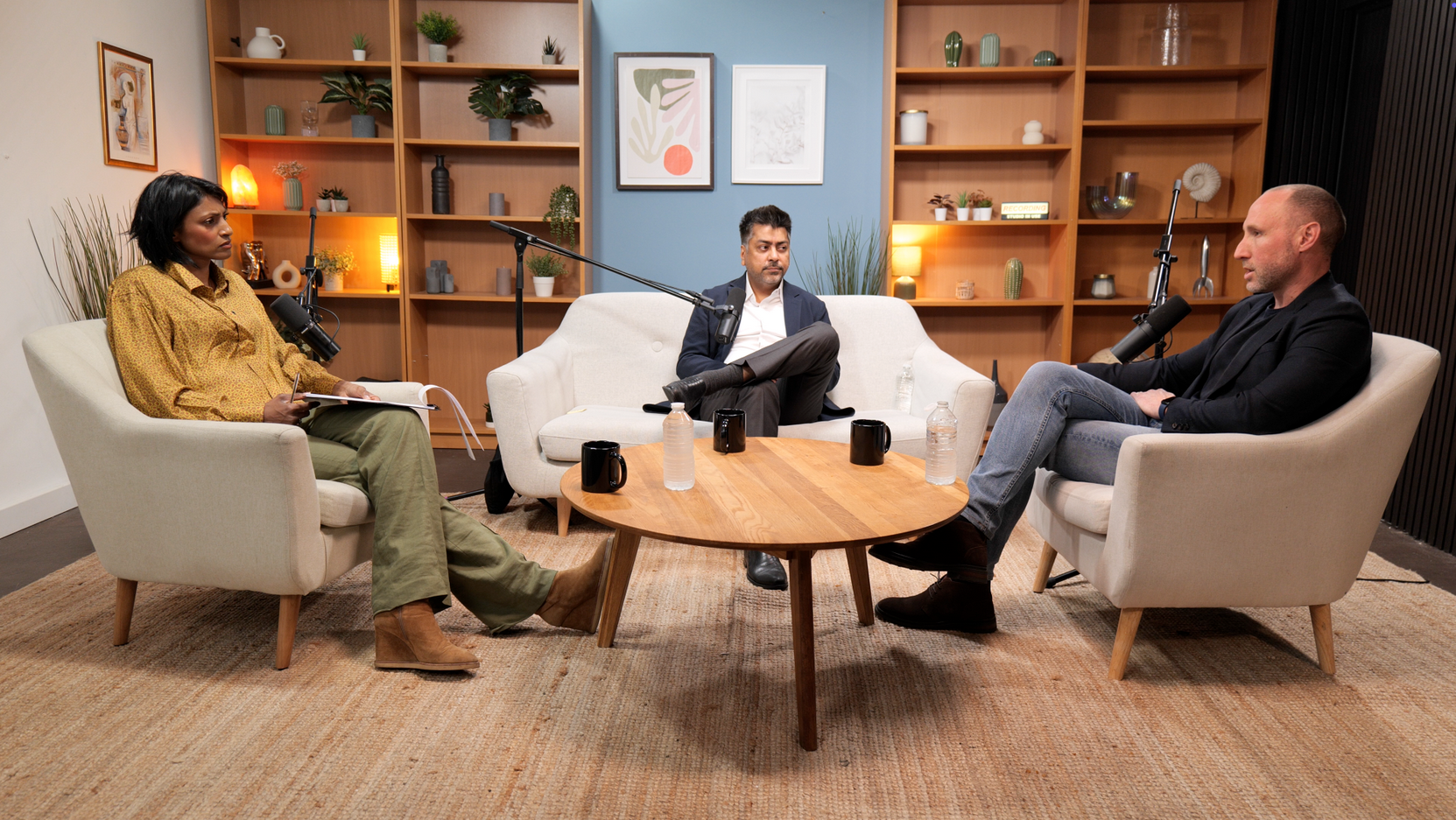
See the 'No ordinary tech podcast ' from Lloyds Banking Group by Rohit D (AI Leader for Lloyds Banking Group) and DR. shini somara (Pro-Chancellor of Brunel University) . at Finchley Studio (Lounge setup). Book this setup for your podcast.
2.3 The "Zoom Fatigue" Phenomenon and Cognitive Load
The added cognitive burden of managing latency contributes significantly to "Zoom Fatigue." In a video-mediated remote recording, the brain is forced to reconcile mismatched auditory and visual cues.
The Mirror Effect: Platforms often show users their own video feed, acting as a digital mirror. This induces constant self-monitoring and impression management, escalating exhaustion levels compared to audio-only or in-person interactions.3
Non-Verbal Overload: In a physical studio, non-verbal cues (a breath intake, a hand gesture) are instantaneous signals of an intent to speak. In a remote setup, these cues are delayed or lost due to video compression and frame rate drops. The brain must work harder to interpret these degraded signals, leading to emotional and motivational fatigue.3
Gaze Disalignment: The lack of true eye contact in remote setups further degrades the sense of intimacy and trust, which are critical components of a successful interview podcast.3
3. Technical Analysis of Remote Recording Architectures
While marketing materials for platforms like Riverside and Zencastr promise "studio quality," a technical audit of their architectures reveals significant vulnerabilities compared to physical recording hardware.
3.1 Platform-Specific Latency and Reliability Architectures
3.2 The Mechanics of Audio Drift
A pervasive and technically complex issue in remote recording is Audio Drift. This phenomenon occurs when the digital clocks of the recording devices involved (the host's computer and the guest's computer) are not perfectly synchronized.29
In a digital audio system, time is measured in samples (e.g., 48,000 samples per second). However, the actual speed at which these samples are captured depends on the accuracy of the quartz crystal oscillator on the motherboard or audio interface. Consumer-grade PC clocks are notoriously inaccurate and temperature-dependent.30
The Drift Calculation: If Guest A's clock is running 0.01% slower than Host B's clock, their audio tracks will drift apart by approximately 0.36 seconds for every hour of recording. While this sounds minor, a 360ms offset is enough to ruin lip-sync in video and make dialogue editing a nightmare.29
Frame Rate Mismatches: Drift is further exacerbated when video is involved. If one user records at 30fps and another at 29.97fps (a common NTSC standard), the audio and video will de-sync by one frame every 40 seconds.31
Remote platforms attempt to correct this via cloud processing algorithms that "stretch" or "shrink" the audio tracks to match length. However, this process is imperfect. Users frequently report "robot voice" artifacts or variable drift where the sync fluctuates throughout the recording, making manual correction nearly impossible.22 In severe cases, such as Zencastr's post-production stalling, the drift correction fails entirely, leaving the producer with unusable tracks.
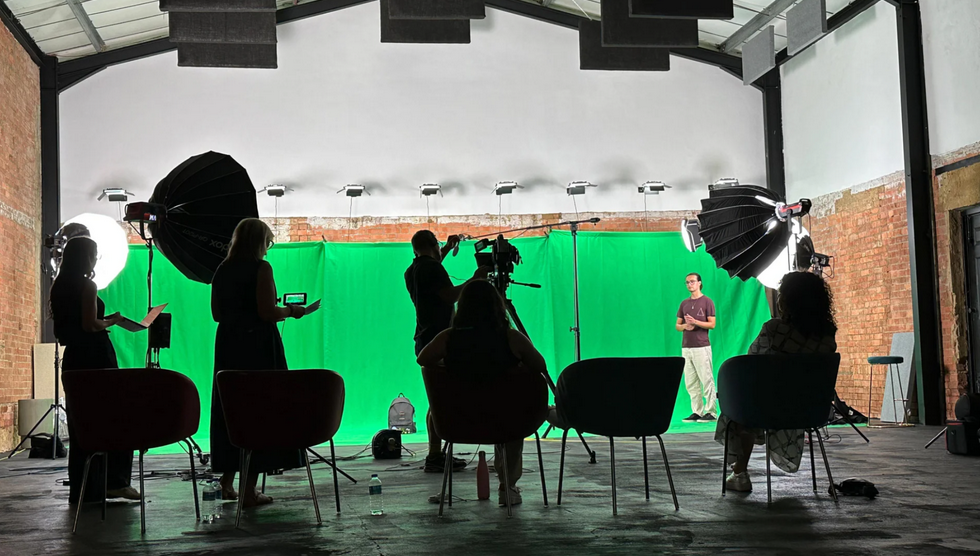
Finchley Studio (Giant Green Screen): book this setup for your podcast
3.3 Browser-Based Vulnerabilities
The reliance on web browsers (Chrome, Edge) for local recording introduces a fragile point of failure. Browsers are resource-heavy applications that do not prioritize real-time audio processing.
CPU Throttling: If a guest opens another tab or if a background process spikes CPU usage, the browser may throttle the recording thread, causing buffer underruns (clicks and pops) in the "local" high-quality recording.32
Data Loss: If the browser crashes or the internet connection is severed before the full upload is complete, the local cache may be lost. While platforms have recovery mechanisms, they are not foolproof, and "disaster stories" of lost episodes are common in user forums.33 Professional studios avoid this by recording to dedicated hardware recorders (like the Sound Devices MixPre or Zoom F8n) which are immune to OS crashes.34
4. The In-Studio Advantage: Signal Chain and Hardware Fidelity
The technical superiority of a physical studio is not merely a matter of convenience but of fundamental signal integrity and latency elimination.
4.1 Direct Monitoring: The Zero-Latency Standard
In a professional studio environment, monitoring is handled via Direct Monitoring. This routing topology sends the microphone signal directly from the audio interface's input stage to the headphone output stage, bypassing the computer's A/D conversion and OS processing entirely.4
Latency Specifications: Direct monitoring achieves latencies of <1ms. This is perceptually instantaneous. Even when monitoring through a Digital Audio Workstation (DAW) for effects, professional interfaces achieve extremely low Round Trip Latency (RTL) figures.
RME Interfaces: ~3.58ms RTL at 32 samples.36
Universal Audio Apollo: ~1.1ms RTL at 96kHz when using the Console application.37
Focusrite Scarlett (Direct): <1ms.5
Comparing these figures to the ~300ms+ latency of remote platforms illustrates why in-studio conversations feel more natural. The speakers hear themselves and each other in real-time, enabling the rapid interjections and "talking over" that characterize lively debate.
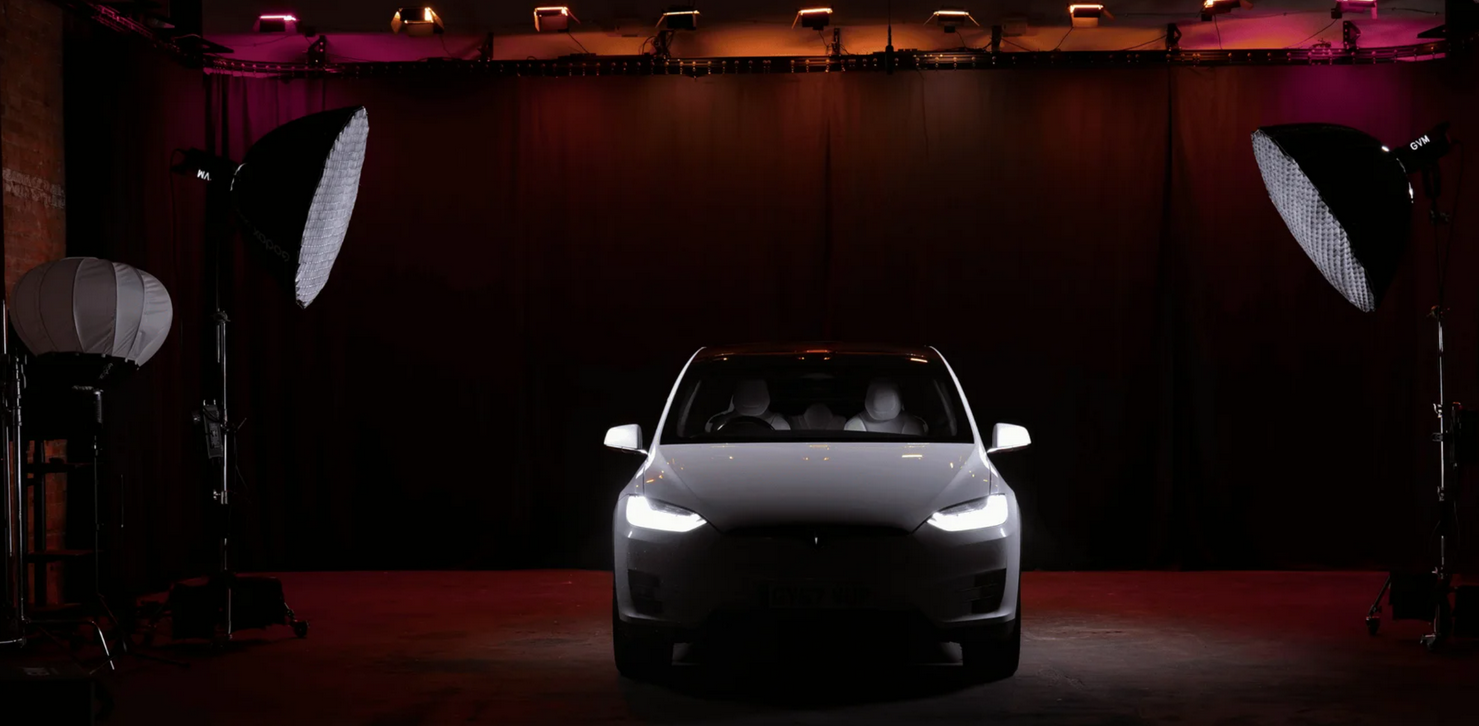
Finchley Studio (Giant Blackout Set): book this setup for your podcast
4.2 Crystal Oscillator Precision and Clocking
Professional audio interfaces utilize high-precision, temperature-compensated crystal oscillators (TCXO) to govern their sample rates.
Accuracy: Studio clocks are accurate to within extremely tight tolerances (parts per million).
Synchronization: In a multi-cam studio setup, all devices (cameras, recorders, interfaces) can be "genlocked" or clocked to a single master generator. This guarantees that audio and video remain perfectly synchronized for hours, with zero drift.38
Redundancy: By using a unified clock source, the risk of sample rate mismatch (e.g., 44.1kHz vs 48kHz) is managed by the engineer, unlike in remote setups where guests may inadvertently select wrong settings.30
4.3 Acoustic Control and Noise Floor
London studios provide acoustically treated environments that are impossible to replicate in a home office.
Isolation: Studios like Premiere Podcast Studios and TYX offer fully soundproofed "box-in-box" construction, reducing the noise floor to near silence.40 This allows for high-gain compression in post-production without raising the noise floor (the "hiss" heard in quiet passages).
Refraction Control: Acoustic panels and bass traps manage room reflections, preventing the "boxy" or "echoey" sound typical of home recordings. This "dry" signal is the canvas upon which professional sound design is built.42
5. The London Studio Ecosystem: A Technical and Operational Review
London boasts a diverse and mature podcasting infrastructure, catering to every level of production from indie creators to enterprise broadcasters. The market is segmented geographically and operationally into "Concierge" and "Self-Service" models.
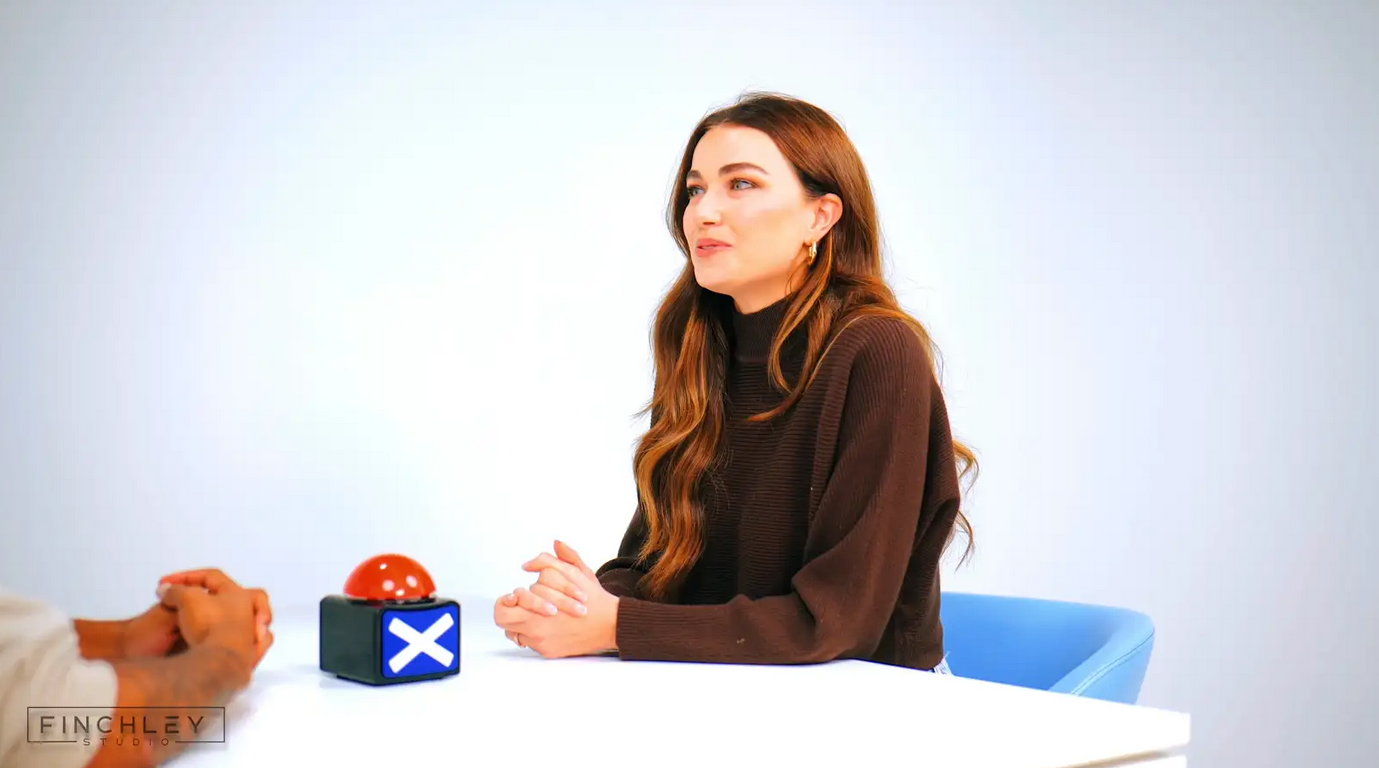
Finchley Studio (White Infinity Cove): book this setup for your podcast
5.1 Concierge Studios: The High-End Standard
Concierge studios provide a "turnkey" solution where an engineer manages all technical aspects. This is the preferred model for high-profile talent and corporate clients.
5.1.1 Soho and Central London: Audio Fidelity Focus
Studios in Soho leverage the area's history of post-production excellence.
Dean St. Studios: A legendary facility offering Dolby Atmos mixing for podcasts. This allows for spatial audio narratives, a format rapidly gaining traction. Their gear list includes Neve consoles and high-end microphones (Neumann U87, AKG C414) that provide a warmth and clarity unattainable with USB mics.40
The Thin White Duke: Blends a recording studio with a David Bowie-inspired cocktail bar, offering a unique "vibe" for guest comfort. It features Abbey Road-trained engineers and acoustically treated suites, emphasizing the creative experience.45
Spiritland Productions (King's Cross): Bridges the gap between radio and podcasting. Equipment includes the Studer ONAIR 1500 console and Beyerdynamic M88 microphones. They also offer ISDN and iPDTL connections for broadcast-grade remote links, ensuring that even if one guest is remote, the connection is far superior to standard VoIP.45
5.1.2 Shoreditch and East London: Video-First Production
Studios in East London cater to the "Vodcast" (Video Podcast) trend, prioritizing 4K capture and live streaming.
Premiere Podcast Studios (Shoreditch): Features Sony A7 IV and FX6 cinema cameras, Shure SM7dB microphones, and professional lighting grids (Aputure). The focus here is on creating "social-ready" clips and high-fidelity YouTube content.40
Outset Studio: Offers Sony FX-30 cameras and Zoom F8n Pro recorders. Their setup is optimized for live switching using ATEM Mini Extreme ISO switchers, allowing for "live-to-tape" production that drastically reduces editing time.34
TYX Studios: Located in Tileyard, this facility integrates podcasting with a music production hub, offering Blackmagic 4K cameras and a Dolby Atmos environment.40
5.2 Self-Service Studios: The Accessible Alternative
For creators with technical proficiency or lower budgets, self-service studios offer professional acoustics without the engineer costs.
Pirate Studios (Dalston, Hackney, Wembley): Operating a 24/7 automated model, Pirate Studios provides approx. 110 sq. ft. treated rooms equipped with the RØDECaster Pro console and Rode Procaster microphones.
Pros: Extremely affordable (approx. £10-£20/hr), high availability, plug-and-play simplicity via the RØDECaster's preset channels.
Cons: No on-site technical support. If a cable fails or a setting is wrong, the user is responsible. The equipment, while solid, is "prosumer" grade rather than the high-end outboard gear found in Soho.49
The Qube: A membership-based creator hub (locations in Elephant & Castle, Canary Wharf) offering a middle ground with high-spec rooms available to members 24/7. It fosters a community aspect missing from the isolated Pirate pods.45
5.3 Studio Comparison Matrix
6. Risk Mitigation and Production Redundancy
Beyond latency and fidelity, the physical studio offers a layer of operational security that is critical for professional work. "Disaster stories" in remote recording are commonplace: internet dropouts, software crashes, and unrecoverable audio drift.27
6.1 Connectivity and Bandwidth Assurance
In a remote session, the production is only as strong as the guest's home Wi-Fi. A momentary packet loss event can cause the remote recording platform to drop the high-quality upload, defaulting to the low-res VoIP backup.26
London studios mitigate this with Enterprise-Grade Fiber connections. Studios like Spiritland and Podcast House offer hardwired ethernet for all machines, ensuring that if a remote guest is dialled in, the studio side of the connection is rock solid. Furthermore, many studios employ dedicated hardware codecs (like Tieline or IPDTL) for remote links, which offer far superior error correction than browser-based WebRTC.46
6.2 Data Integrity and Redundancy
Data loss is the ultimate failure mode. Remote platforms generally record to a single location (the browser cache). If that fails, the data is gone.
Professional studios employ Triple Redundancy protocols:
Primary Recording: To the DAW (Pro Tools, Reaper) on a Mac/PC.
Secondary Recording: To a dedicated hardware recorder (e.g., RØDECaster SD Card, Zoom F8n, Hyperdeck for video).34
Cloud Backup: Real-time upload of backup files to a local server or cloud storage.
This "air-gapped" approach ensures that even a total computer crash or power failure (mitigated by UPS systems) will not result in the loss of the session.
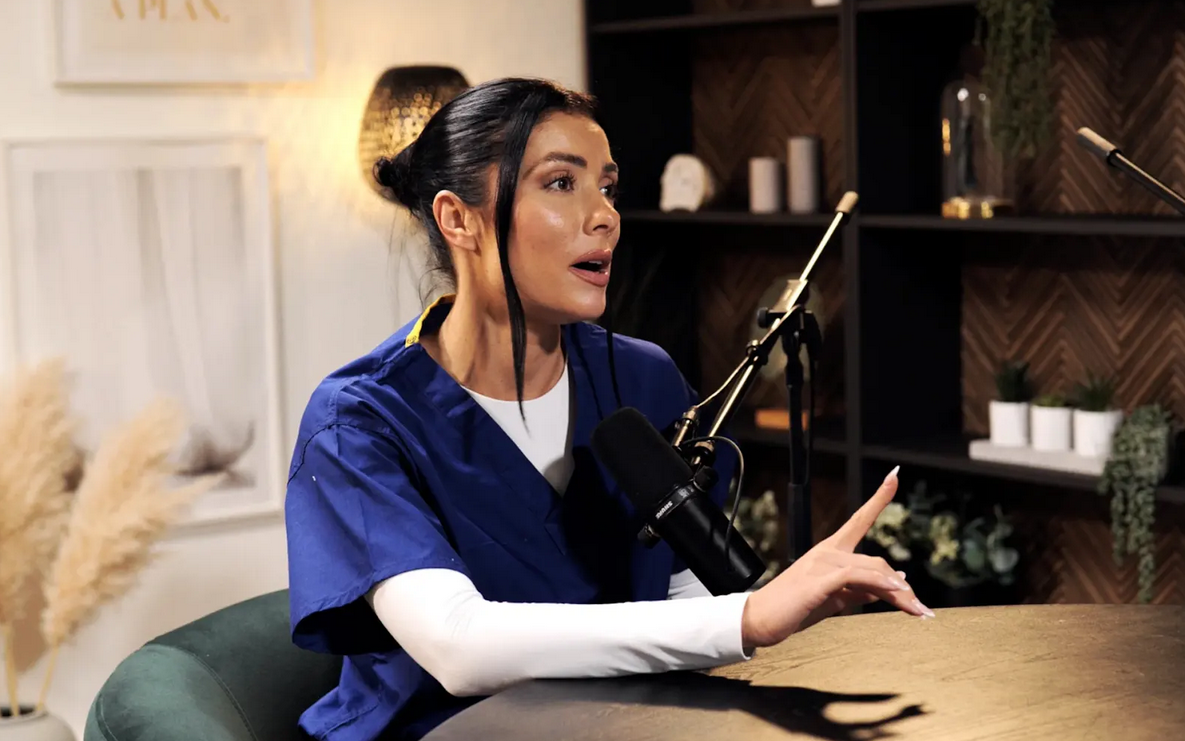
Finchley Studio (CEO Set): book this setup for your podcast
6.3 The Economic Case for Studios
While studio hire incurs an upfront cost, the hidden costs of remote production failures must be considered.
Post-Production Costs: Fixing audio drift, cleaning up noise floors, and editing around latency-induced pauses can double or triple the editing time required for a podcast. At professional editor rates, this often exceeds the cost of a studio hour.23
Reputational Risk: For branded podcasts, a technical failure during an interview with a high-profile guest is unacceptable. The "Concierge" model transfers this technical liability to the studio and its engineers, ensuring the talent can focus entirely on the content.54
Conclusion and Recommendations
The comparative analysis between remote recording platforms and physical studios reveals a distinct trade-off between logistical convenience and technical integrity.
Remote Platforms (Riverside, Zencastr, Zoom):
Pros: Unmatched convenience, ability to connect global guests, low barrier to entry.
Cons: High latency (200ms-1000ms) disrupts conversational flow; susceptible to "audio drift" and sync issues; reliant on consumer-grade hardware and unstable public internet; "Zoom fatigue" impacts performance.
Use Case: Initial pre-interviews, guests who physically cannot travel, low-budget indie productions where fidelity is secondary to content access.
Physical Studios (London Ecosystem):
Pros: Near-Zero Latency (<5ms) monitoring restores natural turn-taking and humor; broadcast-grade signal chains (Neve, Neumann) provide superior audio fidelity; redundant recording systems eliminate data loss risk; professional acoustic environments minimize post-production costs.
Cons: Higher upfront cost; logistical requirement for travel.
Use Case: Narrative storytelling, comedy podcasts (where timing is crucial), branded/corporate content, high-profile interviews, and video-first productions requiring consistent lighting and set design.
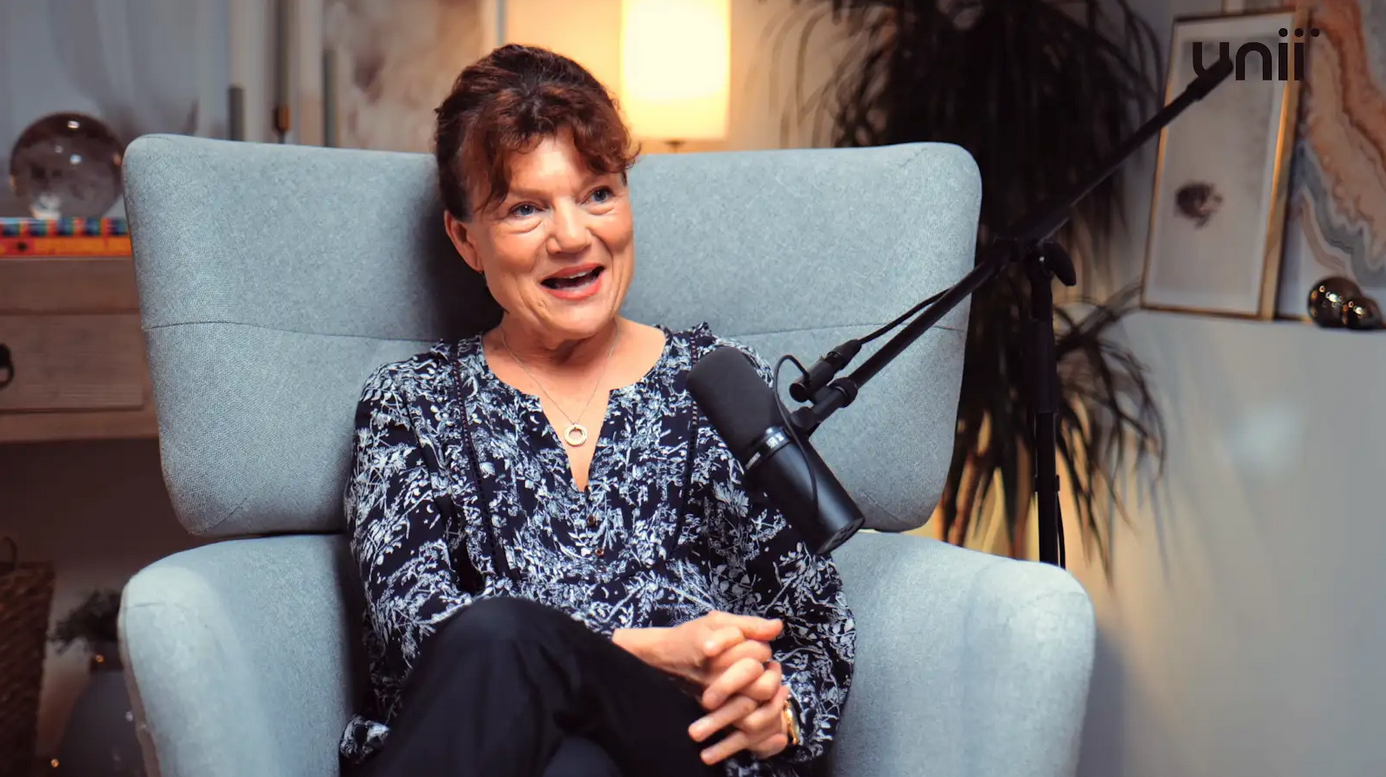
Finchley Studio (Dialogue set): book this setup for your podcast
Final Verdict:
For podcast productions in London where conversational nuance, humor, and broadcast-quality audio are paramount, the physical studio is the objectively superior technical choice. The elimination of network latency alone justifies the investment, as it removes the invisible barrier that creates "stilted" remote interviews. Whether utilizing the affordable, robust infrastructure of Pirate Studios or the world-class engineering of Dean St. Studios, the physical recording space enables a level of human connection that packet-switched networks cannot yet replicate. The studio environment does not just record the conversation better; it allows a better conversation to take place.
The debate between utilizing remote recording platforms (like Zencastr or Riverside) and booking dedicated in-studio sessions hinges on a critical technical factor: latency. While remote platforms offer convenience, they introduce unavoidable technical risks that compromise audio synchronization, especially for video content. A technical analysis of latency and a look at the London studio ecosystem clearly demonstrate the superior production quality guaranteed by in-studio sessions.
Technical Analysis: The Problem of Latency
Latency, the time delay between a speaker talking and their voice being recorded or heard by others, is the single biggest threat to remote production quality.
- Remote Platforms: These systems rely on varying, unstable internet connections for each participant. Even when recording locally and uploading later, live conversation is plagued by delay. This makes natural conversation flow impossible, forces unnatural pauses, and, critically, makes audio/video synchronization difficult or impossible in post-production. For video content (vodcasts), asynchronous audio is fatal to viewer retention.
- In-Studio Sessions: Dedicated professional studios, like Finchley Studio, operate on a zero-latency system. All participants are connected directly to a central mixing console, ensuring every voice is captured simultaneously. This allows for natural, overlapping conversation and guarantees perfect synchronization between the video and audio tracks, essential for broadcast-ready content.
London Studio Ecosystem Report: Minimizing Risk
In the high-stakes London production market, professional studios act as quality control centers, eliminating technical variables. Producers for corporate and chart-topping content (including clients like the BBC and Lloyds bank) choose the in-studio environment because it offers:
- Guaranteed Quality: Flawless acoustic isolation and professional microphones (avoiding the common noise and echo issues of home setups).
- Visual Synchronization: Guaranteed, high-resolution 4K video captured in perfect sync with the audio on specialized sets, such as the CEO SET or the LOUNGE STUDIO.
- Efficiency: An on-site engineer manages all technical setup and monitoring, meaning recording time is 100% focused on content, mitigating the time-consuming troubleshooting often associated with remote platforms.
While remote platforms can serve as a contingency option, achieving the reliable, high-end technical standard required for competitive London media necessitates booking dedicated, zero-latency studio time.
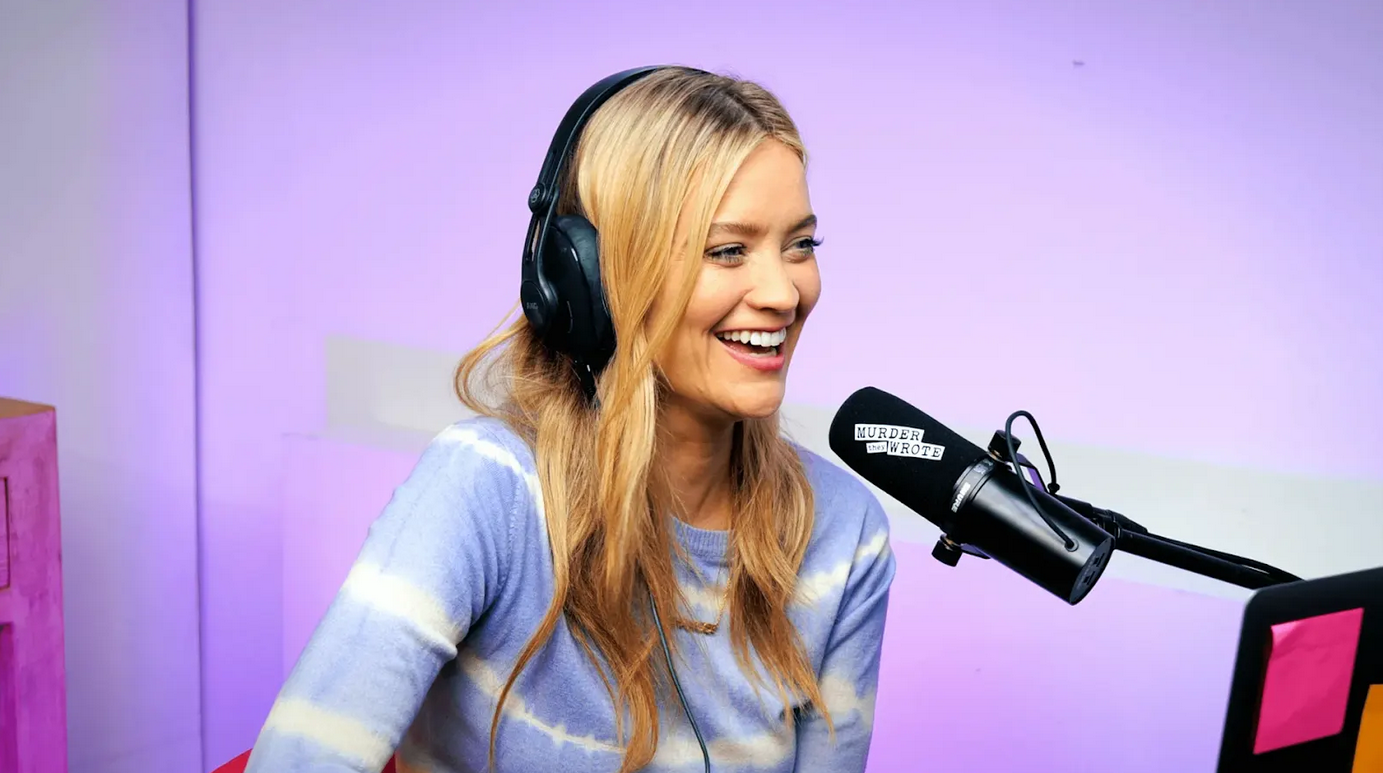
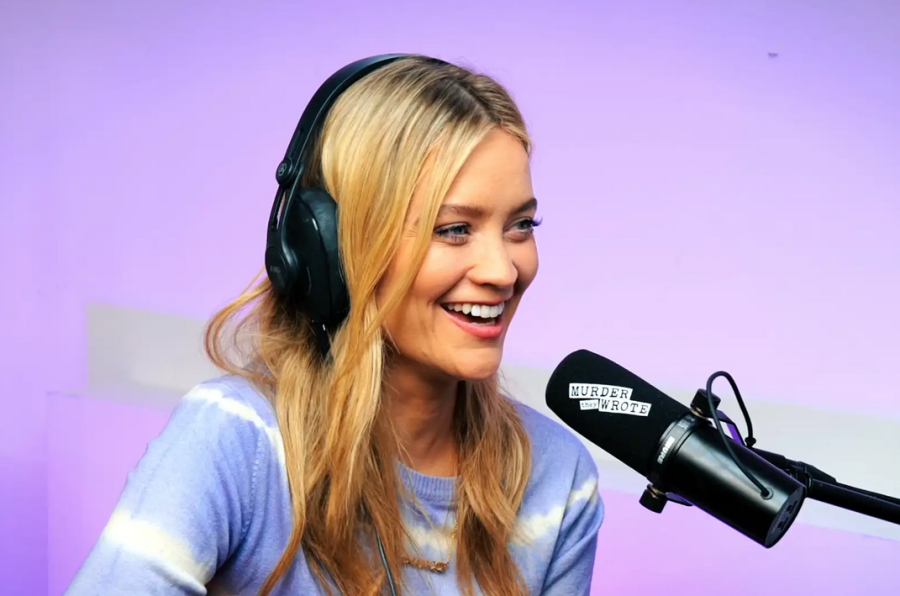
See the 'Murder They Wrote' podcast setup used by Laura Whitmore and Iain Stirling from BBC at Finchley Studio (Gathering setup). Watch Murder They Wrote at BBc sound , Spotify , Apple podcasts , Youtube , Instagram , Amazon music
Book this setup for your podcast
We hope this technical analysis clarifies the importance of latency control in production. To take your production to the next level, the right environment is key. We invite you to see what makes Finchley Studio the top choice for creators. As a professional podcast recording studio, Finchley Studio is built to handle all your production needs.
We're trusted by industry leaders and regular clients like the BBC and Lloyds bank, who rely on our professional spaces. We offer a diverse range of unique, pre-lit sets to match any brand or aesthetic. Explore our spaces to find your perfect fit:
- Dialogue Room: For intimate 2-4 person conversations.
- LOUNGE STUDIO: A relaxed, versatile set for up to 5 people.
- CEO SET: Premium, sleek, and executive.
- Green Screen Cove: A pre-lit, curved studio for seamless virtual backgrounds.
- Blackwood Studio: A sophisticated, modern set with a striking black wood backdrop.
- THE BRICK STUDIO: A 180m² warehouse space with authentic red brick.
- White Infinity Cove: For clean, minimalist, edge-free visuals.
- BLACKOUT SET: Full light control for dramatic, high-contrast content.
- GATHERING STUDIO: A professional space for larger roundtable discussions.
- GIANT GREEN SCREEN: One of London's largest green screens in our 180m² warehouse.
- GIANT BLACKOUT: Our 180m² warehouse for large-scale, controlled dark sets.
Once your recording is complete, let our expert team handle the rest. Our professional Video Editing Service will make your content shine, with a two-week turnaround guaranteed. Choosing Finchley Studio means choosing a seamless experience from start to finish. We're proud of the community we've built at Finchley Studio. Don't just take our word for it—see what other producers have to say about their experience on our Google review page and Trust Pilot.
Finding us is simple. We are conveniently located just Two minutes from Finchley Central (https://tfl.gov.uk/tube/stop/940GZZLUFYC/finchley-central-underground-station?lineId=northern) on the Northern Line. We offer One free parking space per booking, and for those travelling, we are Adjacent to Travelodge London Finchley (https://www.travelodge.co.uk/hotels/614/London-Finchley-hotel). You can find our exact location on Google map, Apple maps, [suspicious link removed], or using our What 3 words (https://w3w.co/orders.yards.jokes) address.
Stay connected with our creative community and see behind-the-scenes content by following us on Instagram, YouTube, TikTok, LinkedIn, and X (Twitter). Have any questions before you book? Check our FAQ page, chat with us directly on WhatsApp, or give us a call at +447587827200. You can also send us an Email. Ready to elevate your podcast? Your next great episode starts here. Book now to secure your spot in one of London's premier podcast studios.
Works cited
VoIP Latency: Identifying, Analyzing & Resolving Issues - Obkio, accessed November 20, 2025, https://obkio.com/blog/voip-latency/
Zoom Disrupts the Rhythm of Conversation | Request PDF - ResearchGate, accessed November 20, 2025, https://www.researchgate.net/publication/356018506_Zoom_disrupts_the_rhythm_of_conversation
Zoom Fatigue and How to Prevent It - PMC - NIH, accessed November 20, 2025, https://pmc.ncbi.nlm.nih.gov/articles/PMC10198405/
Direct Monitoring vs. Input Monitoring - Sweetwater, accessed November 20, 2025, https://www.sweetwater.com/sweetcare/articles/direct-monitoring-vs-input-monitoring/
How many milliseconds is Scarlett solo direct monitor's latency? : r/Focusrite - Reddit, accessed November 20, 2025, https://www.reddit.com/r/Focusrite/comments/1mmd1zf/how_many_milliseconds_is_scarlett_solo_direct/
Gear List | london-bridge-studio, accessed November 20, 2025, https://www.londonbridgestudio.com/new-tech-specs
Redundancy! Essential Backup Strategies | TapeOp #164 | Tape Op Magazine, accessed November 20, 2025, https://tapeop.com/interviews/164/redundancy
Allowable Propagation Delay for VoIP Calls of Acceptable Quality - ResearchGate, accessed November 20, 2025, https://www.researchgate.net/publication/221441197_Allowable_Propagation_Delay_for_VoIP_Calls_of_Acceptable_Quality
How Network Jitter Affects VoIP Phone Calls & How to Fix It - Nextiva, accessed November 20, 2025, https://www.nextiva.com/blog/network-jitter.html
Jitter vs Latency: Discover the Causes, the Differences & the Remedies - Comparitech, accessed November 20, 2025, https://www.comparitech.com/net-admin/jitter-vs-latency/
Human Latency Conversational Turns for Spoken Avatar Systems - arXiv, accessed November 20, 2025, https://arxiv.org/html/2404.16053v1
4 SquadCast Alternatives & Competitors: Which One to Choose & Why - Riverside, accessed November 20, 2025, https://riverside.com/blog/squadcast-alternative
Zencastr vs Riverside: Review, Use Cases, Price + Features Checklist - Talks.co, accessed November 20, 2025, https://talks.co/p/zencastr-vs-riverside/
Unable to hear myself as I am speaking when recording on Riverside : r/podcasting - Reddit, accessed November 20, 2025, https://www.reddit.com/r/podcasting/comments/1ez5kzo/unable_to_hear_myself_as_i_am_speaking_when/
Podcasting Service Review: Squadcast - Reddit, accessed November 20, 2025, https://www.reddit.com/r/podcasting/comments/187mtbc/podcasting_service_review_squadcast/
Latency on Riverside.fm recordings? : r/podcasting - Reddit, accessed November 20, 2025, https://www.reddit.com/r/podcasting/comments/148ti77/latency_on_riversidefm_recordings/
Does using wired instead of wireless headphones really make a difference? : r/podcasting, accessed November 20, 2025, https://www.reddit.com/r/podcasting/comments/1me7p29/does_using_wired_instead_of_wireless_headphones/
Postproduction Issues | Zencastr Help Center, accessed November 20, 2025, https://support.zencastr.com/en/articles/9559421-postproduction-issues
Whose turn is it anyway? Latency and the organization of turn-taking in video-mediated interaction - PubMed Central, accessed November 20, 2025, https://pmc.ncbi.nlm.nih.gov/articles/PMC7819463/
Latency Face-Off 2025: Retell AI vs. Google Dialogflow CX vs. Twilio Voice vs. PolyAI, accessed November 20, 2025, https://www.retellai.com/resources/ai-voice-agent-latency-face-off-2025
Video-conferencing usage dynamics and nonverbal mechanisms exacerbate Zoom Fatigue, particularly for women - Virtual Human Interaction Lab, accessed November 20, 2025, https://vhil.stanford.edu/sites/g/files/sbiybj29011/files/media/file/zoom-fatigue-2023-chbr-100271.pdf
Riverside.fm Sync & Drift Issues - How to Fix It | NEW Best Practices April 2022 - YouTube, accessed November 20, 2025, https://www.youtube.com/watch?v=RLo7ihXYGrI
Issues with Zencastr : r/podcasting - Reddit, accessed November 20, 2025, https://www.reddit.com/r/podcasting/comments/99cfxl/issues_with_zencastr/
Best Remote Podcast Recording Platforms? (Riverside vs Remotely fm vs Zencastr ) - Reddit, accessed November 20, 2025, https://www.reddit.com/r/podcasting/comments/1jinlwh/best_remote_podcast_recording_platforms_riverside/
Riverside vs Zencastr vs Descript – Ultimate Podcast Recording Software Comparison (2025) - YouTube, accessed November 20, 2025, https://www.youtube.com/watch?v=-tk31Kmwsak
Riverside vs Zoom for Podcasting: The ultimate Guide - Red 11 Media, accessed November 20, 2025, https://www.red11media.com/blog/riverside-vs-zoom
Mistakes and Swiss Cheese Ruining My Day (and Some Podcast Recordings) - Now, With a Good News Epilogue - Lean Blog, accessed November 20, 2025, https://www.leanblog.org/2020/10/mistakes-and-swiss-cheese-ruining-my-day-and-some-podcast-recordings/
Quality Difference Explained - Riverside vs Zoom, accessed November 20, 2025, https://riverside.com/university-videos/riverside-vs-zoom-quality-difference-explained
What is Audio Drift?. & Why it's Terrible for Podcasts | by Zachariah Moreno | SquadCast, accessed November 20, 2025, https://medium.com/squadcast-fm/what-is-audio-drift-1715dda7a89b
Need some help understanding Audio/Sample Rate Drift : r/audioengineering - Reddit, accessed November 20, 2025, https://www.reddit.com/r/audioengineering/comments/1c6b9bi/need_some_help_understanding_audiosample_rate/
Podcast audio and video gets out of sync. Not sure why. : r/videography - Reddit, accessed November 20, 2025, https://www.reddit.com/r/videography/comments/195m54h/podcast_audio_and_video_gets_out_of_sync_not_sure/
Zencastr vs Riverside.FM - Which is Better Choice? - YouTube, accessed November 20, 2025, https://www.youtube.com/watch?v=DXQ6iK-dfCQ
A Zencastr horror story. : r/podcasts - Reddit, accessed November 20, 2025, https://www.reddit.com/r/podcasts/comments/8iy24u/a_zencastr_horror_story/
Podcast Studio in Shoreditch | East London, accessed November 20, 2025, https://outsetstudio.com/east-london-podcast-studio-shoreditch/
What is latency in audio? - Focusrite, accessed November 20, 2025, https://support.focusrite.com/hc/en-gb/articles/207546885-What-is-latency-in-audio
Latency advantage when using UAD plugns with Apollo interfaces compared to non-UAD, accessed November 20, 2025, https://uadforum.com/community/index.php?threads/latency-advantage-when-using-uad-plugns-with-apollo-interfaces-compared-to-non-uad.56808/
UAD Apollo Latency Question - UAD Forum, accessed November 20, 2025, https://uadforum.com/community/index.php?threads/uad-apollo-latency-question.73145/
Crystal oscillator - Wikipedia, accessed November 20, 2025, https://en.wikipedia.org/wiki/Crystal_oscillator
EEVblog #61 - Crystal Oscillator Drift - YouTube, accessed November 20, 2025, https://www.youtube.com/watch?v=0UksWKuVFFo
Podcast Studio London Equipment Guide, accessed November 20, 2025, https://www.finchley.co.uk/finchley-learning/podcast-studio-london-equipment-guide
Podcast Studios In Central London - Podshop, accessed November 20, 2025, https://www.podshoponline.co.uk/services/podcast-studio
Podcast Recording Studio vs. Home Setup: Which is Best for You?, accessed November 20, 2025, https://www.paragoncreativestudios.co.uk/podcast-recording-studio-vs-home-setup-which-is-best-for-you/
Home Studio vs. Professional Podcast Studio: Pros and Cons - Authentic Exposure Studio, accessed November 20, 2025, https://theaestudio.co/home-studio-vs-professional-podcast-studio/
Podcasting Studio in London - Dean St. Studios, accessed November 20, 2025, https://www.deanst.com/podcasting-studio-in-london/
Best Podcasting Studios in London | Our Picks for 2025 - TYX Studios, accessed November 20, 2025, https://tyxstudios.com/blog/best-podcast-studios-in-london
London Podcast Studio | Studio Hire in King's Cross, accessed November 20, 2025, https://spiritlandproductions.com/studio/
Professional Podcast Studio London | Audio & Video Recording, accessed November 20, 2025, https://premierepodcaststudios.com/
What Equipment Do I Need for a Podcast? An Ultimate Guide - TYX Studios, accessed November 20, 2025, https://tyxstudios.com/blog/guide-to-podcast-equipment
London Podcast Studios - 24/7 Studio Hire | Pirate Studios, accessed November 20, 2025, https://pirate.com/en/podcast-studios/london/
London Recording Studios | Affordable Production Rooms | PIRATE.COM, accessed November 20, 2025, https://pirate.com/en/recording-studios/london/
10 Best Podcast Studios London to Hire in 2025 - Saspod, accessed November 20, 2025, https://saspod.com/blog/post/best-podcast-studios-london
Podcast House | Podcast Recording Studio in Central London, UK ..., accessed November 20, 2025, https://www.podcasthouse.uk/
Session Disaster Stories : r/audioengineering - Reddit, accessed November 20, 2025, https://www.reddit.com/r/audioengineering/comments/z64xtf/session_disaster_stories/
Podcast Studio in London | Professional Audio & Video Services, accessed November 20, 2025, https://premierepodcaststudios.com/podcast-studio-london/











