
Collaborative Workflows: How Teams Use Video Editing Apps
In today's media-driven world, podcast studios, video studios, and recording studios increasingly rely on team-based workflows rather than solo editors working in isolation. Video editing apps now support real-time collaboration, cloud-based project files, and cross-platform workflows, allowing teams to produce higher-quality audio-visual content faster. This article explores how modern teams use collaborative video editing tools, examines London podcast studio setups, and compares one of the capital's premium options—the Finchley studio—to typical London podcast studios. By the end, you'll see why booking a professional space like Finchley can streamline your podcast or video-podcast workflow and how you can reserve it directly via Finchley's booking page.
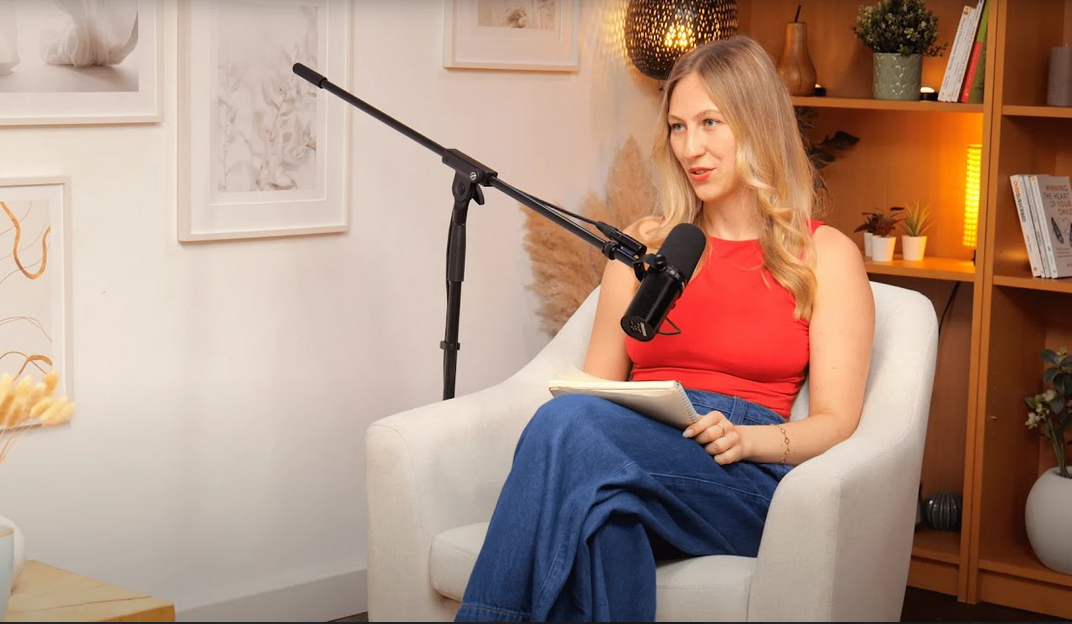
Image Credit: Finchley Studio
What collaborative video workflows look like
Traditional video editing meant one editor cutting a timeline, then passing it to a sound designer or colourist in a linear handoff. Today, collaborative workflows distribute tasks across multiple people who can edit, review, and comment on the same project in real time. Platforms such as Adobe Premiere Pro with Frame.io, DaVinci Resolve with cloud-based project sharing, and web-first tools like Visla or CapCut offer shared timelines, version control, and integrated feedback layers. LucidLink Fast.io Visla
Collaborative workflows typically include:
Centralised storage so all footage and project files live in one place, not scattered across personal drives. Fast.io
Shared review tools where producers, hosts, and editors can leave time-coded comments directly on the video. Vspagy Fast.io
Version control and history tracking so teams can revert to earlier cuts without losing progress. Podcast Monkey Fast.io
These structures are especially useful for podcast studios and video studios that produce multiple episodes or series, since producers and editors can parallelise work instead of waiting for one person to finish each edit. Fast.io Podcast Monkey
Core tools: video editing apps teams actually use
Most London podcast studios and video studios now rely on a mix of desktop and cloud-based editing apps to support team workflows.
Adobe Premiere Pro + Frame.io/Media.io Premiere Pro remains a staple in professional recording studios and video studios because of its non-linear editing, multi-track audio, and integration with After Effects and Audition. When paired with Frame.io or similar review platforms, producers and editors can share timelines, apply AI-assisted features (like auto-ducking and colour matching), and collect feedback without exporting multiple versions. LucidLink Fast.io
DaVinci Resolve Favourite in higher-end video studios and larger recording studios, DaVinci Resolve offers powerful colour grading, visual-effects support, and multi-user project sharing. Its script-based automation allows editors to cut episodes from transcripts, which is ideal for long-form podcast-style content. Podcast Monkey LucidLink
CapCut, Premiere Rush, and mobile-first editors For smaller teams or creators working hybrid-style (field recording plus studio work), mobile-first editors such as CapCut or Premiere Rush let people start rough cuts on phones and tablets, then refine them on desktop. These tools also support version history and cloud-synced projects, making them useful for fast-turnaround podcast episodes. Finchley Studio Fast.io
Dedicated collaboration tools (Visla, Fast.io, etc.) Platforms like Visla and Fast.io focus specifically on team collaboration, offering centralised storage, time-coded comments, and permission-based roles for editors, reviewers, and project managers. Visla Fast.io
Used inside a London podcast studio or video studio, these tools let teams record once and then iterate edits, thumbnails, and audiograms across multiple formats without re-shooting material. Podcast Monkey
How teams divide video-podcast editing tasks
In a typical London podcast studio or video studio, a collaborative workflow is rarely handled by just one person. Instead, roles are split across producers, editors, sound designers, and sometimes in-studio directors.
Pre-edit organisation After recording in a podcast studio or video studio, the first step is to organise footage and audio into reels, sequences, or bins. Collaborative apps that support shared project folders (for example, Premiere Pro with Frame.io or cloud-based storage) allow assistant editors and producers to tag clips, mark highlight moments, and prepare "selects" for the lead editor. Fast.io Podcast Monkey
Rough cut and show editing A lead editor builds the rough cut in the main timeline, often using multi-track audio to separate hosts, guests, and backing music. In a London podcast studio environment, this is where the episode's structure is defined: intro, segment transitions, and outro. Podcast Monkey
Sound design and mixing Many recording studios and video studios now integrate sound design into the same workflow. Audio-focused editors can use tools inside Premiere Pro, Audition, or DaVinci Resolve to clean up mic bleed, apply noise reduction, and balance levels so the final podcast mix sounds professional. LucidLink Podcast Monkey
Colour grading and visuals For video-first podcasts shot in a video studio or London video studio, colour grading is a separate but parallel step. Editors may pass project files to a colourist who works in the same shared timeline, applying grades and fixes that are visible to the whole team in real time. LucidLink Fast.io
Feedback and approval rounds Once a version is ready, the team shares it via a collaborative platform where hosts, producers, and sometimes marketing leads can leave time-coded comments. This reduces the need for multiple email attachments and long email chains, which is critical when working in fast-moving London-based media environments. Vspagy Fast.io
Why location and studio choice matter in London
London offers a wide range of podcast studios and video studios, from central "studio-only" spaces to suburban multi-purpose creative hubs. Where you record directly shapes how your team can collaborate with editors and how fast you can turn around episodes.
For example, central London podcast studios often prioritise convenience and access to transport, but may charge higher hourly rates and have limited space for multi-camera setups or client-team-on-set collaboration. By contrast, north-London facilities such as Finchley Studio focus on flexible, multi-room layouts, sound-proofed group rooms, and video-podcast-ready environments that can be used by both recording and post-production teams. Finchley Studio Finchley Studio TYX Studios
Choosing the right podcast studio London, London podcast studio, or video studio London becomes especially important when you want to:
Record multiple episodes in one day while still leaving room for producer and editor presence.
Use integrated video and audio equipment so editors can start working with the same files the studio generates.
Reduce travel time and parking costs that often eat into collaboration budgets in central-London studios. Finchley Studio Finchley Studio
Finchley Studio vs typical London podcast studios
To understand how collaborative workflows play out in practice, it helps to compare a suburban studio such as Finchley Studio with many of the central-London podcast-only spaces.
Facility design and layout Most London podcast studios are compact, audio-centric rooms designed primarily for two-host recording or voice-over sessions. They often share a control room or small waiting area, with limited space for additional team members such as editors, producers, or researchers. TYX Studios Finchley Studio
In contrast, Finchley Studio in Finchley Central (N3 1HH, 2 minutes from the tube) offers several versatile spaces, including cosy lounges and soundproof group rooms. This layout allows podcast teams to record, review, and even begin light editing on-site, which is ideal for teams that want to iterate quickly between recording and post-production. Finchley Studio Finchley Studio
Video and audio capabilities Many London podcast studios function first as audio-only spaces, then add basic video later. This can mean patchy camera setups, limited lighting control, and extra cost or complexity when trying to create a video-podcast-ready output. TYX Studios Finchley Studio
Finchley Studio, however, markets itself as a video-first podcast venue with 4K video capability, professional acoustics, and integrated lighting. This makes it easier for teams to use the same raw footage for YouTube, Spotify video, and social-media clips, which is a major advantage for businesses that want to stretch one recording session into multiple formats. Finchley Studio Finchley Studio
Accessibility, pricing, and workflow efficiency Central podcast studio London and recording studio London options are often convenient for those already working in central areas, but they can carry higher hourly rates and parking or transport costs. Many operators also run on "rate-on-request" models, which can make it harder for small businesses to budget long-term workflows. TYX Studios
Finchley Studio stands out for its transparent pricing model (around £69 per hour for flexible spaces) and location just two minutes from Finchley Central tube, with free parking available on-site. This combination of cost-effectiveness and accessibility streamlines collaboration for teams that need to bring editors, producers, or client stakeholders on-site without straining the production budget. Finchley Studio Finchley Studio
Integration with collaborative editing apps Both Finchley Studio and central London podcast studios can export high-quality audio and video files into collaborative editing platforms such as Adobe Premiere Pro, DaVinci Resolve, or cloud-based tools like Frame.io and Visla. However, Finchley's emphasis on multi-camera video-podcast setups and professional acoustics means that editors receive cleaner source material, which reduces the time spent on noise-reduction, re-trimming, and re-grading. Finchley Studio Finchley Studio Fast.io
For example, a team working on a series of business-oriented video podcasts in London can:
Record in a 4K-ready, sound-treated room at Finchley.
Upload the footage to a shared cloud storage or collaborative editing platform.
Allow editors, sound designers, and marketers to work on the same project files in parallel, leaving feedback directly on the timeline. Fast.io Podcast Monkey
This tight integration between a well-equipped London podcast studio and modern video-editing apps is what separates a fast, repeatable workflow from a slow, bespoke one-off production cycle.
Typical workflows inside a London video studio
In a video studio London or London video studio, collaborative editing workflows tend to be more complex because they involve multiple cameras, lighting scenes, and sometimes live-stream elements.
Pre-production planning and shot lists Teams use shared documents and project-management tools (Trello, Notion, etc.) alongside video-editing apps to align on shot lists, B-roll requirements, and on-screen graphics. This ensures that when the team arrives at the recording studio London or video studio London, the editor already has a rough idea of how the final cut will be structured. Motion Agency Podcast Monkey
Multi-camera recording and ingest During the shoot, a director or assistant editor may be monitoring multiple cameras in real time, flagging important takes. After recording, the footage is ingested into a central media library accessible by all editors working on the project. Motion Agency Fast.io
Parallel editing and review Different editors can work on separate segments—such as interview portions, product demos, or B-roll montages—while a lead editor assembles the master timeline. Shared review tools allow the team to approve cuts, trim excess, and adjust pacing without waiting for a single person to finish everything. Fast.io Podcast Monkey
Publishing and distribution Once the episode is finalised, teams often export multiple versions for different platforms (YouTube, Instagram, TikTok, podcast hosts) directly from the same editing app. Integrations with services like YouTube or podcast-hosting platforms reduce manual steps and help maintain consistent branding across channels. Motion Agency Podcast Monkey
When this workflow is hosted in a London-based studio such as Finchley, the proximity of on-site meeting rooms and lounges makes it easier for clients, managers, and editors to sit together and review cuts in real time, further tightening the feedback loop. Finchley Studio Finchley Studio
Benefits of combining studio choice with collaborative editing
The real power of modern podcast and video production comes from aligning physical studio choice with digital collaboration tools.
Faster turnaround times Teams using centralised storage, shared timelines, and time-coded feedback typically complete projects 30-40% faster than those relying on traditional handoffs and email-based approvals. Fast.io
Better creative alignment When hosts, producers, and editors can see the same timeline and comment directly on it, there is less chance of miscommunication or last-minute changes that require reshoots. Vspagy Podcast Monkey
Greater content-repurposing potential A single recording session in a London podcast studio or video studio London can yield full episodes, audiograms, social clips, and marketing assets if the studio provides high-quality multi-camera and audio capture. Collaborative editing apps then let separate sub-teams work on each derivative piece simultaneously. Motion Agency Podcast Monkey
For businesses in London that want to run a professional podcast or video-podcast series, the combination of a well-equipped studio and a robust collaborative workflow is no longer a luxury—it is a necessity for staying competitive in 2026's crowded media landscape. Finchley Studio Podcast Monkey
Why Finchley Studio supports smoother collaboration
Finchley Studio's design and service model align closely with the needs of modern, distributed teams that want to combine in-studio recording with cloud-based editing.
Versatile, multi-room environment Cosy lounges and soundproof group rooms allow teams to record, debrief, and review edits in the same space, which reduces the friction between on-set and post-production workflows. Finchley Studio Finchley Studio
Video-podcast ready infrastructure With 4K video, professional acoustics, and integrated lighting, Finchley Studio minimises the need for heavy post-production fixes, letting editors focus on creative choices rather than technical cleanup. Finchley Studio Finchley Studio
Transparent pricing and accessibility At around £69 per hour and with free parking close to Finchley Central tube, the studio is more accessible for small-to-mid-size businesses that need to balance quality with budget. Finchley Studio
Integration with professional editing services Finchley Studio also offers professional video-editing services that complement its in-house facilities, covering advanced colour correction, sound design, and multi-layer editing. This is particularly useful for teams that want to outsource final polishing while keeping the core recording and review work in-house. Finchley Studio
By choosing a space like Finchley instead of a basic central-London podcast-only room, teams can build a more integrated, end-to-end collaborative workflow that spans recording, editing, feedback, and publishing.
How to book Finchley Studio for your project
If you run a podcast, video-podcast, or business-focused content series out of London, booking a dedicated studio such as Finchley can significantly streamline your collaborative workflows. The studio's flexible rooms, professional video setup, and support for editing services make it a strong alternative to typical London podcast studio or recording studio London options. Finchley Studio Finchley Studio
To check availability and reserve your session, you can book Finchley Studio directly through their official booking page:
This link takes you to their online calendar, where you can select dates, choose room types, and finalise your booking for podcast recordings, video-podcast sessions, or broader video-studio-style productions. Finchley Studio Finchley Studio
By combining a purpose-built space like Finchley Studio with modern collaborative video editing apps, London-based teams can build efficient, scalable workflows that turn one recording session into a full library of audio and video content—aligned with the growing demand for professional podcast studio London, London podcast studio, video studio London, and recording studio London services in 2026.














