Section I: Introduction: Beyond the Backdrop - Reimagining the Podcast Space
In the contemporary media landscape, the podcast has evolved far beyond its audio-only origins. The rise of video podcasting has created a visual imperative, transforming how audiences connect with creators and how brands tell their stories.1 This shift has placed a new premium on production value, where the visual environment is no longer a passive background but an active component of a podcast's identity and appeal. For a professional podcast studio, mastering the tools that shape this visual environment is paramount to offering a competitive, high-value service. Among these tools, the green screen, or chroma key technology, stands as the most powerful and versatile asset for reimagining the creative potential of the podcast space.3
This report serves as a definitive guide to unlocking the full creative and technical capabilities of the green screen within a professional London podcast studio. The objective is to move beyond rudimentary background replacement and explore a spectrum of applications that enhance production value, solidify brand identity, and dramatically increase audience engagement.
The Visual Imperative in Modern Podcasting
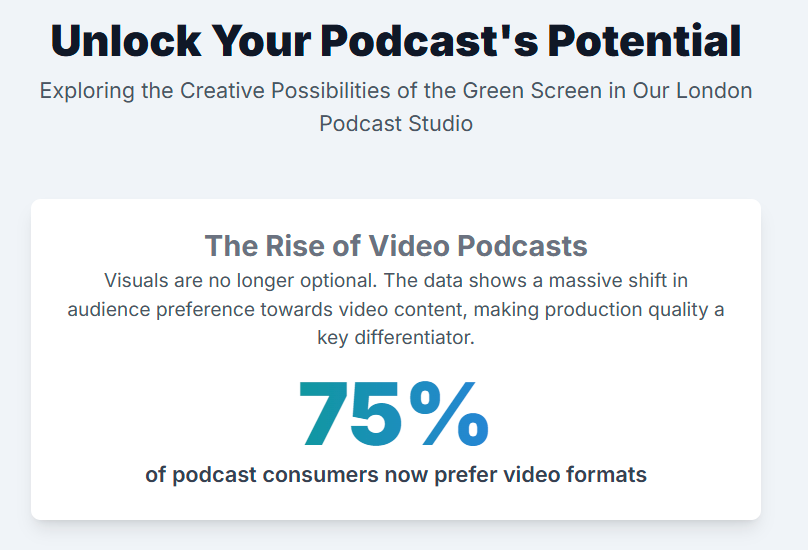
The integration of video has fundamentally expanded the reach and impact of podcasting. Video content is inherently more engaging, offering viewers the added value of visual cues, facial expressions, and a more direct human connection with the hosts.2 This format opens up powerful distribution channels like YouTube and facilitates the creation of highly shareable clips for social media platforms, ultimately broadening a podcast's audience.2 Consequently, a podcast's visual presentation has become a critical factor in its success. A well-chosen background reinforces brand identity, sets the content's tone, and can significantly improve viewer retention and shareability.1 In this visually-driven ecosystem, green screen technology is an essential tool, providing the ultimate flexibility to control and design the visual narrative.3
Elevating Production Value and Credibility
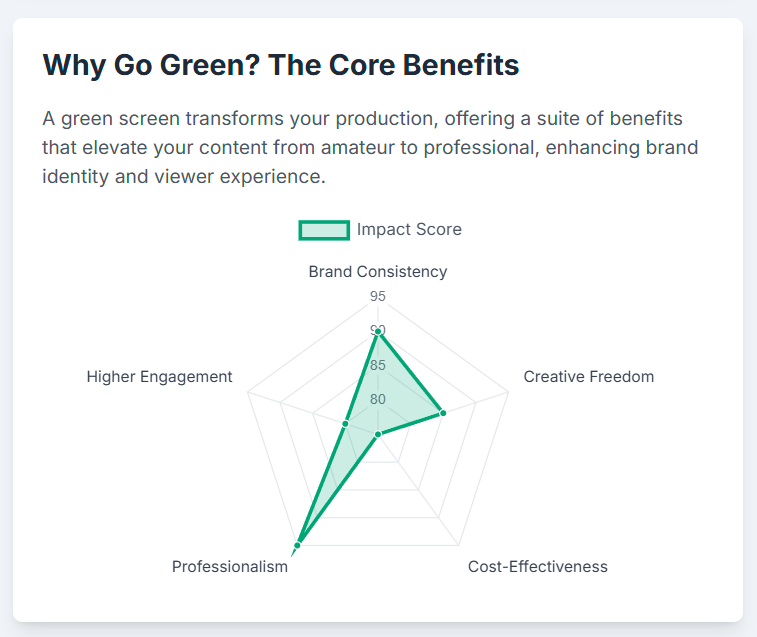
The most immediate benefit of a properly executed green screen is the instant elevation of production value. It provides a polished, studio-quality aesthetic that signals authority and credibility to the viewer, transforming a home-based recording into a professional broadcast.3 This technology, once the exclusive domain of high-budget film and television, is now accessible to creators of all sizes, democratizing the ability to produce high-end content.7
However, this very accessibility has raised the audience's baseline expectation for quality. The widespread availability of chroma key tools means that simply using a green screen is no longer impressive; the quality of the execution is what distinguishes a professional production from an amateurish one. A poorly lit or sloppily keyed virtual background can be more detrimental to a brand's credibility than a simple, well-dressed physical set. Warnings against "cheesy beach scenes" or drab, corporate-webinar backdrops underscore this point.5 Therefore, a studio offering green screen services must provide not just the physical space but also the technical expertise to guarantee a flawless result. A bad composite can actively harm a client's brand, while a perfect one can significantly enhance it.
Unlocking Creative Freedom
The true power of the green screen lies in its ability to unlock near-infinite creative possibilities. It is a blank canvas upon which any world, concept, or brand identity can be projected. This report will detail how to leverage this technology to create bespoke virtual sets that serve as powerful extensions of a brand, incorporating specific logos, color palettes, and thematic elements.3 Furthermore, it will explore how to use the green screen as a dynamic storytelling tool, displaying relevant charts, video clips, or animated graphics that turn a conversation into an immersive and educational presentation.6 By mastering both the technical discipline and the creative applications of chroma key, a London podcast studio can offer a service that is not just about changing a background, but about building a world.
Section II: The Foundation: Mastering Chroma Key Fundamentals
Before exploring advanced creative applications, a mastery of the fundamental principles and equipment of chroma keying is non-negotiable. A successful green screen composite is built upon a solid technical foundation. Any weakness in this foundation—be it a wrinkled screen, improper lighting, or poor camera choice—will cascade into the post-production process, demanding significant time and effort to correct, if correction is even possible. This section provides a definitive overview of the core concepts and the essential toolkit required to build a professional-grade green screen environment.
At its core, chroma keying is a visual effects process that involves filming a subject against a solid, single-color background—most commonly a vibrant green or blue.7 In post-production, software is used to identify and digitally remove all pixels of that specific color (the "key color"), rendering those areas transparent.10 This process is also referred to as "keying out" the background.11 Once the background is transparent, the isolated subject can be placed over any other image or video clip, a technique known as compositing.10 This allows a creator to transport their subject to any location imaginable, from a realistic newsroom to a fantastical landscape, without leaving the studio.7 The term itself is a composite: "chroma" refers to the purity of the color, and "keying" refers to the act of using that color as a key to isolate and remove parts of the image.13
The Essential Toolkit
Achieving a clean and believable key requires a specific set of equipment. While it is possible to create a rudimentary setup on a small budget, professional results demand an investment in quality tools designed for the task. The following table outlines the essential components, categorized into tiers to guide purchasing decisions and help studios assess their current capabilities.
Item
Basic / Budget Tier
Professional Tier
Broadcast-Grade Tier
Key Considerations
Green Screen
Collapsible Fabric Screen 14
Wrinkle-resistant Muslin on Frame 15
Painted Cyclorama Wall ("Infinity Cove") 17
Must be a non-reflective, matte, "chroma key green" color. A smooth, wrinkle-free surface is critical to avoid shadows.17 Must be large enough to fill the entire camera frame.15
Camera
High-Quality Webcam or Smartphone (1080p) 22
DSLR or Mirrorless Camera (4K) 3
Cinema Camera (4K+, RAW/LOG capable) 10
Higher resolution and better color sampling (at least 4:2:2) provide more data for a cleaner key. Avoid highly compressed formats if possible.10
Screen Lighting
2x Clamp Lights with Daylight Bulbs 25
2x LED Panels or Softboxes 7
2x Fluorescent Banks (e.g., Kino Flo) with Green Tubes 27
Must provide soft, even, diffused light. The two lights should be identical in model and output to ensure consistent color temperature.25
Subject Lighting
1-2x LED Lights or Ring Light 28
3-Point Lighting Kit (Key, Fill, Backlight) 7
Professional 3-Point Kit with Dimmers and Modifiers
Subject must be lit separately from the screen. A 3-point setup provides control over depth and separation.24
Support & Rigging
Basic Light Stands, Clips 15
C-Stands, Boom Arm, Sandbags 15
Ceiling-mounted Grid, Professional Clamps
Stands must be sturdy. Sandbags are essential for top-heavy lights to prevent tipping. Clips and clamps are needed to keep fabric screens taut.15
Monitoring
Camera's built-in screen
External Field Monitor 15
Calibrated Monitor with Waveform Display 10
An external monitor helps judge composition and lighting. A waveform monitor is the most accurate tool for ensuring the screen is evenly lit.10
Software
OBS Studio (Live), CapCut (Post) 22
Adobe Premiere Pro, Final Cut Pro 30
Adobe After Effects, DaVinci Resolve Studio 30
Software choice depends on workflow (live vs. post-production) and the level of control required. AI-powered tools like Descript can remove backgrounds without a physical screen.30
Section III: The Technician's Guide: Achieving a Flawless Key
The technical execution of a green screen shoot is a discipline of precision. The difference between a seamless, believable composite and a distracting, amateurish effect is determined by the meticulous control of light and camera settings. This section provides a comprehensive masterclass in these two critical areas, synthesizing best practices to create a definitive guide for achieving a flawless key in the studio. The setup should be approached as an interdependent system; a change in one variable, such as the subject's distance from the screen, will have a cascading effect on lighting and camera requirements, necessitating a holistic and diagnostic approach to troubleshooting.
3.1. Lighting Masterclass: The Art and Science of Illumination
Proper lighting is the single most important factor in a successful chroma key production.14 The goal is to create two distinct lighting environments within the same space: one for the green screen and one for the subject.
The Golden Rule: Separate and Conquer
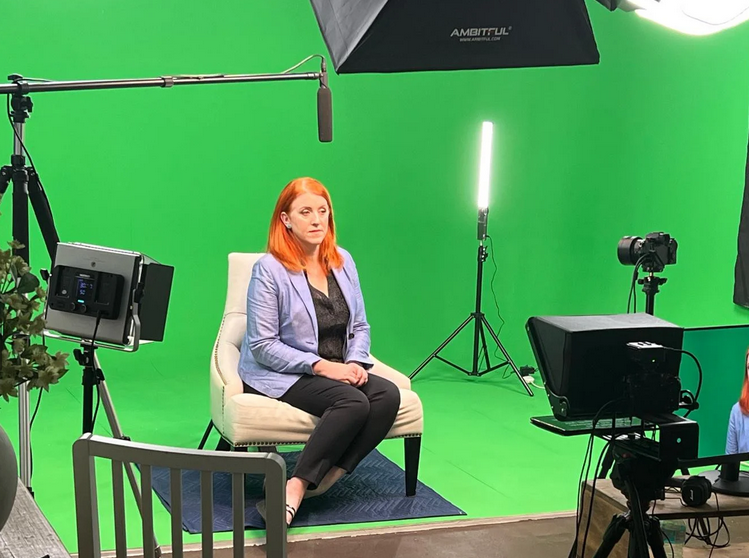
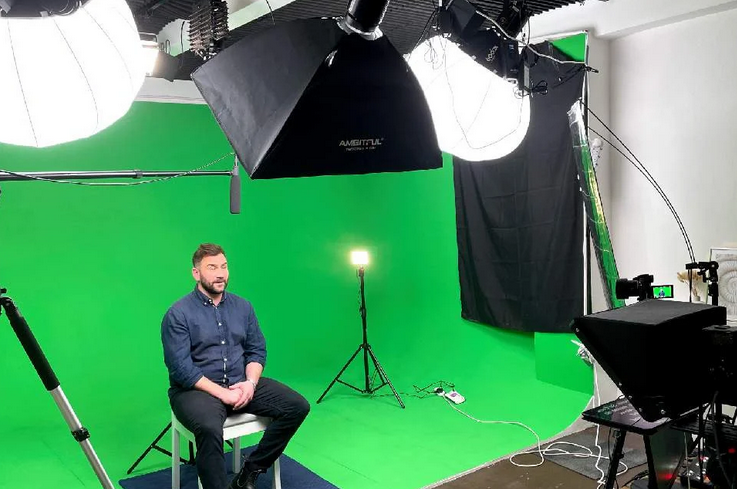
The most common and critical mistake in green screen lighting is attempting to illuminate the subject and the background with the same light sources.11 This inevitably leads to the subject casting shadows on the screen and green light from the screen reflecting onto the subject ("spill"). To avoid these issues, the screen and the subject must be lit independently with their own dedicated lights.16 A professional setup requires a minimum of four lights: two for the screen and at least two for the subject.22
Lighting the Green Screen
The objective when lighting the screen is to create a perfectly flat, even, and uniformly illuminated surface, free of any shadows or bright spots ("hotspots").17
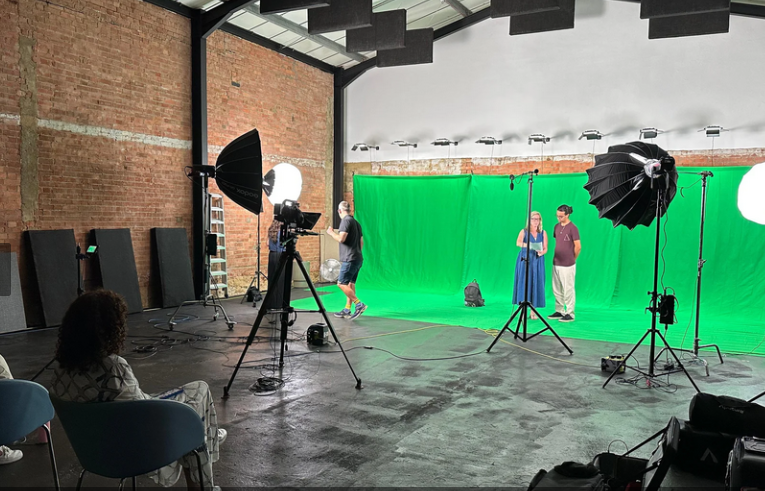
Light Sources and Placement: Use two identical, soft, and diffused light sources, such as large softboxes, fluorescent banks (like Kino Flo), or dimmable LED panels.7 Spotlights or other harsh lights should be avoided as they create hotspots.26 These lights should be placed on either side of the screen, typically at a 45-degree angle, and positioned to be equidistant from the screen to ensure balanced intensity.24 Crucially, the lights for the screen should be placed between the subject and the screen itself. This positioning prevents the subject's body from casting shadows onto the background that is being filmed.26
Ensuring Evenness: The human eye is an unreliable tool for judging the evenness of light. The most accurate method is to use a waveform monitor. A properly lit green screen will register as a thin, straight, horizontal line on the waveform display, indicating uniform luminance across the entire surface.10 For chroma green, this line should sit at approximately 40-45 IRE. For chroma blue, it should be around 25-30 IRE.10 As a more accessible alternative, various light meter applications are available for smartphones that can help identify and eliminate hotspots or dark patches.17
Lighting the Subject
Once the screen is perfectly lit, the subject can be illuminated. The creative goal here is to light the subject in a way that convincingly matches the lighting environment of the intended virtual background.9 If the background is a sunny beach, the key light should be hard and warm to mimic the sun; if the background is a moody nightclub, the lighting should be darker and more stylized.26
Three-Point Lighting: The standard professional technique for lighting a person is the three-point setup.7
Key Light: The main and brightest light source, positioned in front of and slightly to the side of the subject, creating the primary illumination and defining shadows.25
Fill Light: A softer light placed on the opposite side of the key light to "fill in" and soften the harsh shadows created by the key light.25
Backlight (or Hair Light): Placed behind and slightly above the subject, this light creates a subtle rim of light around the subject's hair and shoulders. This is crucial for green screen work as it helps to visually separate the subject from the background, creating a cleaner edge for the keying software to work with.17
Subject Placement and Spill Control: The subject must be positioned a significant distance from the green screen—a minimum of 3-6 feet, with 8-10 feet being ideal.16 This distance is critical for two reasons: it prevents the subject from casting shadows on the screen, and it minimizes the amount of green light that reflects off the screen and "spills" onto the edges of the subject. This green spill can cause parts of the subject, especially fine details like hair, to become transparent during the keying process.10 For advanced spill control, a magenta-colored gel, known as "minus green," can be placed on the backlight to actively neutralize any green reflections hitting the subject.10 Additionally, laying black drapes on the floor between the subject and screen or on the sides of the set can help absorb excess reflected green light.23
3.2. Camera and Lens Configuration for Maximum Clarity
The camera settings used during the shoot have a profound impact on the quality of the final composite. The goal is to capture the cleanest possible image with the maximum amount of color information and the minimum amount of visual noise or artifacts.
Setting
Recommended Value
Why it Matters
Shutter Speed
1/100s or higher 29
Prevents motion blur. Fast movements create semi-transparent pixels at the edges of a subject, which are impossible for keying software to cleanly separate from the background.14
Aperture (f-stop)
f/4 to f/5.6 29
Avoids shooting "wide open" (the lowest f-number). A slightly smaller aperture (higher f-number) increases sharpness and depth of field, helping to blur minor wrinkles or imperfections in the green screen.10
ISO
Lowest native setting possible 14
Minimizes digital noise and grain. High ISO introduces random color specks into the image, which contaminates the solid green background and makes it much harder for software to isolate the key color.14
Focus
Manual Focus 21
Prevents "focus hunting." Auto-focus systems can shift focus during movement, causing the sharp edges of the subject to blur momentarily, which compromises the key.21
White Balance
Manual / Custom Set
Ensures color consistency. Auto white balance can shift during a take, altering the hue of the green screen and making it difficult to key with a single color selection.
Image Profile
Standard / Rec. 709 (Avoid LOG unless necessary) 23
Maximizes color data for keying. While LOG profiles preserve more dynamic range, they often spread the available data thinly. A standard profile allocates more data to color information, which is more beneficial for a clean key.23
Resolution & Codec
4K, High Bitrate, 4:2:2 Color Sampling or higher 10
Provides maximum data for post-production. Higher resolution and less compression result in sharper edges and more accurate color detail, giving the keying software more information to work with for a precise separation.10
By adhering to these technical guidelines for both lighting and camera setup, a studio can ensure that the footage captured is optimized for the chroma keying process. This discipline during production is the most effective way to save time, reduce frustration, and achieve consistently professional results in post-production.
Section IV: The Creative's Canvas: Genre-Specific Virtual Set Design
Once the technical foundations of chroma keying are mastered, the green screen transforms from a technical tool into a creative canvas. The ability to generate any conceivable background allows podcasters to design virtual sets that are not merely decorative but are integral to their brand identity and narrative. A well-designed virtual set reinforces the podcast's central theme, establishes a specific tone, and makes the content more memorable and recognizable to the audience.5 This section provides a creative playbook of virtual set concepts tailored to specific podcast genres.
Need a London podcast studio for your shoot?Same-day availability · Reply within 1 hour
A sophisticated approach treats the virtual set not as a static image, but as a dynamic narrative device. The background can evolve during an episode to reflect a shift in topic or to visually illustrate a specific point. For example, a business podcast might begin in a branded virtual office, transition to a background filled with animated financial charts when discussing quarterly results, and then shift to a virtual product showroom. This technique uses the background as a "narrative signpost," guiding the audience through the content and significantly boosting information retention and engagement.6
Genre-Specific Design Blueprints
The following are conceptual blueprints for designing virtual sets that align with the content and intended audience of various popular podcast genres.
True Crime and Investigative Journalism
For podcasts that delve into mysteries, criminal cases, or investigative reports, the virtual set should evoke a serious and atmospheric tone.
Visual Style: Dark, moody, and textured environments work best. Consider virtual sets that mimic a detective's office, an evidence room, or a dimly lit library.5 Exposed brick, concrete walls, or dark wood paneling can add character and depth.5
Thematic Props: The background can be populated with subtle, thematic digital props. An evidence board with connected threads, case files stacked on a desk, or a map with highlighted locations can visually reinforce the subject matter without distracting from the host.5
Lighting Match: The lighting on the host in the studio must match this moody aesthetic. A more dramatic, high-contrast lighting setup with defined shadows (a style often called "low-key" lighting) will integrate the host seamlessly into the virtual environment.5
Technology, Business, and Finance
Podcasts in this category benefit from virtual sets that convey professionalism, innovation, and clarity.
Visual Style: Clean, minimalist, and modern aesthetics are highly effective. This can range from a hyper-realistic virtual office with a view of the London skyline to a more abstract, branded studio space.5
Branding Integration: This genre offers the most direct opportunity for branding. The virtual set should prominently but tastefully feature the podcast's or company's logo, brand colors, and key messaging. This could be a logo on a virtual wall, a branded color scheme for the set's furniture, or a news-style ticker with relevant headlines.3
Data Visualization: The background can be used to display data. A host discussing market trends can appear in front of a large virtual screen showing animated stock charts, graphs, or key performance indicators.9
Comedy and Pop Culture
Comedy podcasts thrive on personality and energy, and their virtual sets should reflect this.
Visual Style: Bold, colorful, and dynamic backgrounds are ideal. This is the genre where creators can experiment with more surreal or stylized environments. Animated backdrops, quirky patterns, or virtual sets that parody famous locations from pop culture can enhance the comedic tone.3
Interactive Gags: The virtual background can become part of the comedy. Hosts can interact with animated graphics that pop up to emphasize a punchline, or the background can unexpectedly change to create a visual gag. This turns the set into an active participant in the show.
Lighting Match: Lighting should be bright, even, and high-energy ("high-key" lighting) to match the upbeat and often chaotic nature of the content.
Lifestyle, Wellness, and Education
These podcasts aim to be inviting, informative, and often inspirational. The virtual set should create a sense of comfort, authority, or serenity.
Visual Style: Bright, airy, and clean designs are generally most effective. Virtual sets can mimic a beautifully decorated living room, a minimalist Scandinavian-style studio with virtual plants and art, or a tranquil natural setting like a forest or beach.28
Educational Tools: For educational content, the virtual set can function as a classroom. A host can stand in front of a virtual whiteboard or chalkboard where diagrams, key terms, and illustrations can be displayed to support the lesson.9
Immersive Environments: A history podcaster can transport their audience by appearing in front of a virtual historical landmark, or a travel podcaster can place themselves within a scenic vista of the location being discussed, making the content far more immersive.3
By thoughtfully designing virtual sets that are thematically and tonally aligned with their content, podcasters can significantly enhance their brand identity and create a more engaging and professional experience for their audience.
Section V: Advanced Applications: Dynamic Storytelling and Interactive Podcasting
Beyond creating static virtual sets, green screen technology unlocks a range of advanced applications that can transform a podcast from a simple conversation into a dynamic, interactive, and visually rich media experience. These techniques leverage the green screen to present information more effectively, create more professional remote interviews, and tell more immersive stories. Mastering these applications requires a combination of technical skill in post-production and a creative vision for how to integrate visual elements seamlessly into the narrative.
5.1. Data Visualization and Educational Overlays
For podcasts that deal with complex information—such as those in the business, finance, science, or educational genres—the green screen is a powerful didactic tool. It allows the host to move beyond verbal explanation and visually demonstrate concepts to the audience.
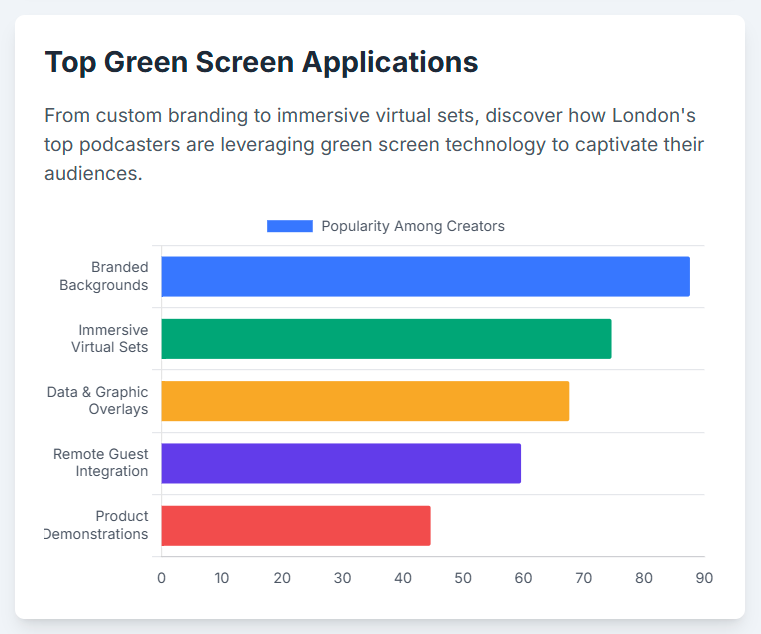
Presenter-Led Graphics: The host can be composited in front of animated charts, graphs, infographics, maps, or key statistics that appear as if on a large screen behind them.6 This approach makes dense data and complex topics significantly more digestible and memorable for the viewer, mirroring the effectiveness of visual aids in training and educational settings.6
Sourcing and Creation: These visual assets can be created bespoke by a motion graphics artist or sourced from stock media libraries. Many stock footage sites like Shutterstock and Pond5 offer pre-keyed animations of graphs and charts on a green or transparent background, which can be easily layered into an edit.37 Additionally, accessible design tools like Canva now offer features to create simple animated graphics and overlays that can be exported on a green background for use in video projects.40
5.2. Professional Remote Interviews with Picture-in-Picture (PiP)
As remote interviews become standard, green screen technology offers a solution for creating a clean, professional, and cohesive look for multi-guest podcasts.
Virtual Co-location: The most sophisticated application involves having both the in-studio host and the remote guest use green screens. This allows the editor to key out both backgrounds and place the participants together in a single, shared virtual set, creating the compelling illusion that they are in the same room.3
Enhanced PiP Layouts: Even if only the in-studio host has a green screen, the technology can greatly improve the standard picture-in-picture (PiP) format. The host can be keyed out and placed into a custom-designed graphic layout. This layout can frame the remote guest's video feed while incorporating branded elements, guest names and titles, and other relevant information, resulting in a much more polished and professional presentation than a simple split screen.18
Live Streaming Implementation: For live broadcasts, software like OBS Studio is essential. Its built-in "Chroma Key" filter can perform this compositing in real-time.22 The process involves adding the host's camera and the remote guest's video feed as separate "sources," placing the host's layer above the virtual background, and applying the chroma key filter to the host's camera source to make the green background transparent.44
For narrative-driven podcasts, green screen technology enables true world-building, allowing creators to visually construct the environments of their stories.
Simulated Environments: This technique goes beyond using a simple background image and involves compositing the host into a dynamic video plate. This can be used to simulate action scenes (e.g., placing the host in a virtual moving car), transport them to fantastical settings (a sci-fi spaceship bridge, an enchanted forest), or recreate historical locations.9
The Key to Realism: The success of such immersive composites hinges on meticulous attention to detail. To make the effect believable, the lighting on the subject in the studio must precisely match the lighting in the background video in terms of direction, color temperature, and hardness.9 The camera angle, height, and perspective must also align perfectly with the background plate.23 Any mismatch between the foreground and background elements will immediately break the illusion.
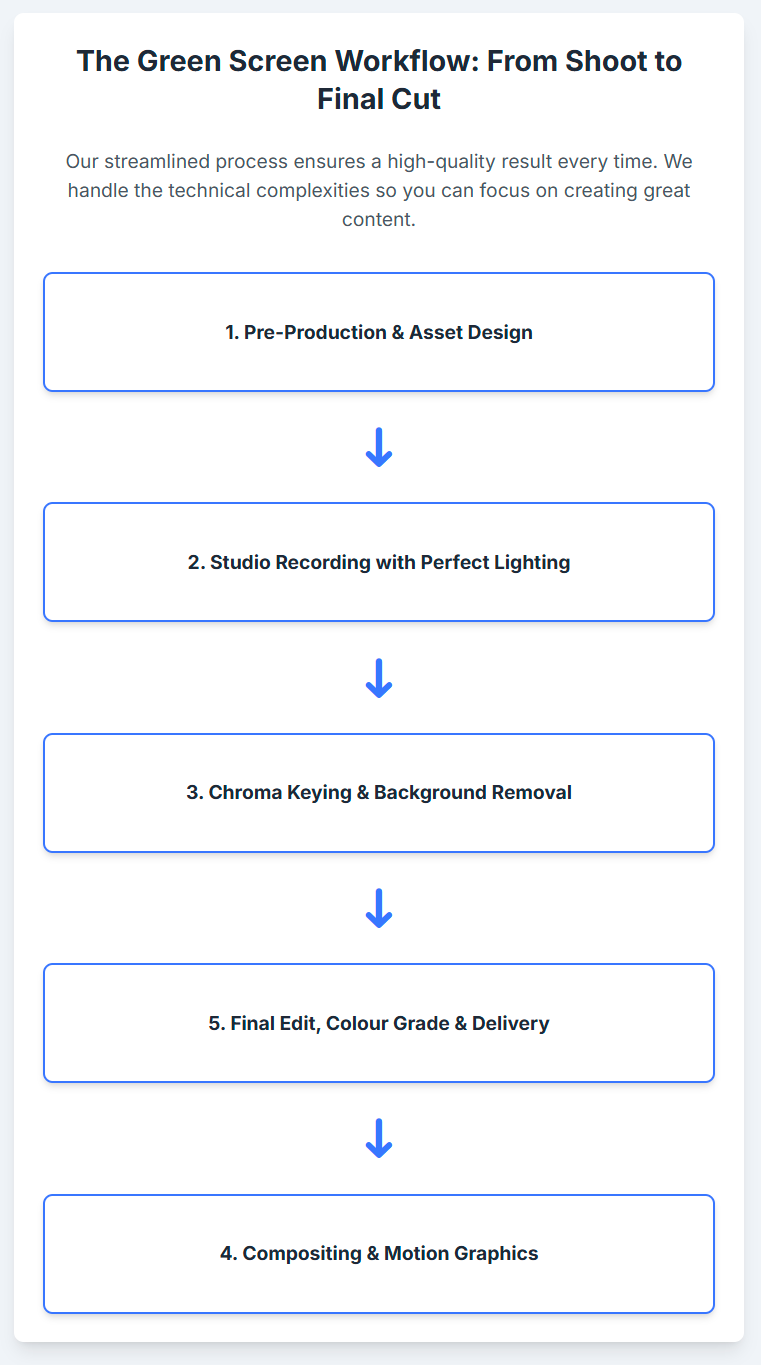
5.4. Post-Production Workflow and Software
The final step in the green screen process is the composite itself, which is handled in video editing software. The choice of software depends on the project's complexity, the creator's technical proficiency, and whether the keying needs to happen live or in post-production.
Software
Best For
Key Features
Pros
Cons
Pricing (Approx.)
Adobe Premiere Pro30
Professional Post-Production
Ultra Key effect, Matte Generation, Spill Suppression, Color Correction tools.11
Industry standard; offers precise, granular control for a clean key; integrates with After Effects for advanced work.3
Requires a physical green screen; has a steeper learning curve than simpler tools.30
Subscription-based, approx. £20/month.
Descript30
AI-Powered Simplicity
AI background removal (no physical screen needed), huge stock media library, all-in-one editor with transcription.30
Extremely user-friendly; removes the need for a physical setup; great for beginners.30
AI key is less precise than manual keying, especially with fine details; not available on mobile.30
Free plan with watermark; paid plans from approx. £10/month.
OBS Studio30
Live Streaming
Real-time Chroma Key filter, source layering, scene transitions.22
Free and open-source; powerful for live production; highly customizable with plugins.22
Interface can be confusing for new users; background removal plugin may be needed for non-green screen keying.30
Free.
Final Cut Pro30
Professional Post-Production (Mac)
Advanced keyer with powerful controls, fast rendering, 360° video tools.30
Highly optimized for Apple hardware; one-time purchase model; robust feature set for experienced editors.30
Delta Keyer, Clean Plate generation, advanced color and spill controls.
Free version is incredibly powerful; industry-leading color grading tools; integrated VFX and audio suites.31
Can be resource-intensive; has a very steep learning curve for its advanced features.
Free version available; Studio version is a one-time purchase.
CapCut30
Mobile & Quick Edits
One-click background removal, direct export to TikTok.30
Very affordable; easy to use on mobile; great for social media content.30
Limited to 15-minute videos; no multitrack editing; less precise control.30
Free plan with watermark; paid plans from approx. £7/month.
Section VI: The London Connection: Local Resources for Next-Level Production
To fully realize the creative potential outlined in this report, a podcast studio needs access to high-quality assets and specialized talent. For a studio based in London, a wealth of world-class resources is available locally. This section provides a curated directory of London-based virtual production studios for high-end projects, platforms for sourcing freelance creative talent, and stock footage libraries with strong UK-centric collections.
6.1. High-End Virtual Production and XR Studios
For projects that demand the most advanced technology—such as real-time 3D environments rendered on LED walls, a technique popularized by productions like The Mandalorian—London is home to several cutting-edge facilities.8 These studios offer services that go beyond traditional green screen, enabling fully immersive and interactive virtual productions.
Silvertown Studios: Located in East London, Silvertown offers full virtual production stages equipped with high-resolution LED panels. They specialize in 3D real-time rendering using Unreal Engine and feature an in-house Virtual Art Department (VAD) that can design and build bespoke digital environments from scratch, collaborating with clients from concept to final execution.47
Quite Brilliant (at Twickenham Film Studios): Situated in South West London, this facility provides a state-of-the-art Extended Reality (XR) studio. They offer an advanced LED stage alongside flexible green screen options, allowing productions to blend live-action elements with virtual environments. Their services are geared towards high-end commercials, music videos, and immersive live-streamed events, utilizing real-time rendering engines like Unreal Engine.48
Pebble Studios: This Shoreditch-based studio specializes in creating immersive worlds in Virtual Reality (VR). While focused on VR headset experiences, their team of 3D designers and creative technologists are experts in building photo-realistic and fantastical CG environments for brand storytelling and training simulations, skills directly transferable to creating high-end virtual sets for podcasts.49
Sourcing Creative Talent: Freelance Digital Artists and Designers
Creating custom virtual sets, animated data visualizations, and branded motion graphics requires the expertise of skilled digital artists. London has a deep pool of freelance talent that can be commissioned for specific projects. The following platforms are excellent resources for finding and hiring vetted professionals.
Upwork: A global freelancing platform with a large number of London-based digital artists, illustrators, and motion graphics designers. Profiles often include portfolios, hourly rates, and client reviews, making it possible to find talent for various budgets and specializations.50
Twine: This platform connects companies with creative and digital freelancers. It has a specific category for motion graphic designers in London, showcasing professionals with skills in 2D/3D animation, Adobe After Effects, and illustration, often with links to their personal websites and portfolios.52
Dribbble: A portfolio platform primarily for designers and visual artists. It features a searchable directory of motion graphics designers in London available for hire, making it a great place to discover talent based on their visual style.54
YunoJuno: A curated platform for the UK's elite freelance creative network. It has a specific category for set designers and emphasizes skills like 3D modeling, technical drawing, and experience designing virtual sets for online broadcasts.56
Other Platforms: Additional resources for finding London-based talent include Creativepool57, The Work Crowd59, and specialized agencies like Folio.60
Need a London podcast studio for your shoot?Same-day availability · Reply within 1 hour
A crucial element for many green screen projects is the background plate—the video or image that will replace the green. For podcasts with a London focus, using authentic, high-quality footage of the city is essential for credibility.
Global Libraries with Strong London Collections:
Shutterstock: Offers a vast library of over 194,000 London-themed stock video clips, many available in 4K. The collection includes extensive aerial and drone footage, time-lapses, and street-level scenes of iconic landmarks and daily life.61
Getty Images / iStock: Provides a massive collection of royalty-free and editorial footage of London, with over 138,000 clips for "Central London" alone. Their archive is strong in both contemporary cityscapes and historical content.62
Specialist and UK-Based Libraries:
FilmHERO: A stock footage site noted for its specific focus on European and UK-centric content, which may offer a more authentic local feel than larger global libraries.65
4RFV Directory: This directory lists numerous UK-based stock shot libraries, including niche collections like the IWM (Imperial War Museums) Film Archive for historical footage, STV Footage Sales for Scottish content, and Beaulieu Film & Video for motoring history.66
British Library Sound Archive: While primarily an audio archive, it also holds a collection of video recordings, particularly of London theatre and live art performances from the 1980s and 90s.67
High-resolution LED walls, Unreal Engine rendering, in-house Virtual Art Department (VAD)
silvertownstudios.co.uk 47
Quite Brilliant
XR Studio
LED stage, flexible green screen, immersive brand experiences, live-streamed events
quitebrilliant.co.uk 48
Pebble Studios
VR / Immersive Studio
Immersive brand experiences, training simulations, 3D environment creation
pebblestudios.co.uk 49
Upwork
Freelance Platform
Digital artists, motion graphics designers, video editors
upwork.com 50
Twine
Freelance Platform
Motion graphic designers, illustrators, animators
twine.net 52
YunoJuno
Freelance Platform
Curated network of high-end set designers, 3D modelers, and virtual set designers
yunojuno.com 56
Shutterstock
Stock Footage Library
Extensive 4K+ collection of London landmarks, cityscapes, and aerial footage
shutterstock.com 61
Getty Images
Stock Footage Library
Large collection of royalty-free and editorial London footage, including archival content
gettyimages.com 62
FilmHERO
Stock Footage Library
Curated collection with a specific focus on UK and European content
filmhero.com 65
Section VII: Conclusion: Integrating Green Screen into Your Production Workflow
Mastering green screen technology is a transformative step for any podcast studio, elevating its capabilities from simple recording to sophisticated visual production. It is a discipline that rewards technical precision and creative foresight in equal measure. By integrating the principles and practices detailed in this report, a London-based studio can not only achieve broadcast-quality results but also position itself as a forward-thinking partner for creators in a competitive market.
Recap of Best Practices
The foundation of all successful green screen work rests on a set of non-negotiable technical best practices. Success is overwhelmingly determined during the production phase, long before any editing begins. The most critical rules to internalize are:
Separate Lighting: The green screen and the subject must always be lit independently to avoid shadows and color spill.
Even Screen Illumination: The green screen itself must be a flat, smooth, evenly lit canvas of uniform color and brightness.
Subject Distance: A physical distance of at least 3-6 feet, and ideally more, must be maintained between the subject and the screen.
Eliminate Motion Blur: A fast camera shutter speed (e.g., 1/100s or higher) is essential to maintain sharp edges during movement.
Minimize Noise: The camera's ISO should be kept at its lowest native setting to produce a clean, grain-free image for the keying software.
The Pre-Production Mindset
The most profound shift required to master green screen is adopting a pre-production-first mindset. Unlike traditional filming where the background is a given, with chroma key, the background is a variable that dictates nearly every other production choice. The intended virtual set must be chosen before the shoot begins, as its lighting, perspective, and color palette will determine how the subject must be lit, how the camera must be framed, and even what wardrobe the host can wear.14 Clothing that is green or highly reflective must be avoided.22 This level of planning is not optional; it is the very blueprint for a successful composite.
Building a Tiered Service Offering
With a comprehensive understanding of the technology, the studio can strategically structure its green screen services. Rather than a one-size-fits-all offering, a tiered model can cater to a wider range of client needs and budgets.
Tier 1: Basic Professional Key: This service could include a simple, clean key with a static, client-provided branded background (e.g., a logo wall or a solid color). This is an ideal offering for corporate presentations or webinars that require a professional look without high-end design.
Tier 2: Enhanced Visual Podcast: This package could incorporate more dynamic elements, such as sourcing and integrating animated backgrounds, creating custom text and graphic overlays for data visualization, or designing professional picture-in-picture layouts for remote interviews.
Tier 3: Premium Virtual Set Production: The highest-tier offering would involve a full creative partnership. This would include commissioning a freelance digital artist from the resources listed in Section VI to design a bespoke, 3D virtual set tailored to the podcast's unique brand and narrative. This premium service delivers a truly unique and memorable visual identity for the client.
By combining technical discipline with ambitious creative vision, a podcast studio can leverage its green screen not just as a tool, but as a central pillar of its creative service offering. The journey from a simple green backdrop to a fully realized virtual world is one of experimentation and learning, but it is a journey that will ultimately empower the studio and its clients to stand out and connect with audiences on a powerful new visual level.7
Exploring the Creative Possibilities of the Green Screen in Our Podcast Studio London
When you think of a green screen, you might picture a Hollywood blockbuster or your local weather report. But for today's podcasters and content creators, the green screen (or chroma key) is one of the most powerful and accessible creative tools available. It’s a blank canvas that can transform your video podcast from a simple conversation into an immersive visual experience.
At our podcast studio London, we want to push your creative boundaries. Let's explore some innovative ways you can leverage our professional green screen facilities to make your content truly unforgettable.
Why settle for a physical backdrop when you can have a universe of your own? A green screen allows you to design and inhabit a custom virtual set that is perfectly aligned with your brand.
The Creative Idea: Imagine a tech podcast set in a sleek, futuristic command centre. Or a history show broadcast from a stunningly realistic 3D reconstruction of a Roman villa. You can create a signature environment that is instantly recognisable and uniquely yours. Within this set, you can incorporate virtual screens to display remote guests, video clips, or key data, making your show look like a high-end broadcast production.
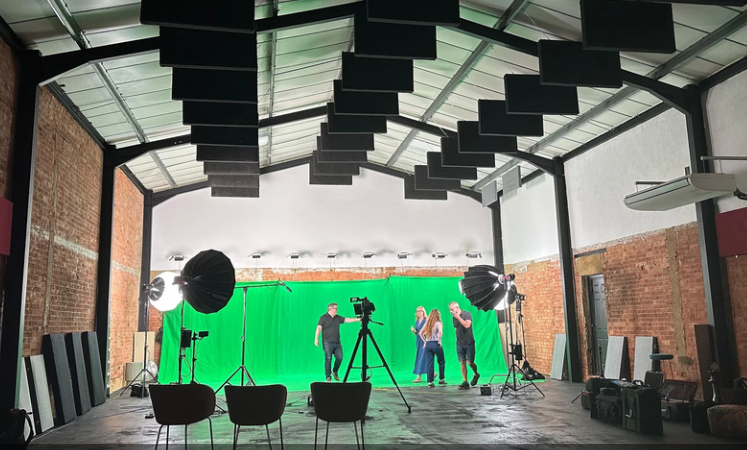
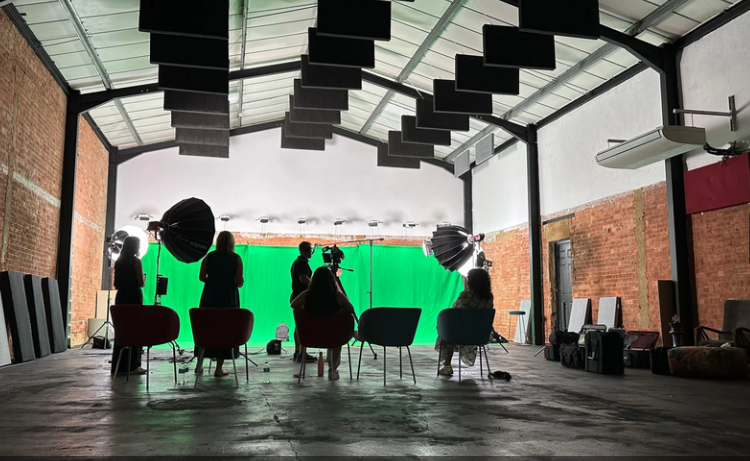
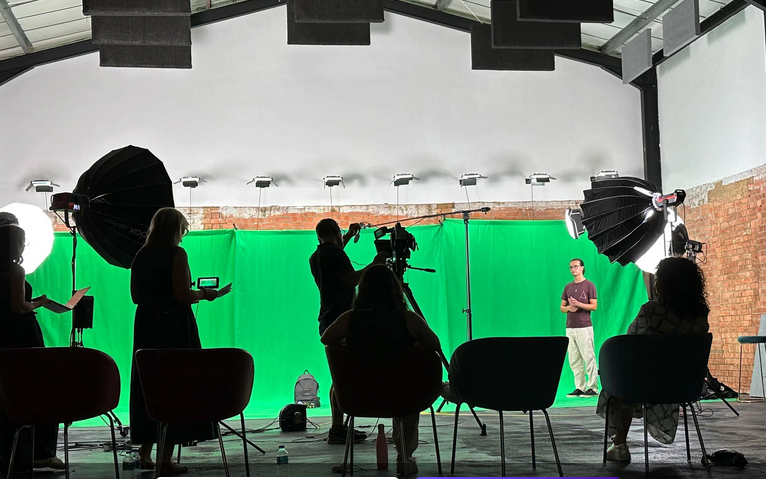
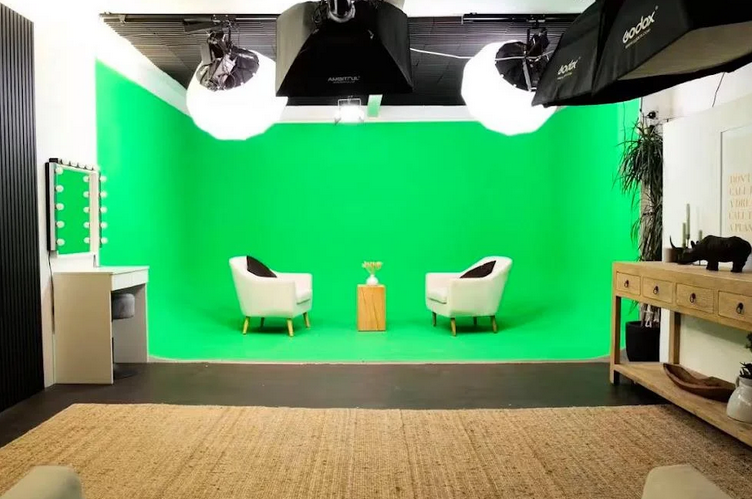
Why It Works Here: Our pre-lit Green Screen Cove provides a perfectly smooth, evenly lit background, which is essential for making a virtual set look clean and believable.
## 2. Become an Immersive Storyteller 🌍
A green screen gives you the power to transport your audience directly into the heart of your narrative. Instead of just telling your viewers about a place or concept, you can show them.
The Creative Idea: If you're discussing a historical event, you can place yourself in front of archival footage, becoming a correspondent from the past. For a travel segment, you can appear "on-location" with stunning 4K footage of a destination behind you. Reviewing a product? Superimpose yourself next to it, pointing out features with dynamic animated graphics that appear around you.
Why It Works Here: The scale of our Giant Green Screen allows for full-body shots and ample movement, giving your "on-location" segments a dynamic and convincing feel.
## 3. Create Dynamic Educational Content 📈
Transform your educational content from a static lecture into an engaging visual masterclass. A green screen allows you to interact with your teaching materials in a whole new way.
The Creative Idea: Don't just refer to a chart—have it animate and build right next to you as you explain each data point. "Walk through" a complex process or diagram that is composited into the space around you. This visual-first approach to learning makes complex information far more digestible and memorable for your audience.
Why It Works Here: Combining our green screen facilities with our professional Video Editing Service provides an end-to-end solution for creating and integrating these sophisticated graphics into your final video.
## 4. Redefine the Remote Interview 🤝
Elevate the standard split-screen look for your remote interviews. A green screen can create a more cohesive and professional experience for you and your guest.
The Creative Idea: Ask your remote guest to use a simple green screen on their end. Our technicians can then composite both of you into the same virtual set, creating the illusion that you're sitting in the same room. This instantly makes the conversation feel more connected and visually appealing than two separate video boxes. At Finchley Studio, we can seamlessly integrate these remote feeds into your live recording.
A green screen is more than a backdrop; it's a gateway to limitless creative potential. The only constraint is your imagination.
Bring Your Vision to Life at Finchley Studio
Ready to unlock your creative potential? At Finchley Studio, we provide the state-of-the-art green screen facilities and expert support you need to produce visually stunning content. This commitment to quality is why leading organisations like the BBC and Lloyds Bank trust us with their productions. See what our clients are saying in our Google reviews and on Trustpilot.
Our green screen studios are designed for maximum flexibility and professional results:
Green Screen Cove: A fully equipped, pre-lit, curved studio designed for seamless and immersive video production.
Giant Green Screen: Housed in our spacious warehouse, this is one of London's largest green screens, perfect for ambitious film, TV, and commercial projects.
Of course, we also offer a full range of traditional sets:
Dialogue Room: An intimate space perfect for one-on-one interviews and small group discussions.
Lounge Studio: A relaxed and comfortable setting for casual conversations with up to 5 participants.
CEO Set: A premium, sleek backdrop for executive interviews, masterclasses, and expert talks.
Blackwood Studio: A sophisticated and modern set with a striking black wood finish for a cinematic feel.
The Brick Studio: A versatile warehouse space with authentic brick walls for an industrial-chic aesthetic.
Gathering Studio: A professional environment designed for larger roundtable discussions and corporate panels.
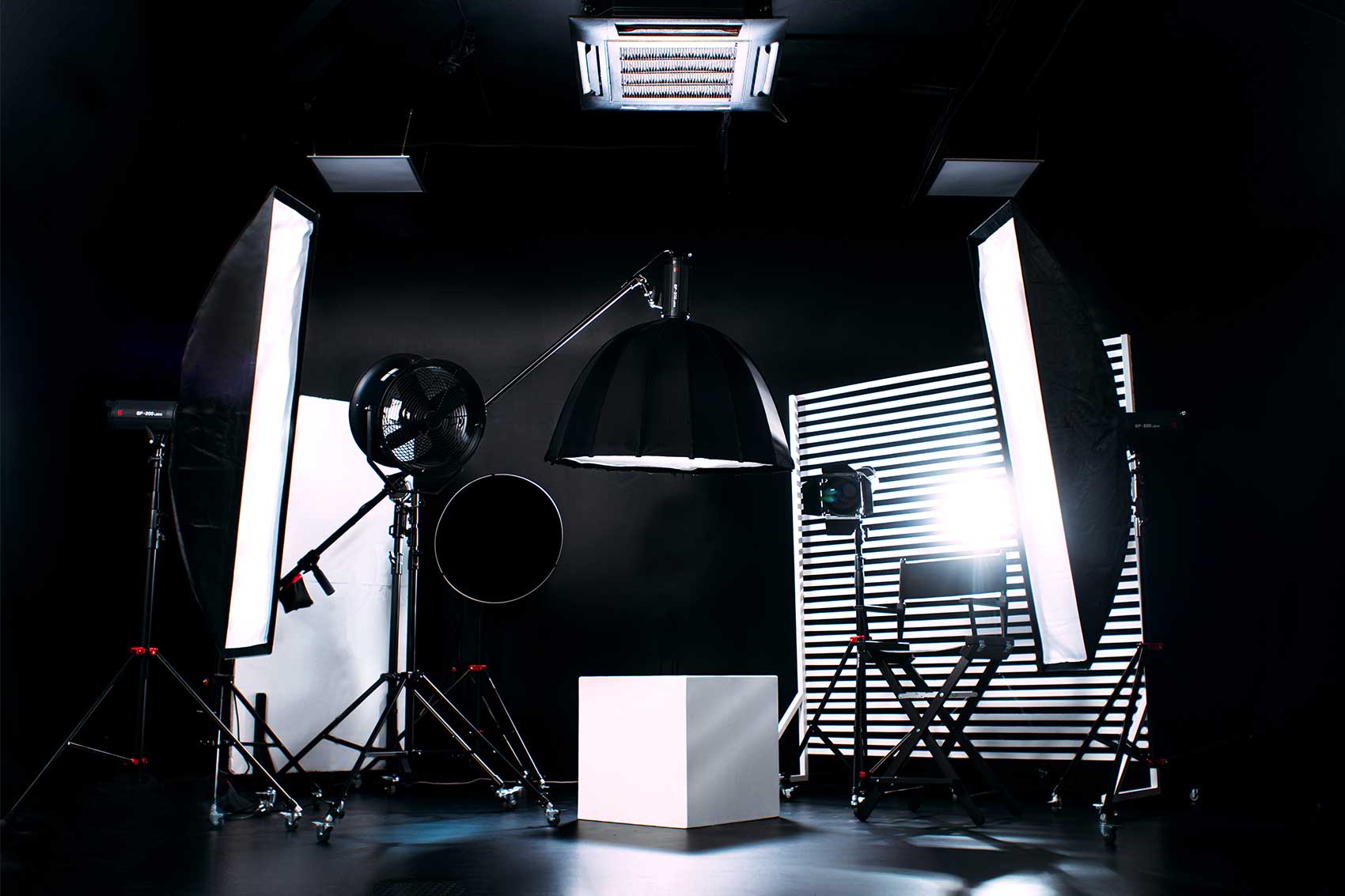
Blackout Set: A fully controlled dark space for dramatic, high-contrast visuals and creative projects.
White Infinity Cove: A seamless, edge-free backdrop for clean and minimalist product or fashion shoots.
Our professional Video Editing Service can handle all your chroma keying and post-production needs. The team at Finchley Studio is here to ensure your vision is realised perfectly.
Ready to create something amazing? See why top creators rate Finchley Studio as their go-to production partner.
Find Us Easily:
Our studio is conveniently located just a two-minute walk from Finchley Central on the Northern Line and adjacent to the Travelodge London Finchley. We offer one free parking space per booking.