
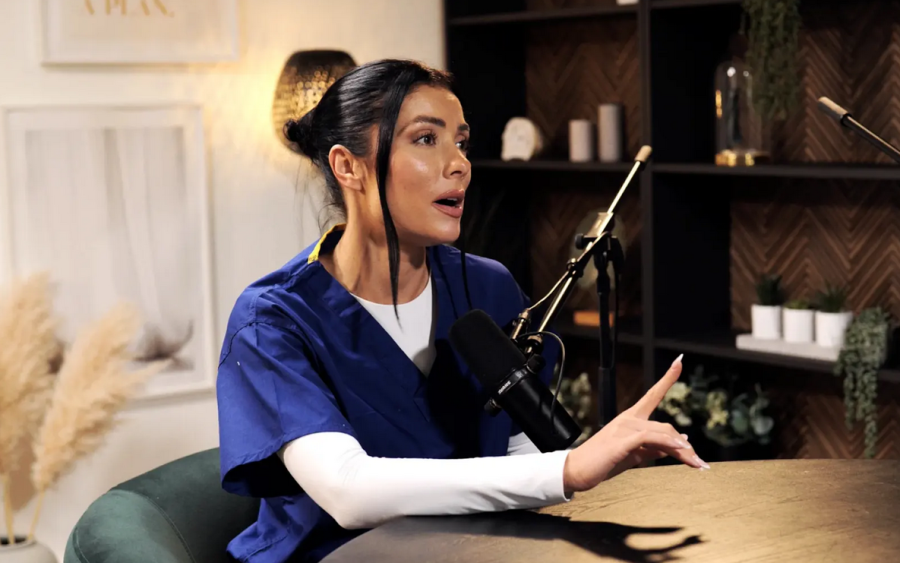
1. Introduction: The Bifurcation of the Modern Audio Signal Chain
The contemporary audio production landscape, particularly within the dense and competitive London market, has undergone a fundamental schism. On one side lies the traditional, immutable physics of the professional recording studio—environments constructed with mass-loaded vinyl, floating floors, and copper cabling designed to capture sound at the speed of electricity. On the other stands the decentralized, software-defined ecosystem of remote recording, where the signal chain is no longer a linear path of voltage but a complex web of packet switching, buffer management, and server-side processing. This report provides an exhaustive technical analysis of these two paradigms, specifically examining the critical metric of latency—both as a measurable temporal delay and as a psychological barrier to conversational flow.
In the post-2020 era, the term "latency" has migrated from the lexicon of systems engineers to the daily vocabulary of content creators, producers, and corporate communicators. Yet, it remains frequently misunderstood. It is not merely a nuisance of "lag"; it is a defining parameter that dictates the rhythm, energy, and intelligibility of human dialogue. The analysis that follows integrates data on network protocols (WebRTC vs. proprietary transport), hardware interface specifications (buffer sizes and sample rates), and the specific equipment inventories of London’s leading podcasting facilities—such as TYX Studios in Tileyard, Premiere Podcast Studios in Shoreditch, and Dean St. Studios in Soho. By establishing a hierarchy of reliability and fidelity, we can discern not just how these systems function, but why certain productions succeed in a remote context while others suffer from a palpable degradation of chemistry.
Furthermore, this report posits that technical latency is not merely a Quality of Service (QoS) metric but a determinant of editorial content quality. The milliseconds of delay introduced by a buffer size or a jitter algorithm directly impact the neurocognitive mechanisms of turn-taking. Thus, the choice between a remote platform like Riverside or a physical session at a studio like Qube is not simply a logistical decision; it is an editorial one.
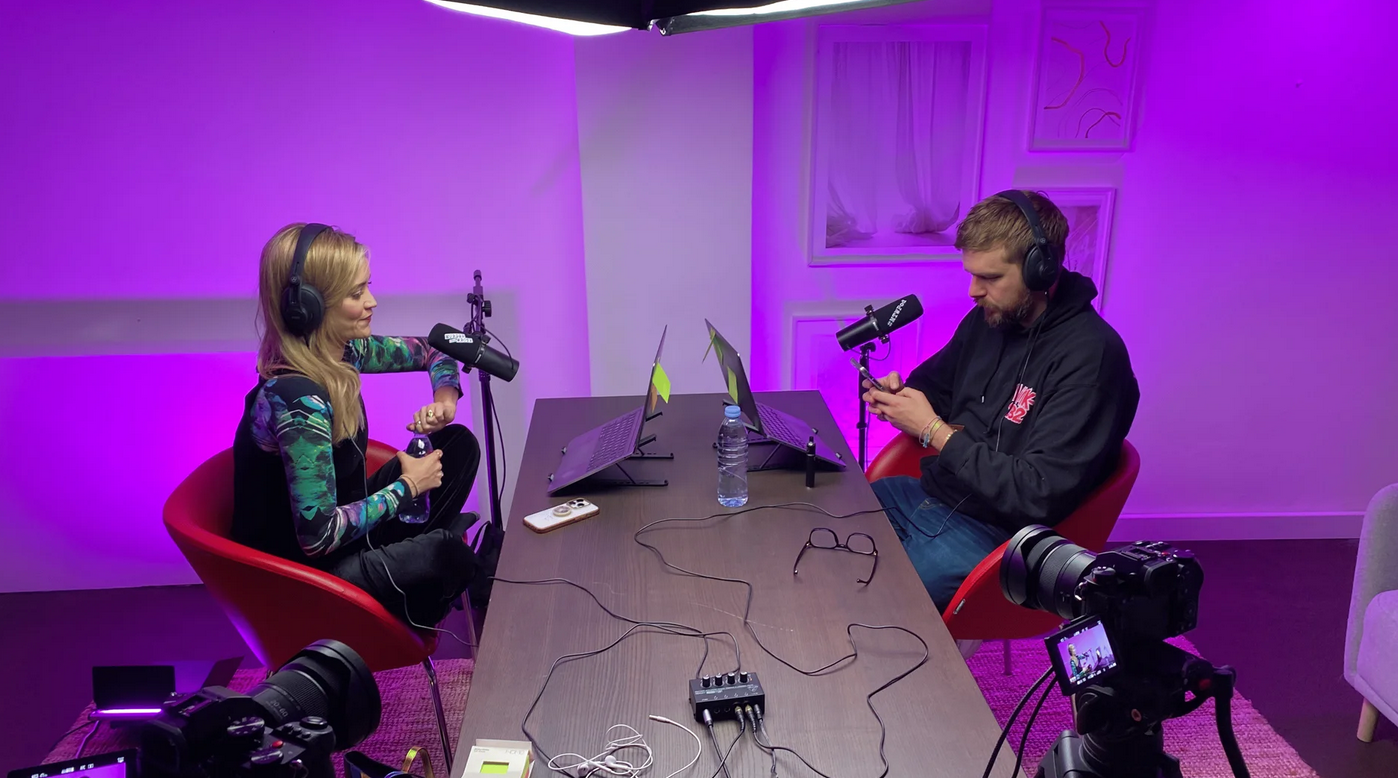
See the 'Murder They Wrote' podcast setup used by Laura Whitmore and Iain Stirling from BBC at Finchley Studio (Gathering setup). Watch Murder They Wrote at BBc sound , Spotify , Apple podcasts , Youtube , Instagram , Amazon music
Book this setup for your podcast
2. The Physics and Psychoacoustics of Audio Latency
To rigorously evaluate the trade-offs between remote platforms and in-studio sessions, one must first establish the technical and biological thresholds that govern human conversation. Latency in this context is not a singular metric but a composite of hardware processing, network transmission, and cognitive perception. It is the sum of physical distance, digital conversion, and the brain's own processing time.
2.1 The Cognitive Threshold: Turn-Taking and Conversational Flow
The primary casualty of high latency is the natural "turn-taking" mechanism of human dialogue. Research into conversational analysis indicates that the gap between speakers in a fluid conversation—the floor-transfer offset (FTO)—is often measured in mere milliseconds, frequently averaging around 200ms for standard responses.1 This rapid exchange relies on the brain's ability to predict the end of a sentence based on prosody, syntax, and visual cues.
When technical latency is introduced, it disrupts this predictive capability. Data suggests that the human threshold for perceiving delay in a conversation—often referred to as the "mouth-to-ear" latency—begins to degrade interaction quality at approximately 200 milliseconds (ms).1 While delays below this threshold are generally tolerated and compensated for subconsciously, delays exceeding 500ms cause significant cognitive load.2
In a high-latency environment, the conversation suffers from two distinct failure modes:
Unintended Interruption (Crosstalk): Speaker A finishes a sentence. Speaker B, hearing silence, begins to speak. However, due to latency, Speaker A has actually added a tag to their sentence, which Speaker B does not hear until they have already started talking. The result is a "collision" of audio that renders both parties unintelligible.2
Unnatural Silence (The "Stop-Wait" Strategy): To avoid crosstalk, participants subconsciously adopt a strategy of waiting longer than necessary to ensure the channel is clear. This introduces artificial gaps or "lapses" in the dialogue, draining the energy and spontaneity from the recording.4
This phenomenon creates what sociolinguistic researchers describe as a "fractured ecology," where participants do not share a mutual temporal reality.4 The interlocutor hears a response hundreds of milliseconds after it was spoken, and their subsequent reply is similarly delayed. This Round-Trip Time (RTT) creates a cumulative drag on the energy of the recording. Producers often describe this qualitative loss as a lack of "chemistry," but it is strictly a technical artifact of the signal chain.6
Furthermore, studies utilizing dual-electroencephalography (dual-EEG) have shown that high latency (e.g., 800-1600ms) modulates beta and gamma frequency bands in the brain, indicating increased attentional load. Participants must expend more mental energy monitoring the channel for gaps rather than focusing on the content of the conversation.

See the 'The Tooney & Russo Show' from BBC and Lionesses Ella Toone and Alessia Russoat from England national football team at Finchley Studio (Lounge setup). Book this setup for your podcast. Watch 'The Tooney & Russo Show' at BBc sound , Spotify , Youtube, Amazon music.
Book this setup for your podcast
2.2 Technical Definitions of Latency Components
To understand where this delay originates, we must dissect the signal chain. Total system latency ($L_{total}$) in any digital recording workflow can be expressed as the sum of several discrete stages:
Analog-to-Digital Conversion): The time taken for the audio interface to convert voltage from the microphone into binary data. This is typically negligible (<1ms) in modern gear but varies by chipset architecture.6
(Buffer Latency): This is a critical user-configurable variable in local systems. It is determined by the buffer size (measured in samples) divided by the sample rate. For example, a buffer size of 256 samples at a 44.1kHz sample rate results in approximately 5.8ms of latency.7 In remote systems, jitter buffers are added to this, often effectively increasing the buffer size to 50-100ms to smooth out packet arrival.10
{processing}: The time the CPU requires to apply effects, mix signals, or encode audio for transmission. In a DAW, this includes plugin delay compensation; in a remote call, it includes echo cancellation and noise suppression algorithms.11
{transmission} (Network Latency): The variable time taken for data packets to traverse the public internet. This is the dominant factor in remote recording and is subject to the laws of physics (speed of light in fiber) and network topology (number of hops).11
{D/A} (Digital-to-Analog Conversion): The conversion back to voltage for headphone monitoring.
In a physical London studio, $L_{transmission}$ is effectively zero (limited only by the speed of electricity in copper, roughly 2/3 the speed of light), resulting in sub-10ms round-trip times that are imperceptible to the performer.7 In remote recording, $L_{transmission}$ becomes the dominant variable, often introducing jitter and packet loss that software must compensate for via additional buffering, further increasing delay.10
3. Remote Recording Platforms: The Software Layer
The shift to remote recording has necessitated the development of specialized software architectures designed to mitigate the inherent instability of the public internet. The market is currently dominated by "double-ender" platforms (Riverside, SquadCast) and real-time conferencing tools (Zoom, Microsoft Teams). These platforms utilize distinct protocols that prioritize either stability or latency, with significant implications for the end user.

Finchley Studio (Dialogue set): book this setup for your podcast
3.1 Protocol Architecture: WebRTC vs. Proprietary Transport
The foundational technology underpinning most modern remote recording platforms is WebRTC (Web Real-Time Communication). Unlike older protocols like RTMP (Real-Time Messaging Protocol) or HLS (HTTP Live Streaming), which prioritize stream stability and quality over timeliness (often inducing latencies of 6 to 30 seconds or more), WebRTC is designed specifically for sub-500ms latency to enable interaction.14
The UDP vs. TCP Trade-off
WebRTC utilizes the User Datagram Protocol (UDP) for data transmission. This is a crucial architectural choice. Unlike TCP (Transmission Control Protocol), which guarantees packet delivery by requesting retransmission of lost data (a process that causes buffering and halts playback until data arrives), UDP fires packets continuously without verification.
TCP (Used in HLS/DASH): High reliability, high latency. If a packet is lost, the stream pauses. Perfect for Netflix; disastrous for conversation.15
UDP (Used in WebRTC): Low reliability, low latency. If a packet is lost, it is simply skipped. This preserves the "live" nature of the call but results in "robotic," "glitchy," or "underwater" audio artifacts when the network degrades.15
To manage this, WebRTC implementations utilize a Jitter Buffer. This is a small storage area (usually 20-50ms) that holds incoming packets briefly to ensure they can be played out in the correct order despite arriving at slightly different times. If network jitter (variance in ping) exceeds the size of the buffer, packets are discarded, causing audio dropouts.1
This architectural limitation is the primary driver behind the "Local Recording" model used by platforms like Riverside and SquadCast. These platforms use WebRTC for the live conference feed (allowing low-latency conversation) but simultaneously record high-fidelity, uncompressed WAV or MP4 files directly to the user's local browser storage (IndexedDB).
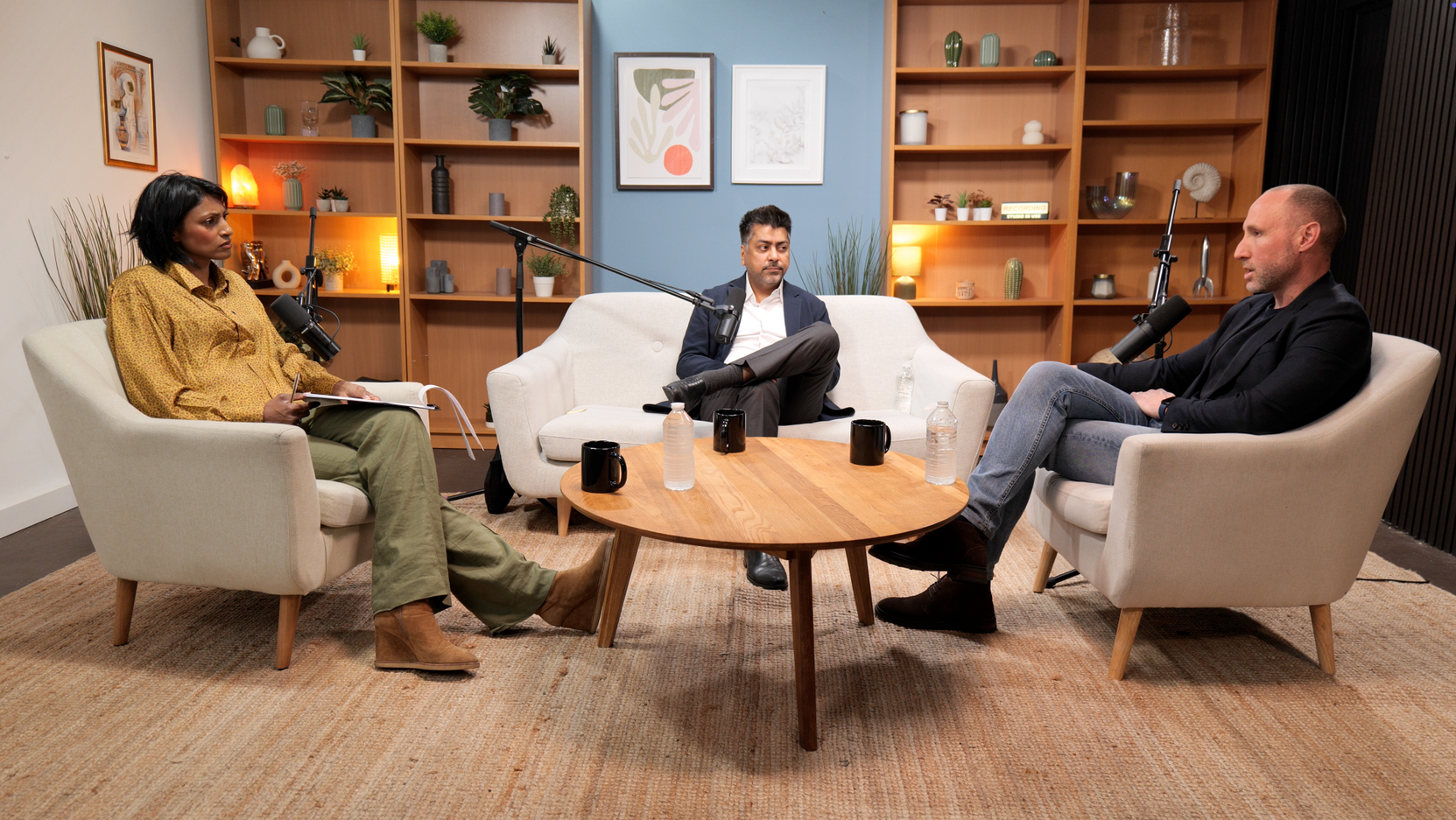
See the 'No ordinary tech podcast ' from Lloyds Banking Group by Rohit D (AI Leader for Lloyds Banking Group) and DR. shini somara (Pro-Chancellor of Brunel University) . at Finchley Studio (Lounge setup). Book this setup for your podcast.
3.2 Platform-Specific Latency and Reliability Analysis
The following analysis compares the technical architecture and observed latency behaviors of major platforms used by London-based productions.
Riverside.fm: High Fidelity, High Risk?
Riverside is frequently cited as the industry standard for quality due to its ability to record 4K video and lossless audio locally.22 However, technical analysis reveals vulnerabilities in its browser-based storage mechanism. Because files are written to the browser's temporary database (IndexedDB) before upload, a browser crash or premature tab closure can result in data loss if the "recovery" features fail to retrieve the temporary files.19
Furthermore, users have reported significant CPU resource contention when recording 4K video. The encoding of high-resolution video within the browser environment (often using WebAssembly or Chrome's internal media engines) creates a processing bottleneck. This paradoxically induces local lag and "audio drift" on the user's machine, even if the network connection is stable.18 The "Producer Mode," designed to allow a third party to monitor the session, adds another WebRTC peer to the mesh connection, which can degrade the bandwidth available for the primary guest, leading to lower resolution streams or increased artifacting.28
Zoom: The Utilitarian Alternative
Zoom prioritizes connectivity over fidelity. Its compression algorithms and aggressive echo cancellation often result in audio artifacts, particularly when two people speak simultaneously (duplex communication). Zoom’s "Original Sound" mode mitigates some of this processing by disabling echo cancellation and noise suppression, but latency tests indicate varying performance: typical one-way latency is recorded around 66ms, but network recovery scenarios (packet loss) can spike this to over 100ms, introducing significant jitter.10
Critically, Zoom's recording architecture differs from the double-ender model. While local recording is available, it records the downstream audio—meaning any network glitches, robotic artifacts, or dropouts heard during the call are "baked into" the final file.29 Cloud recordings offer ISO (isolated) tracks, but these are also generated server-side from the received stream, preserving all transmission errors.20
Zencastr and SquadCast: The Browser Battle
Zencastr and SquadCast operate on similar principles to Riverside but with distinct trade-offs. Zencastr has faced criticism for stability issues ("glitchy when you start recording") and a lack of advanced features in its free tiers.22 SquadCast emphasizes audio reliability and recently integrated with Descript for editing, but users on older hardware may experience audio syncing issues if their CPU cannot keep up with the real-time encoding demands of the browser.
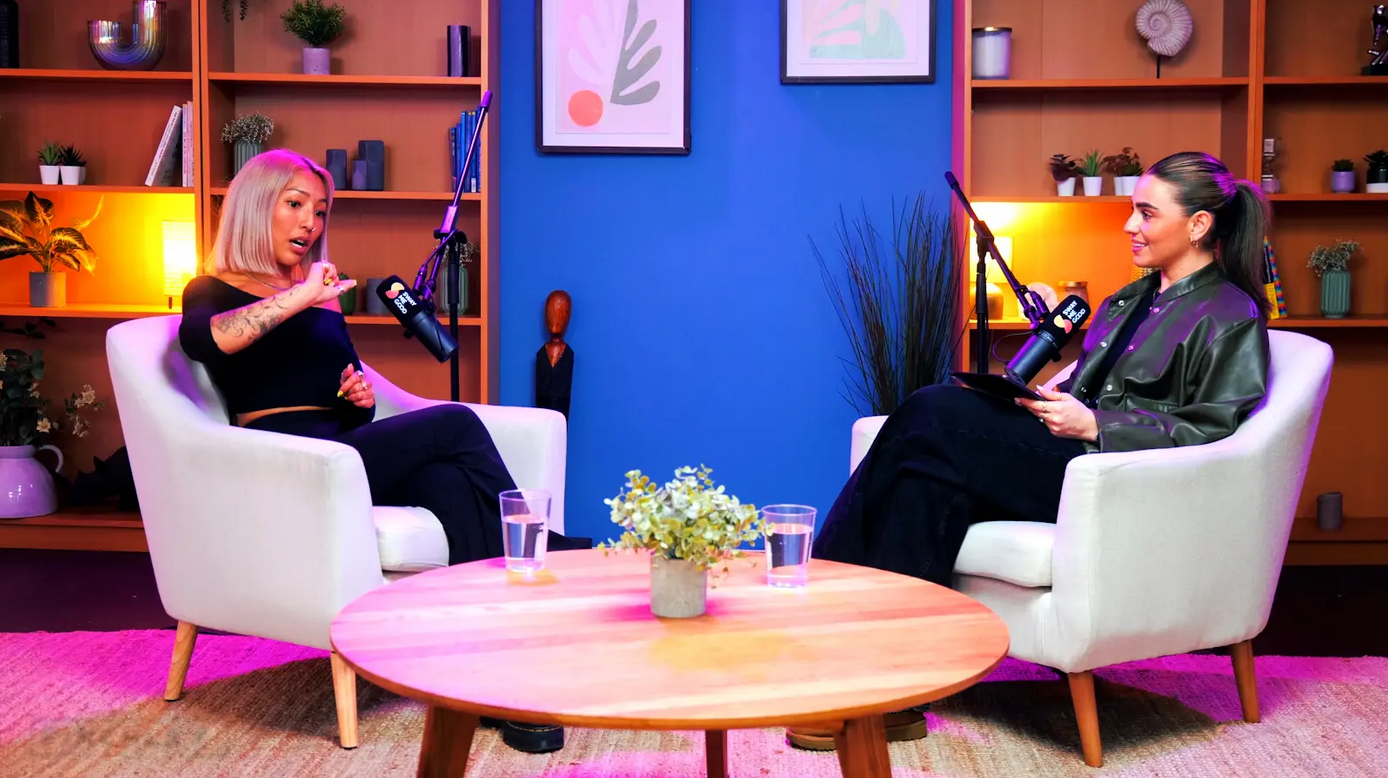
Finchley Studio (Lounge set): book this setup for your podcast
3.3 The Challenge of Audio Drift and Synchronization
A pervasive and often unanticipated issue in remote recording is Audio Drift. This occurs not just due to network lag, but because of Sample Rate Mismatch and Clock Drift.
In a professional studio, all digital devices (interfaces, converters, recorders) are synchronized via a master "Word Clock" generator. This ensures that every device agrees on exactly when a second has passed and when a sample should be taken. In a remote "double-ender" scenario, each participant is using their own consumer-grade audio interface or USB microphone. These devices run on internal crystal oscillators (clocks) that are rarely perfectly calibrated.
The Mechanism of Drift:
If Guest A's clock is running slightly fast (e.g., effectively 44,105 Hz instead of 44,100 Hz) and Guest B's clock is running slow, their recordings will physically be different lengths after an hour. Over a 60-minute recording, this can result in a drift of several seconds.31
Sample Rate Mismatch: If one user records at 44.1kHz and another at 48kHz, the files will be drastically different lengths and pitches when aligned in a DAW without proper conversion.9
Consequences: This necessitates manual "elastic audio" stretching in post-production, where an editor must cut the audio every few minutes and drag it back into sync. This process is time-consuming, expensive, and can introduce audible artifacts.33
This phenomenon is a physical inevitability of unsynchronized remote recording that simply does not exist in the clock-locked environments of studios like Dean St. or TYX.
4. Hardware Interfaces and Local Signal Chains
Whether recording remotely or in a studio, the audio interface acts as the critical bridge between the analog and digital domains. The selection of hardware significantly influences the "Round Trip Latency" (RTL)—the time it takes for a signal to enter the interface, be processed by the computer, and return to the headphones.
4.1 Buffer Size, Sample Rate, and Physics
The relationship between audio quality, stability, and latency is governed mathematically by the buffer size. Audio data is processed in chunks (buffers). A smaller buffer reduces latency because the computer processes data more frequently, but this increases the load on the CPU (Central Processing Unit), risking "pops" and "clicks" (buffer underruns) if the processor cannot keep up.9
The Latency Formula:
$$\text{Latency (ms)} = \frac{\text{Buffer Size (samples)}}{\text{Sample Rate (kHz)}}$$
For a standard recording setup, the theoretical latencies are as follows:
32 Samples @ 48kHz: $\approx 0.66ms$. However, this is only the buffer time. Real-world RTL must include the A/D and D/A conversion time plus USB driver overhead, usually resulting in 3-4ms on high-end systems.36
256 Samples @ 44.1kHz: $\approx 5.8ms$. Real-world RTL is often 10-15ms.7
512 Samples @ 44.1kHz: $\approx 11.6ms$. Real-world RTL approaches 20-25ms, which becomes noticeable to a vocalist or percussionist.7
Research on the Focusrite Scarlett 3rd Gen series (a standard for home setups) indicates that at a 32-sample buffer and 48kHz sample rate, users achieve a round-trip latency of roughly 7.6ms on optimized systems.37 However, many remote platforms (like browser-based WebRTC) do not allow users to manually optimize buffer sizes. Browsers often default to higher buffers (e.g., variable buffers adapting to 20-60ms) to ensure stream stability, thereby increasing the monitoring delay for the user regardless of their high-end interface settings.38
4.2 The RodeCaster Pro II: The Integrated Standard
The RodeCaster Pro II has emerged as a ubiquitous tool in both London studios (Premiere Podcast Studios) and high-end home setups. Its popularity stems from its ability to solve the latency problem via hardware rather than software.
Tests indicate an input-to-output latency of approximately 6ms for the unit itself.39 Crucially, the RodeCaster uses internal DSP (Digital Signal Processing) for compression, gating, and EQ. This offloads processing from the computer. In a studio or remote setup, this allows the user to hear their own voice with near-zero latency (Direct Monitoring) before the signal is sent to the computer. This effectively bypasses the computer's software latency loop entirely for the user's own ears, solving the "self-monitoring" delay that often confuses novice speakers.40
Furthermore, the RodeCaster supports multitrack recording directly to an onboard SD card. This provides a "hardware safety net," ensuring that even if the computer crashes or the WebRTC stream fails, a pristine local copy exists.41
5. The London Studio Landscape: The Physical Layer
For productions requiring guaranteed fidelity, zero-latency interaction, and immunity from the vagaries of the public internet, the physical studio remains the superior option. The London market offers a tiered landscape of facilities, ranging from accessible "prosumer" spaces to broadcast-grade engineering hubs. Each tier offers a distinct value proposition regarding signal integrity and equipment specification.

Finchley Studio (Giant Blackout Set): book this setup for your podcast
5.1 Tier 1: Broadcast & Music Heritage Studios
Key Facilities: Dean St. Studios (Soho), TYX Studios (Tileyard)
These facilities represent the pinnacle of signal chain integrity, leveraging decades of music industry heritage to service high-end podcasting and audio drama.
Dean St. Studios: Located in the heart of Soho, this studio leverages its history as a world-class music recording facility. It employs high-end Neumann U87 and AKG microphones routed through analog consoles or premium interfaces like the Avid Carbon and Avid MTRX.42 The Avid MTRX system specifically utilizes FPGA technology to achieve near-zero latency monitoring even with heavy plugin processing.
Dolby Atmos Capability: Dean St. is a leader in the emerging market for immersive audio, offering 9.1.4 PMC Dolby Atmos mixing suites. This allows for the creation of spatial audio dramas where sound can be placed 360 degrees around the listener—a format impossible to monitor accurately in a remote setting.42
TYX Studios: Situated in the Tileyard creative hub in King's Cross, TYX features Focusrite Red 16Line interfaces and classic Neve 1073 preamps.44 The Neve 1073 is legendary for adding harmonic saturation and "warmth" to vocals, a physical characteristic of the transformer-based circuit that software emulations can approximate but not perfectly replicate in real-time without latency.
Latency Profile: In these environments, all participants are in the same room or connected via low-latency Dante audio-over-IP networks. The "air gap" latency is physically determined by the distance between speakers (approx 3ms per meter), which is natural to the human ear. There is zero network packet loss, and all devices are synced via a master word clock, eliminating audio drift entirely.43
5.2 Tier 2: Dedicated Podcast & Content Studios
Key Facilities: Premiere Podcast Studios (Shoreditch), Qube (West/East London)
These studios bridge the gap between high-end engineering and content creator accessibility, often focusing on video integration.
Premiere Podcast Studios: This facility is heavily invested in the RodeCaster Pro II ecosystem coupled with Shure SM7dB and Shure MV7 microphones.41 The Shure SM7B is a low-output dynamic microphone that requires significant clean gain (amplification). The RodeCaster's "Revolution" preamps are specifically designed to drive these mics without the noise floor hiss common in cheaper interfaces.
Visual Integration: Premiere integrates Sony FX30 and Sony A7IV cinema line cameras for 4K visual capture. The use of these large-sensor cameras provides a depth of field and dynamic range that vastly outperforms the webcams used in remote recording.41
Qube: Operating on a membership model for creators, Qube utilizes Zoom PodTrak P8 interfaces and Shure MV7 mics.47 The PodTrak P8, like the RodeCaster, is a standalone recorder. This minimizes the risk of computer crashes affecting the audio recording, as the primary capture happens on the device itself.
Latency Profile: While these studios use digital interfaces, the "Direct Monitoring" features of the RodeCaster and PodTrak ensure that hosts hear themselves and guests without round-trip computer latency. The acoustic treatment in these spaces (acoustic paneling, softbox lighting) significantly reduces room reverberation compared to home offices, creating a "drier" sound that is easier to mix and master.45
5.3 Tier 3: Standardized "Plug-and-Play" Rooms
Key Facilities: Podcast Room (Multiple Locations)
Podcast Room: This brand focuses on consistency across multiple London locations. They utilize a standardized kit similar to Premiere (Rode mics, Blackmagic cameras) to lower the barrier to entry.49
Analysis: These spaces are designed for "self-service" or "assisted" workflows. The reliance on standardized prosumer gear (Rode) rather than boutique analog gear (Neve/SSL) suggests a focus on ease of use, quick turnaround, and scalability over absolute audiophile fidelity. However, compared to a remote setup, they still offer the massive advantage of a sound-treated room and zero-latency interaction.49
5.4 Comparative Equipment Matrix: London Studios
The following table summarizes the hardware specifications of key London facilities, illustrating the tiering of equipment.
6. Visual Podcasting and Bandwidth Contention
A critical emerging trend in 2025 is the "Video First" podcast strategy. This shift has significant implications for latency and system performance.
In a remote context, transmitting 4K video (as supported by Riverside) places an immense strain on the user's local bandwidth and CPU. Even with modern fiber connections, the upload speed requirements for stable 4K streaming are substantial (recommending 20Mbps+ upload solely for the stream). If the bandwidth fluctuates, the WebRTC protocol will prioritize audio, but video frames may drop, or the resolution may dynamically scale down (e.g., dropping from 4K to 720p).

Finchley Studio (White Infinity Cove): book this setup for your podcast
More critically, the encoding of 4K video is computationally expensive. If a user is running Riverside on a standard laptop (e.g., a MacBook Air with 8GB RAM), the CPU may throttle. This thermal throttling can introduce system latency, where the computer processes audio buffers slower than real-time, causing the user's cursor to lag and audio to drift or crackle.18
In contrast, London studios like Premiere and TYX utilize dedicated capture hardware. The Sony FX30s or Blackmagic cameras record video internally to high-speed SD cards or SSDs. The computer is only used for a lightweight monitoring feed, not for the heavy lifting of 4K encoding. This "distributed processing" model ensures that video fidelity never compromises audio latency or system stability.41
7. Comparative Workflow Analysis: Risk vs. Reward
The decision between remote and in-studio recording involves balancing three vectors: Fidelity, Reliability, and Interaction Quality.
7.1 The Reliability Vector: Local Storage vs. Dedicated Recorders
The "Local Recording" software model (Riverside/SquadCast) represents a brilliant software engineering solution, but it shifts the burden of reliability to the endpoint—the user's computer. It relies on the user having sufficient RAM, a stable browser, and enough hard drive space. If a user's Chrome tab crashes due to RAM exhaustion, or if they close the laptop before the upload completes, the recording can be lost or corrupted.26
In contrast, London studios like Premiere and Qube utilize hardware recorders (RodeCaster, PodTrak) that record to SD cards independent of a computer OS. This hardware redundancy virtually eliminates the risk of "crash-induced" data loss. Even if the studio computer blue-screens, the RodeCaster continues to record audio uninterrupted.

Finchley Studio (Dialogue set): book this setup for your podcast
7.2 The Fidelity Vector: Signal Chain Integrity
Remote recording is technically limited by the weakest link in the chain—often the guest's acoustic environment and microphone technique. Even with lossless WAV capture, a Shure MV7 recorded in an untreated kitchen with a refrigerator humming in the background will suffer from noise floor issues that no software, including AI noise reduction, can fully remove without introducing "watery" artifacts.
In-studio sessions at facilities like TYX or Dean St. utilize acoustically treated rooms designed for sound refraction reduction. They employ high-end preamps (Neve/Focusrite) that provide a signal-to-noise ratio effectively unattainable in most home setups due to the cleaner power supplies and electromagnetic shielding found in professional environments.44
7.3 The Interaction Vector: Latency's Invisible Cost
The most profound difference remains the interaction latency. A remote session, even on an optimized fiber connection, introduces 50-100ms of latency minimum, plus the cognitive load of "Zoom fatigue" (misaligned gaze, micro-delays). This often forces a slower, more declarative style of speaking.
A studio session allows for <10ms latency and full visual cues. This difference fundamentally alters the pacing of the content. Comedy, debate, and drama genres, which rely on rapid-fire interjections, overlaps, and comedic timing, suffer measurably in remote environments due to the 200ms turn-taking threshold.1 The "chemistry" of a podcast is often just the absence of latency.
8. Conclusion
The technical analysis suggests that while remote recording platforms have advanced significantly through the implementation of local recording architectures and WebRTC protocols, they remain subject to the inescapable physics of network latency and the variabilities of consumer hardware. The "Local Recording" model solves the fidelity issue but introduces new reliability risks regarding browser stability and CPU load.
For productions where content flow, comedic timing, or debate interaction is paramount, the <10ms latency environment of a physical studio in London is irreplaceable. The cost of the studio is effectively an insurance policy against the cognitive drag of latency, the risk of audio drift, and the technical peril of browser-based data loss.
However, for interview-based formats where the guest is remote and cannot travel, a hybrid approach is the optimal technical solution. Utilizing a professional studio (like Premiere or TYX) for the host ensures a broadcast-grade "A-side" signal, professional monitoring, and a stable environment to manage the call. Platforms like Riverside should then be employed for the remote guest, provided strict protocols are followed regarding browser handling, and a backup local audio recording (e.g., via QuickTime or a handheld recorder) is mandated for the guest to mitigate the risk of WebRTC data loss.
Ultimately, the choice rests on whether the production prioritizes the convenience of the connection or the chemistry of the conversation. As the data indicates, the latter is biologically tethered to the absence of latency—a luxury that, in 2025, is still best purchased in a soundproof room in Soho or Shoreditch.
The proliferation of remote recording platforms has offered podcasters geographical flexibility, yet this convenience comes at a severe technical cost: latency. For serious creators and corporate producers in the London market, the risk of audio and video synchronization errors introduced by remote solutions is often too high to justify, positioning the dedicated in-studio session as the only viable option for guaranteed broadcast quality.
The Technical Hurdle: Latency in Remote Sessions
Latency refers to the time delay between a sound being captured and it being registered at the receiving end. In remote sessions, this delay is governed by unpredictable variables:
- Internet Stability: Every participant's internet speed and connection quality acts as a bottleneck, causing jitter and variable delays that disrupt natural conversation flow. Hosts often talk over guests, and the final edit requires extensive manual adjustment to align audio and video, leading to massive time overruns in post-production.
- A/V Synchronization: The most critical failure point is video synchronization. When audio and video drift out of sync—a near certainty with remote latency—the result is amateurish and destroys audience immersion, directly impacting viewer retention rates.
The Zero-Latency Guarantee of London Studios
Professional London studios eliminate latency risk entirely by relying on closed, hardwired systems:
- Internal Routing: Within the studio, all microphones and cameras are connected directly to a central mixer and recorder via cables, operating on a near-zero latency network. This ensures all individual audio tracks are captured at the exact same moment.
- Flawless Sync: This physical setup guarantees perfect alignment between the recorded audio and the 4K multi-camera video feeds, whether you are recording a discussion in the Dialogue Room or a group session in the GATHERING STUDIO.
Studios also offer acoustics and equipment that remote setups cannot match, guaranteeing a consistently high-quality signal before latency even becomes a factor.
Strategic Production Choice in the London Ecosystem
For producers targeting competitive UK markets, the cost-benefit analysis favors the studio. The time saved in post-production alone—by avoiding manual synchronization, noise reduction, and acoustic correction—often outweighs the rental fee. This guaranteed efficiency and quality is why professional organizations, including the BBC and Lloyds bank, rely on the consistent, high-standard infrastructure offered by dedicated facilities.
We hope this technical analysis clarifies the importance of latency control in production. To take your production to the next level, the right environment is key. We invite you to see what makes Finchley Studio the top choice for creators. As a professional podcast recording studio, Finchley Studio is built to handle all your production needs.
We're trusted by industry leaders and regular clients like the BBC and Lloyds bank, who rely on our professional spaces. We offer a diverse range of unique, pre-lit sets to match any brand or aesthetic. Explore our spaces to find your perfect fit:
- Dialogue Room: For intimate 2-4 person conversations.
- LOUNGE STUDIO: A relaxed, versatile set for up to 5 people.
- CEO SET: Premium, sleek, and executive.
- Green Screen Cove: A pre-lit, curved studio for seamless virtual backgrounds.
- Blackwood Studio: A sophisticated, modern set with a striking black wood backdrop.
- THE BRICK STUDIO: A 180m² warehouse space with authentic red brick.
- White Infinity Cove: For clean, minimalist, edge-free visuals.
- BLACKOUT SET: Full light control for dramatic, high-contrast content.
- GATHERING STUDIO: A professional space for larger roundtable discussions.
- GIANT GREEN SCREEN: One of London's largest green screens in our 180m² warehouse.
- GIANT BLACKOUT: Our 180m² warehouse for large-scale, controlled dark sets.
Once your recording is complete, let our expert team handle the rest. Our professional Video Editing Service will make your content shine, with a two-week turnaround guaranteed. Choosing Finchley Studio means choosing a seamless experience from start to finish. We're proud of the community we've built at Finchley Studio. Don't just take our word for it—see what other producers have to say about their experience on our Google review page and Trust Pilot.
Finding us is simple. We are conveniently located just Two minutes from Finchley Central (https://tfl.gov.uk/tube/stop/940GZZLUFYC/finchley-central-underground-station?lineId=northern) on the Northern Line. We offer One free parking space per booking, and for those travelling, we are Adjacent to Travelodge London Finchley (https://www.travelodge.co.uk/hotels/614/London-Finchley-hotel). You can find our exact location on Google map, Apple maps, [suspicious link removed], or using our What 3 words (https://w3w.co/orders.yards.jokes) address.
Stay connected with our creative community and see behind-the-scenes content by following us on Instagram, YouTube, TikTok, LinkedIn, and X (Twitter). Have any questions before you book? Check our FAQ page, chat with us directly on WhatsApp, or give us a call at +447587827200. You can also send us an Email. Ready to elevate your podcast? Your next great episode starts here. Book now to secure your spot in one of London's premier podcast studios.
Works cited
Audio issues - The user experiences delays during the call - Microsoft Learn, accessed November 20, 2025, https://learn.microsoft.com/en-us/azure/communication-services/resources/troubleshooting/voice-video-calling/audio-issues/delay-issue
Full article: Concurrent listening affects speech planning and fluency: the roles of representational similarity and capacity limitation - Taylor & Francis Online, accessed November 20, 2025, https://www.tandfonline.com/doi/full/10.1080/23273798.2021.1925130
Conditions for Inter-brain Synchronization in Remote Communication: Investigating the Role of Transmission Delay - arXiv, accessed November 20, 2025, https://arxiv.org/html/2504.05568v1
Whose turn is it anyway? Latency and the organization of turn-taking in video-mediated interaction - PubMed Central, accessed November 20, 2025, https://pmc.ncbi.nlm.nih.gov/articles/PMC7819463/
Hearing-loss related variations in turn-taking time affect how conversations are perceived, accessed November 20, 2025, https://pmc.ncbi.nlm.nih.gov/articles/PMC12129145/
Digital Audio Latency Explained - PreSonus, accessed November 20, 2025, https://www.presonus.com/blogs/technical/digital-audio-latency-explained
Audio latency, buffer size and sample rate explained - Gig Performer®, accessed November 20, 2025, https://gigperformer.com/audio-latency-buffer-size-and-sample-rate-explained
Effects of delay on perceived quality, behavior and oscillatory brain activity in dyadic telephone conversations - Research Profiles and Repository - Western Sydney University, accessed November 20, 2025, https://researchers.westernsydney.edu.au/en/publications/effects-of-delay-on-perceived-quality-behavior-and-oscillatory-br/
Which Buffer Size Setting Should I Use in My DAW? - Sweetwater, accessed November 20, 2025, https://www.sweetwater.com/sweetcare/articles/which-buffer-size-setting-should-i-use-in-my-daw/
Zoom Video and Audio Quality report, accessed November 20, 2025, https://www.zoom.com/en/resources/video-audio-quality-report/
WebRTC - remove/reduce latency between devices that are sharing their videos stream?, accessed November 20, 2025, https://stackoverflow.com/questions/21407043/webrtc-remove-reduce-latency-between-devices-that-are-sharing-their-videos-str
Audio latency measurements | Android Open Source Project, accessed November 20, 2025, https://source.android.com/docs/core/audio/latency/measurements
Low Latency Audio - Windows drivers | Microsoft Learn, accessed November 20, 2025, https://learn.microsoft.com/en-us/windows-hardware/drivers/audio/low-latency-audio
RTMP vs. WebRTC vs. HLS - A Comparison of Streaming Protocols - Dyte.io, accessed November 20, 2025, https://dyte.io/blog/rtmp-webrtc-hls/
WebRTC Latency: Comparing Low-Latency Streaming Protocols (Update) - nanocosmos, accessed November 20, 2025, https://www.nanocosmos.net/blog/webrtc-latency/
WebRTC vs. RTMP: Which Protocol Is Best for Your Video Deployment? - Wowza, accessed November 20, 2025, https://www.wowza.com/blog/webrtc-vs-rtmp-which-protocol-is-best-for-your-video-deployment
HLS, MPEG-DASH, RTMP, and WebRTC - Which Protocol is Right for Your App?, accessed November 20, 2025, https://getstream.io/blog/protocol-comparison/
Squadcast vs Riverside: Review, Use Cases, Price + Features Checklist - Talks.co, accessed November 20, 2025, https://talks.co/p/squadcast-vs-riverside/
HELP NEEDED: Where on my computer does riverside.fm save recordings locally? The upload is stuck at 0%! : r/podcasting - Reddit, accessed November 20, 2025, https://www.reddit.com/r/podcasting/comments/m9dsfg/help_needed_where_on_my_computer_does_riversidefm/
Local Recording: What is it & Why It's Better Than Cloud Recording - Riverside, accessed November 20, 2025, https://riverside.com/blog/local-recording
Comparing Latency: JackTrip vs Zoom vs Google - General Discussion, accessed November 20, 2025, https://community.jacktrip.org/t/comparing-latency-jacktrip-vs-zoom-vs-google/679
Zencastr vs Riverside: Review, Use Cases, Price + Features Checklist - Talks.co, accessed November 20, 2025, https://talks.co/p/zencastr-vs-riverside/
Remotely.fm vs Zencastr vs Riverside : r/podcasting - Reddit, accessed November 20, 2025, https://www.reddit.com/r/podcasting/comments/yjig6f/remotelyfm_vs_zencastr_vs_riverside/
JackTrip WebRTC: high quality, uncompressed, low-delay audio streaming | Hacker News, accessed November 20, 2025, https://news.ycombinator.com/item?id=25942829
Riverside vs Zencastr: The Ultimate Podcast Showdown in 2025 - Fahim AI, accessed November 20, 2025, https://www.fahimai.com/riverside-vs-zencastr
Riverside.fm keeps on being an unreliable mess! : r/podcasting - Reddit, accessed November 20, 2025, https://www.reddit.com/r/podcasting/comments/1bqxj87/riversidefm_keeps_on_being_an_unreliable_mess/
Does anyone else have recording performance issues with Riverside? : r/podcasting, accessed November 20, 2025, https://www.reddit.com/r/podcasting/comments/1ly8oa3/does_anyone_else_have_recording_performance/
My experience with Riverside.fm : r/podcasting - Reddit, accessed November 20, 2025, https://www.reddit.com/r/podcasting/comments/qsbsfh/my_experience_with_riversidefm/
Solved: Recording in the cloud vs. on my PC - Zoom Community, accessed November 20, 2025, https://community.zoom.com/t5/Zoom-Meetings/Recording-in-the-cloud-vs-on-my-PC/m-p/1192
Frequently asked questions about Zoom recording, accessed November 20, 2025, https://support.zoom.com/hc/en/article?id=zm_kb&sysparm_article=KB0061246
What is Audio Drift?. & Why it's Terrible for Podcasts | by Zachariah Moreno | SquadCast, accessed November 20, 2025, https://medium.com/squadcast-fm/what-is-audio-drift-1715dda7a89b
Need some help understanding Audio/Sample Rate Drift : r/audioengineering - Reddit, accessed November 20, 2025, https://www.reddit.com/r/audioengineering/comments/1c6b9bi/need_some_help_understanding_audiosample_rate/
Audio recorded at wrong sample rate - Adobe Product Community - 10581280, accessed November 20, 2025, https://community.adobe.com/t5/premiere-pro-discussions/audio-recorded-at-wrong-sample-rate/td-p/10581280
Has anyone here had issues using Riverside.fm to record shows? : r/podcasting - Reddit, accessed November 20, 2025, https://www.reddit.com/r/podcasting/comments/tyibon/has_anyone_here_had_issues_using_riversidefm_to/
System Science - Part 2: Drivers & Latency - Focusrite, accessed November 20, 2025, https://us.focusrite.com/articles/system-science-part-2-drivers-latency/
Rode Podcaster pro2 | UAD, Apollo, and LUNA Forums, accessed November 20, 2025, https://uadforum.com/community/index.php?threads/rode-podcaster-pro2.63470/
Comparing interface latency - Loopy Pro Forum, accessed November 20, 2025, https://forum.audiob.us/discussion/58564/comparing-interface-latency
different latency with 96k and 48k on Scarlett 2i2 3rd-Gen : r/Focusrite - Reddit, accessed November 20, 2025, https://www.reddit.com/r/Focusrite/comments/hhsbxd/different_latency_with_96k_and_48k_on_scarlett/
Can't believe, but the new Rodecaster Pro II doesn't have real time monitoring : r/rode, accessed November 20, 2025, https://www.reddit.com/r/rode/comments/vdw9mz/cant_believe_but_the_new_rodecaster_pro_ii_doesnt/
Sound for Video Session: Digital Audio Latency - YouTube, accessed November 20, 2025, https://www.youtube.com/watch?v=mg1d6kOKhD0
Hire Podcast Recording Studio Shoreditch | Professional Space London - Giggster, accessed November 20, 2025, https://giggster.com/listing/premiere-podcast-recording-studio-1
Podcasting Studio in London - Dean St. Studios, accessed November 20, 2025, https://www.deanst.com/podcasting-studio-in-london/
Dean Street Studios Equipment 3, Recording Studio, England | Miloco, accessed November 20, 2025, https://milocostudios.com/studios/dean-street-studios/studio-4-equipment/
studio spec - TYX Studios, accessed November 20, 2025, https://wp.tyxstudios.com/wp-content/uploads/2024/03/TYX-London-Studio-Specifications.pdf
Premiere Podcast Recording Studios, London | Production | Peerspace, accessed November 20, 2025, https://www.peerspace.com/pages/listings/651ae8de1eb1a00022798d0b
Podcast Recording Studio - Premiere Podcast Studios - Event Venue Hire - Tagvenue.com, accessed November 20, 2025, https://www.tagvenue.com/rooms/london/47205/premiere-podcast-studios/podcast-recording-studio
Qube | Meeting Style Podcast Studio, London | Production | Peerspace, accessed November 20, 2025, https://www.peerspace.com/pages/listings/6849928221411dacb830f97d
Podcast Studio 23, Qube Canary Wharf, accessed November 20, 2025, https://www.theqube.com/studio/podcast-studio-23
Podcast Studio London Equipment Guide - Finchley Studios, accessed November 20, 2025, https://www.finchley.co.uk/finchley-learning/podcast-studio-london-equipment-guide
What equipment is included in the rental visual podcast studio London? - Finchley Studios, accessed November 20, 2025, https://www.finchley.co.uk/finchley-learning/visual-podcast/what-equipment-is-included-in-the-rental-visual-podcast-studio-london
Does using wired instead of wireless headphones really make a difference? : r/podcasting, accessed November 20, 2025, https://www.reddit.com/r/podcasting/comments/1me7p29/does_using_wired_instead_of_wireless_headphones/














