
Apps for Video Editing: Tips for Producing 4K Content on the Go
Mobile video editing apps have revolutionized content creation, enabling podcasters and video producers to craft stunning 4K videos anywhere. This deep-dive explores top apps, practical tips, and how studios like Finchley enhance on-the-go workflows.
Why 4K Matters for Mobile Creators
4K resolution delivers four times the pixel density of HD, ensuring crisp details vital for podcasts and videos viewed on large screens. For on-the-go producers, apps now handle 4K imports, edits, and exports without desktop power, democratizing pro-level output.
Producing 4K content mobile-first suits busy creators in dynamic cities like London, where podcast studios demand high-quality visuals. This approach cuts costs while maintaining broadcast-ready results, blending app efficiency with studio polish.
Target audiences, from podcasters to marketers, expect immersive 4K experiences. Apps bridge the gap between smartphone footage and professional finishes, especially when paired with facilities like Finchley Studio.

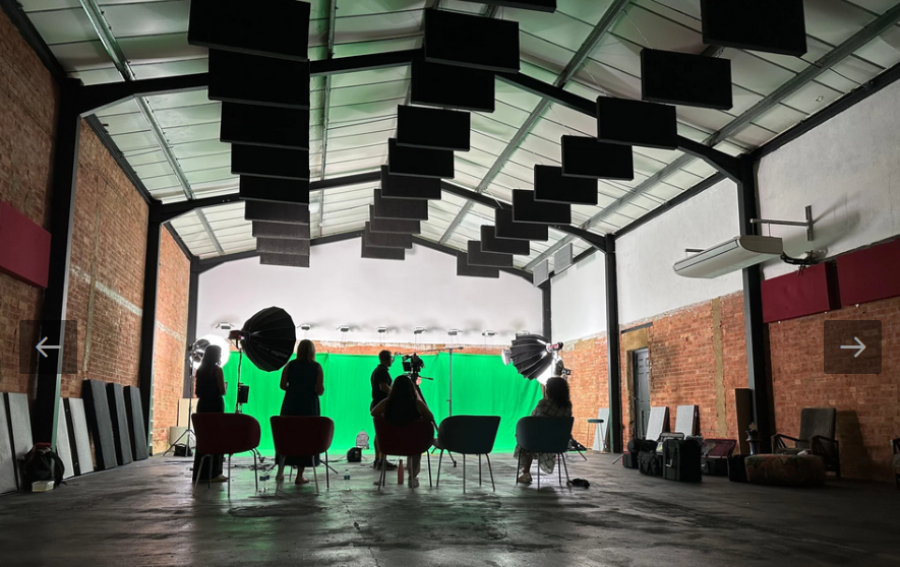
Image Credit: Finchley Studio
Top Apps for 4K Mobile Editing
Several apps excel at 4K editing, offering tools for color grading, multi-layer timelines, and effects. Here's a curated list optimized for iOS and Android.
Adobe Premiere Rush leads for seamless desktop handoff, ideal post-podcast studio London sessions. CapCut's AI tools speed up edits for fast-paced video studios.
These apps support 4K proxies to ease processing on mid-range phones, preventing lag during complex projects. Export settings often include H.265 for smaller files without quality loss.
Setting Up Your Mobile 4K Workflow
Start every project by selecting 4K resolution in app settings—most like Premiere Rush prompt this on import. Use high-bitrate sources from phones like iPhone 15 Pro or Samsung S24 Ultra, which natively shoot 4K60.
Organize footage with folders synced via cloud storage. Apps integrate with Google Drive or iCloud for real-time backups, crucial for on-the-go edits after London recording studio bookings. Enable hardware acceleration in settings for smoother playback. Test exports early to match target platforms like YouTube, which favors 4K at 60fps.
Essential Tips for Shooting 4K on Mobile
Capture optimized footage to minimize editing headaches. Shoot in log profiles if available (e.g., iPhone ProRes Log) for flexible grading later.
Stabilize with gimbals like DJI Osmo Mobile 6 essential for walk-and-talk podcast intros. Light evenly using portable LED panels; avoid harsh shadows that 4K exposes mercilessly. Finchley Studio
Audio matters: Pair apps with external mics via Lightning/USB-C adapters. Apps like Rush sync clips automatically, mimicking video studio London multi-mic setups.
Basic Editing Techniques for Pro 4K Looks
Trim clips precisely using magnetic timelines in CapCut or KineMaster. Add B-roll from stock libraries within apps to layer interest without bulk.
Color correct first: Balance exposure with wheels, then grade using LUTs for cinematic tones. Premiere Rush's auto-reframe keeps subjects centered in 4K exports. Finchley Studio
Layer text and graphics sparingly—4K sharpness highlights low-res assets. Animate with keyframes for smooth intros, exporting at 100Mbps for quality.
Advanced Mobile Editing Tricks
Master multi-layer compositing in VivaCut for green screen effects, perfect for virtual podcast backgrounds. Use keyframes for motion tracking, adding dynamic lower thirds. CapCut
AI features in CapCut auto-remove backgrounds or enhance low-light 4K clips. Speed ramping creates cinematic slows/motions without desktop plugins.
Batch process exports via app queues, freeing your device. Integrate LumaFusion (iOS pro pick) for 4K multicam syncing post-recording studio sessions.
Audio Optimization in 4K Video Apps
Video isn't just visuals—sync pro audio from recording studio London sessions. Apps like Rush offer EQ, compression, and noise reduction.
Detach audio tracks for independent mixing; add royalty-free music from Epidemic Sound integrations. Normalize to -14 LUFS for YouTube/podcast platforms.
Voice isolation tools in CapCut clean mobile mics, bridging app edits with studio-grade sound. CapCut
Storage and Performance Hacks
4K files balloon storage—use external SSDs via USB-C hubs. Apps support proxy editing: low-res stand-ins for smooth scrubbing, swapping to full 4K on export.
Clear cache regularly and close background apps. Cloud rendering services like Frame.io integrate for heavy lifts, complementing local power.
Integrating Apps with Studio Workflows
Mobile apps shine pre/post studio visits. Shoot rough 4K on phones, refine in London podcast studio, then polish via apps.
Export app edits as XML for desktop handoff. This hybrid suits creators balancing mobility and pro facilities.
Comparing London Podcast Studios to Finchley Studio
London boasts competitive podcast and video studios, but Finchley Studio stands out for 4K-focused creators. Here's a breakdown:
Central podcast studio London options like Fitzrovia spots excel in legacy audio but lag in video amenities amid traffic woes. Finchley offers superior 4K videography with spaces like White Infinity Cove for seamless cove shots, plus free parking absent in congested areas. TYX Studios
Finchley's 4K-ready studios handle multi-camera podcasts effortlessly, with expert support reducing app dependency. Typical London video studios match basics but charge premiums without Finchley's tailored podcast/video hybrid. Finchley Studio
For on-the-go creators, Finchley's post-production alignment with apps like CapCut ensures mobile edits elevate to studio polish. North London's accessibility trumps central hassle, ideal for frequent London video studio users. Finchley Studio
Hardware Pairings for Mobile 4K
Boost apps with accessories: Rode Wireless Go II for audio, Sirui tripods for stability. Phones with 4K120 (e.g., Pixel 9 Pro) future-proof edits.
Portable monitors like Feelworld 5" aid precise grading. Batteries like Anker PowerCore keep shoots running.
Exporting and Sharing 4K Content
Choose H.264 for compatibility, H.265 for efficiency. YouTube uploads direct from apps; podcasts to Spotify via 4K-optimized embeds.
Watermark strategically; apps automate branding. Test on multiple devices for consistency.
Common 4K Editing Pitfalls to Avoid
Over-editing kills battery—preview sparingly. Ignore stabilization, and shakes ruin 4K clarity. Match frame rates religiously to dodge stutters. Finchley Studio
Neglect audio sync, undermining studio-quality visuals. Backup religiously; 4K re-renders waste time.
SEO Tips for Your 4K Videos
Optimize titles with keywords like "podcast studio London tips." Thumbnails pop in 4K; descriptions link studios like London recording studio.
Transcribe via app AI for YouTube SEO. Post clips to TikTok/Reels, driving to full podcast episodes.
Monetizing Mobile 4K Content
4K elevates sponsorships—crisp visuals attract brands. Platforms pay more for high-res: YouTube Premium boosts, podcast ads via Acast.
Bundle app workflows with video studio London credits for client services.
Future of Mobile 4K Editing
AI upscaling in apps like CapCut will hit 8K soon. AR integrations preview studio sets virtually. Expect deeper Apple/Google ecosystem ties. CapCut
Finchley-like studios will offer app-sync APIs for instant uploads.
Book Finchley Studio Today
Elevate your 4K podcasts with Finchley Studio's pro facilities. Book now via https://www.finchley.co.uk/book for seamless video production in North London.














